How To Create Bank
How to Create a Bank
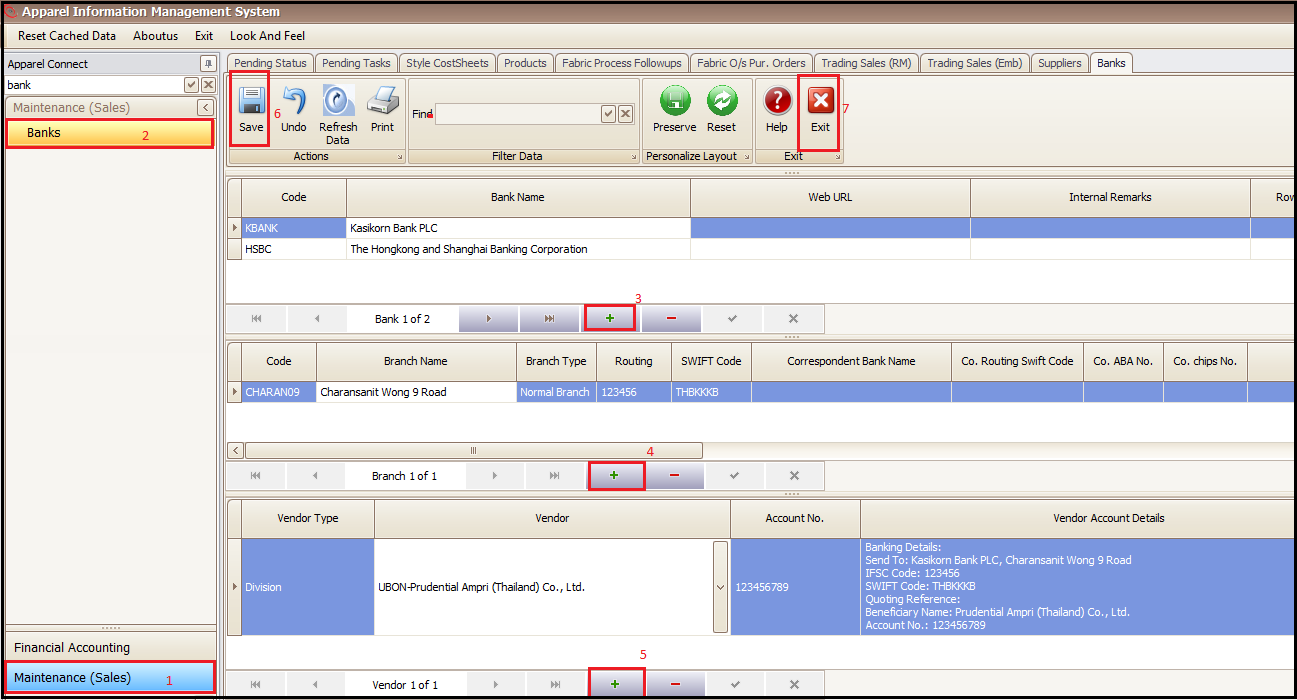
- Click on Maintenance (Sales)
- Click on Banks
- Click on + in top section of screen to add Bank Code, Bank Name, Web URL etc.
- Click on + in middle section of screen to add Bank Branch details
- Click on + at bottom section of screen to add Party (Buyer/Supplier etc.) account details
- Save and Exit
Created with the Personal Edition of HelpNDoc: Free CHM Help documentation generator