How To Create a Material Opening Balance
Stock Opening Balance
Locate correct menu (Miscellaneous Receipts)
|
|
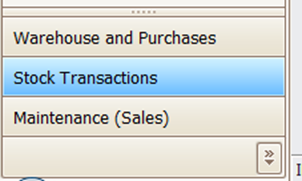
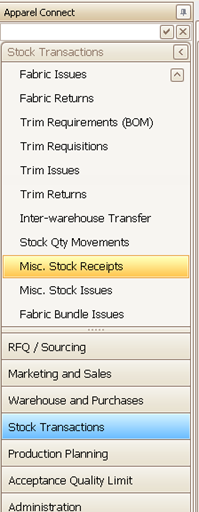
- Click "Add Opening Balance" button.
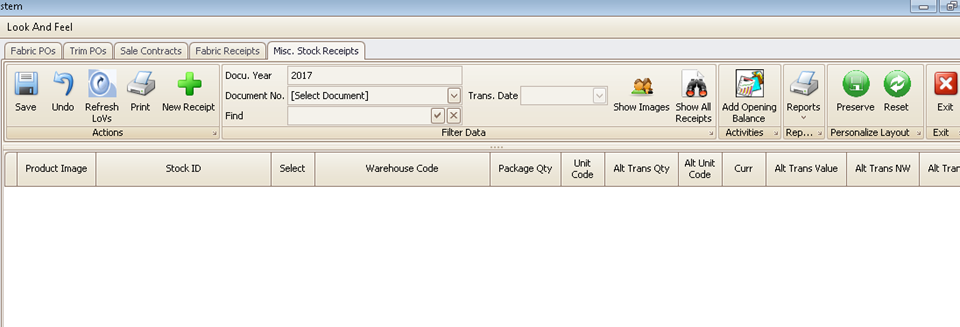
- Select Product and Color, or hit the plus button to create the master if it does not already exist.
- WARNING: Make sure you are not duplicating the same item with different codes!
- The default stock unit, package unit, and unit price will appear next to it. That takes you to the screen shown below.
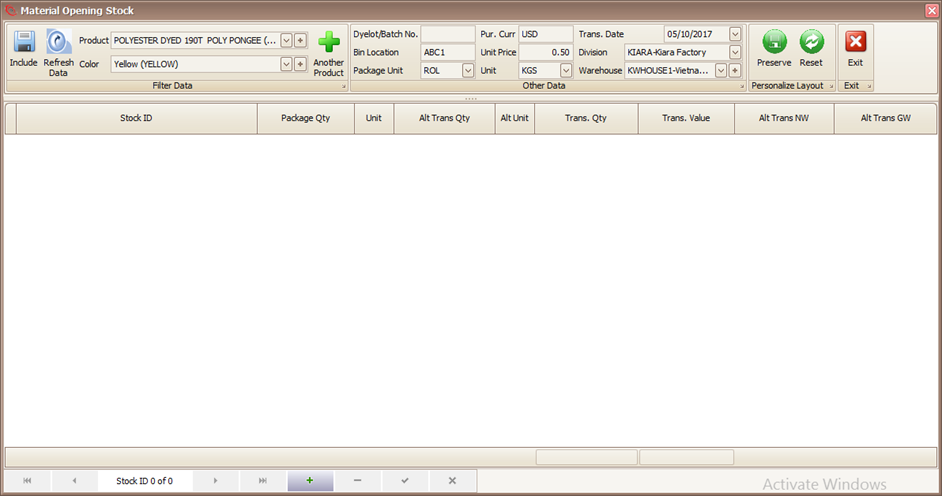
Confirm all elements of Stock:
- The Division and Warehouse location.
- The Bin Location is where items should be stored. The default Bin Location is set in the product master.
- The Transaction date = Date of Stock Count.
- Dye-Lot/Batch = Leave Blank for Trims, Add Dye-Lot for Fabrics.
- Unit Price = The Stock Value for Each Unit in defined Purchase currency.
When Ready, click the 'plus' button at the bottom navigator to start adding rolls.
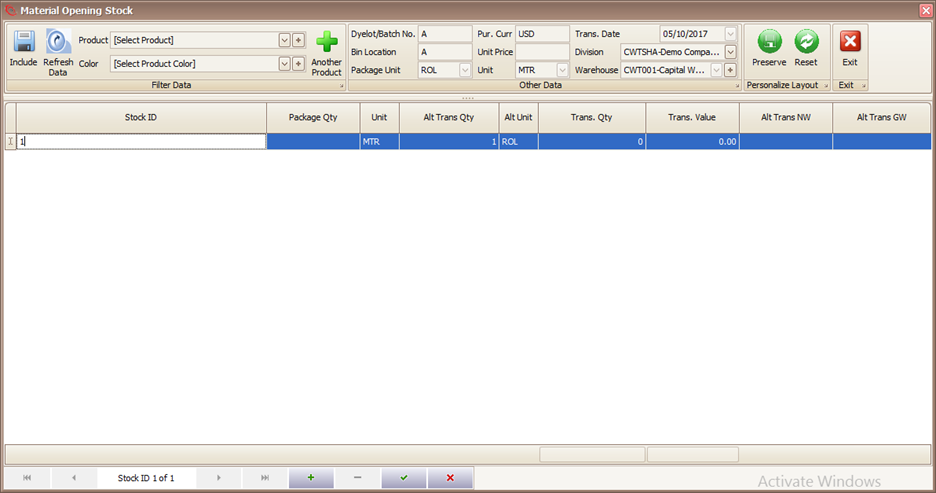
Make sure of the following:
- Start from one and system will build your stock ID automatically
- OR enter existing stock ID if you have it, or Roll ID from the supplier
- The number is reset for each Product/Color/Dye-Lot /Bin Combination
- Package Qty is the number of PCS/Meters/Yards in the package. Enter the size of the package as the PACKAGE QTY (e.g. the length or weight of a fabric roll or number of pieces in a box etc).
- Alt Transaction Quantity is the number of packages in the stock ID. It's normally just ONE!
- Enter Number of Rolls/Packages in Lot (e.g. 1 Roll, or 5 Boxes). If you don't know each roll size, add as one single roll – we can split later.
- Press Save and 'Plus' to add another Roll.
- Remember to Print Package Labels. Refer: Printing Package Labels
Rules for Data Entry
- Stock ID start from 1 and increments to 2, 3, and so forth. Reset the stock ID when you change the Product or Color.
- Package Qty is the number of PCs/Meters/Yards (measurement units) in the package.
- Alternate Quantity is the number of packages in the stock ID. It's normally one. If you are not sure – go with ONE!
- The total quantity of the stock ID is the Alt Qty x Package Qty.
Created with the Personal Edition of HelpNDoc: Create help files for the Qt Help Framework