How To Create a Scrap Sale Invoice
Material Trading Sales
Trading sale invoice is used to sell something which is available in stock (say scrap). To make a Material Trading Sales :
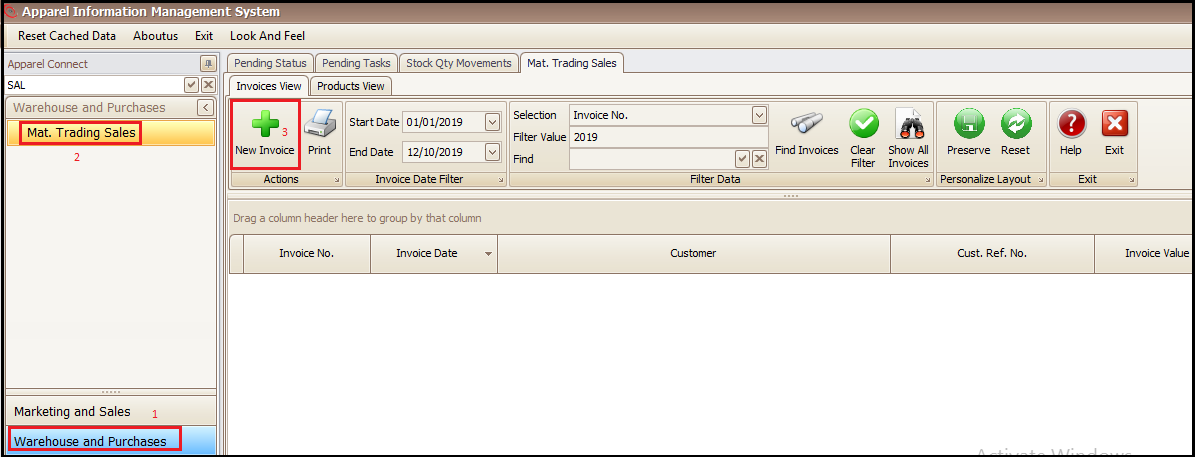
- Click on Warehouse and Purchases
- Click Mat. Trading Sales
- Click New Invoice (This will open a new window)
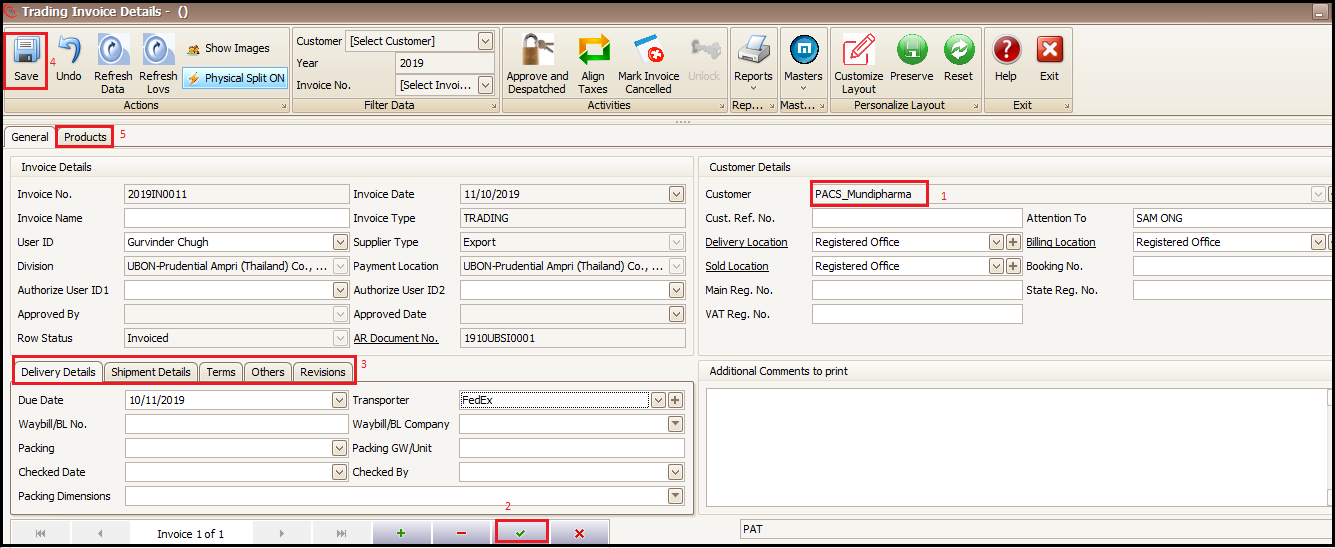
- Select the customer
- Click right green tick at the bottom to save (this will generate invoice number)
- Fill/Change any of the required information
- Save
- Click on Products tab
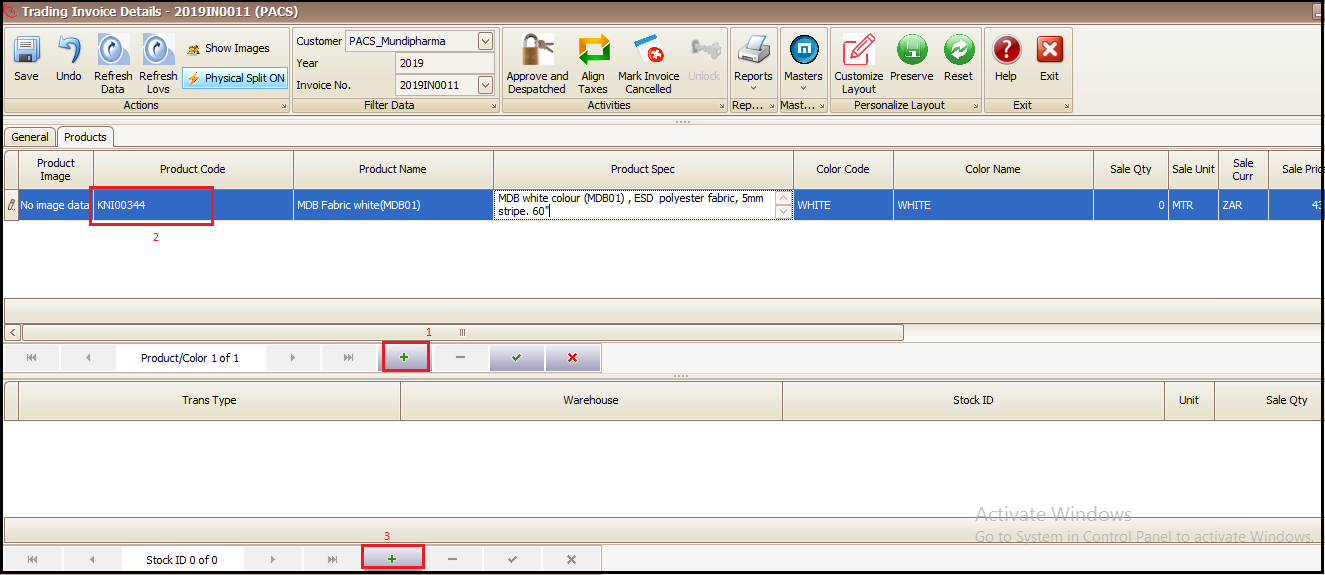
- Click on + in upper section of the screen
- Select the product you have in stock and want to create an invoice for, press tab on keyboard
- Click + in bottom part of screen
- Select the Transaction Type (good or damaged stock)
- Select the Warehouse (system will bring the available qty present in stock in sale qty column)
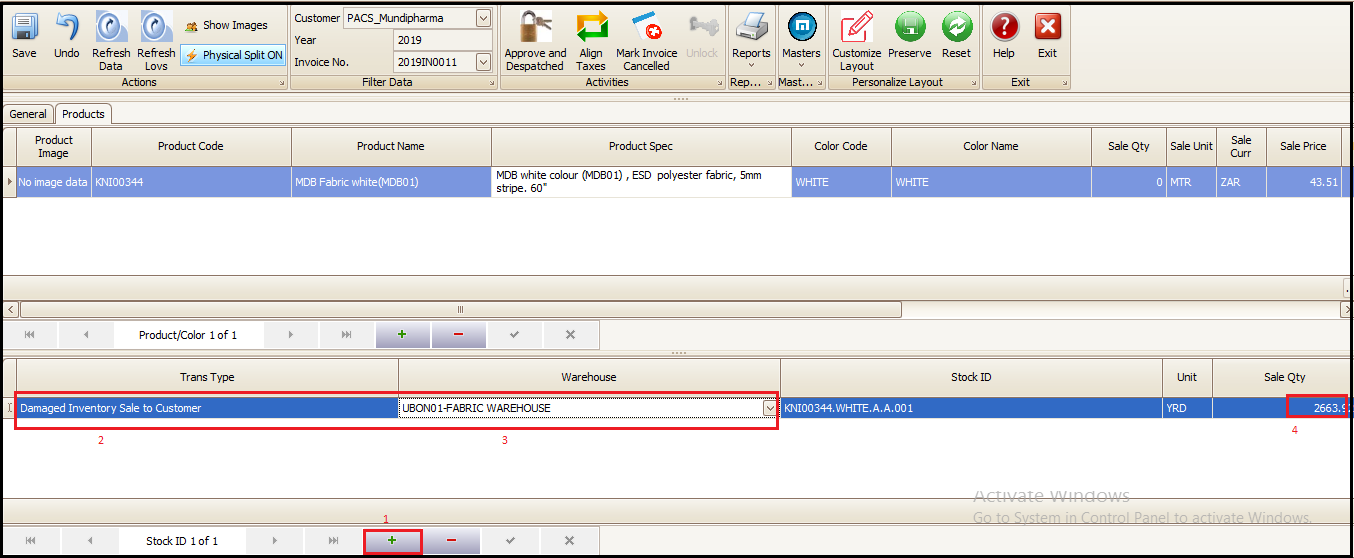
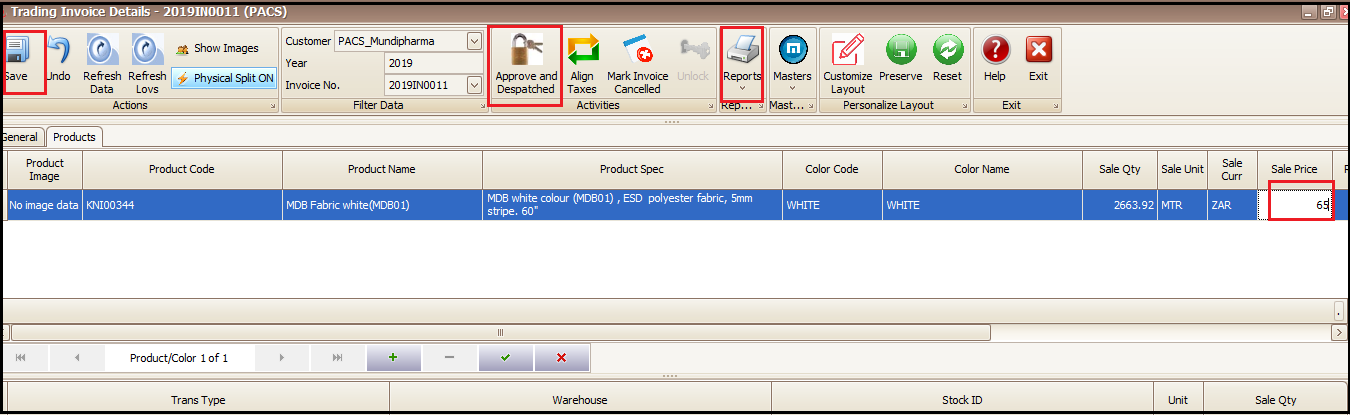
- Click save at top left
- Change the sale price from current stock price (id required)
- Click on Approve and Dispatched to approve the sale invoice
- Sale invoice print can be taken from Reports
Created with the Personal Edition of HelpNDoc: Easily create Web Help sites