Revision/Unlock (Sale Order)
Sale Order Revision/Unlock
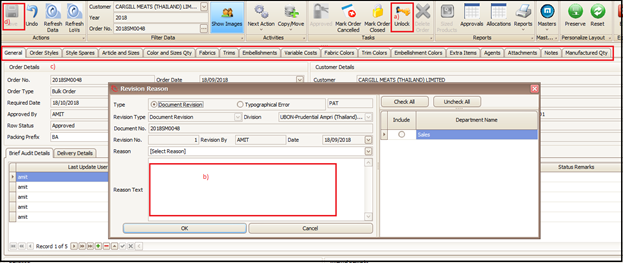
For any kind of information changed due to any reason in sale order, after it was approved, user need to unlock the sale order to update the changed information in system.
Steps to follow:
- Click on Unlock button
- Enter the reason for revision in the popped-up screen and click OK
- Click on respective tab to change the information and update the information
- Save the changed information and approve the sale order again
Created with the Personal Edition of HelpNDoc: Easily create HTML Help documents