Stock Inventory
Stock Inventory
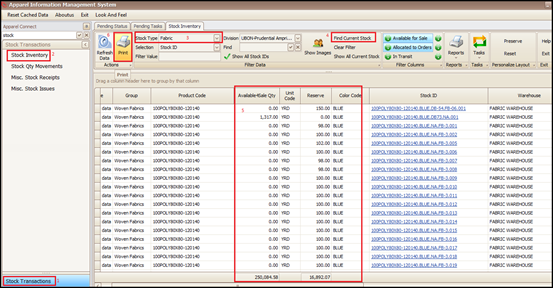
To check the report for available and free stock in system we can follow the below steps:
- Click on Stock Transactions
- Click on Stock Inventory
- Select the Stock Type (Fabric or Trim which user needs to see)
- Click on Find Current Stock
- Can see the Available and Reserve qty available in stock
- Click on Print user needs to print/export the report
Created with the Personal Edition of HelpNDoc: Free HTML Help documentation generator