Cancel/Mark as Received (Purchase Order)
Cancel/Mark as Received
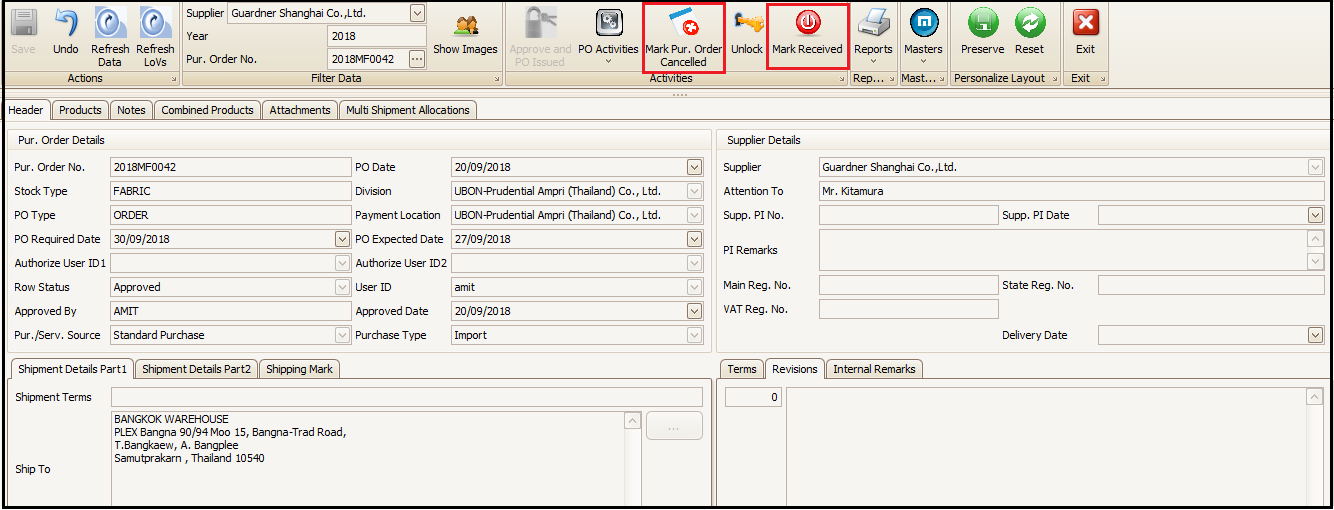
- If user needs to cancel any purchase order then it can be done by clicking on ‘Mark Purchase Order Canceled’ button on top of the screen and click Yes on popped up screen.
- If the material is not to be received against any purchase order in future, in that case user can click on ‘Mark Received’ and then select the product row and click on ‘Include’ button. Thus, order will be closed and will not show for further receiving.
Created with the Personal Edition of HelpNDoc: Easily create PDF Help documents