How To Create a Departmental Indent
Departmental Indent
Departmental indent is used as a requirement document by different departments. This contains required material details. To create a departmental indent follow the belows steps:
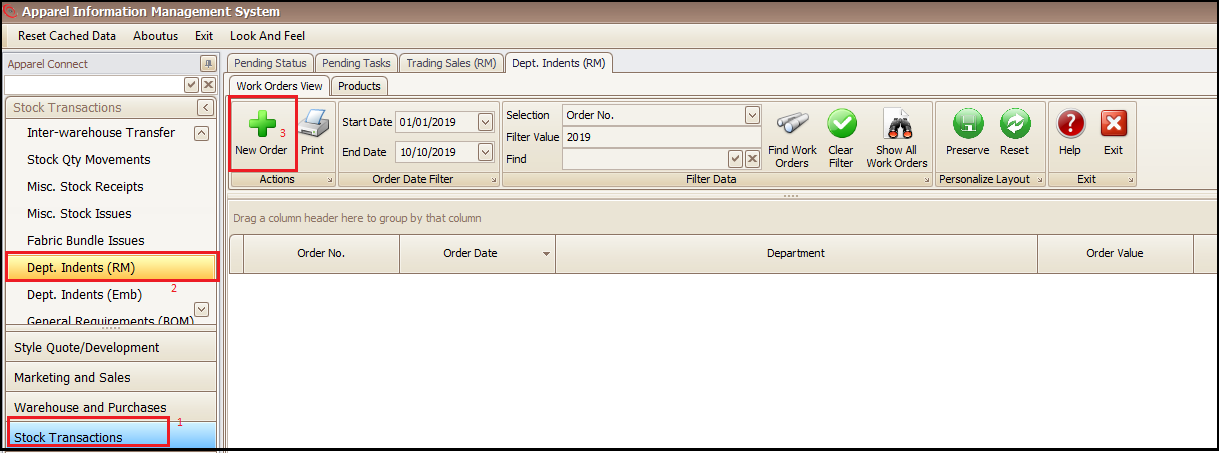
- Click on Stock Transactions
- Click Dept. Indents (RM)
- Click on New Order in opened tab (this will open a new screen)
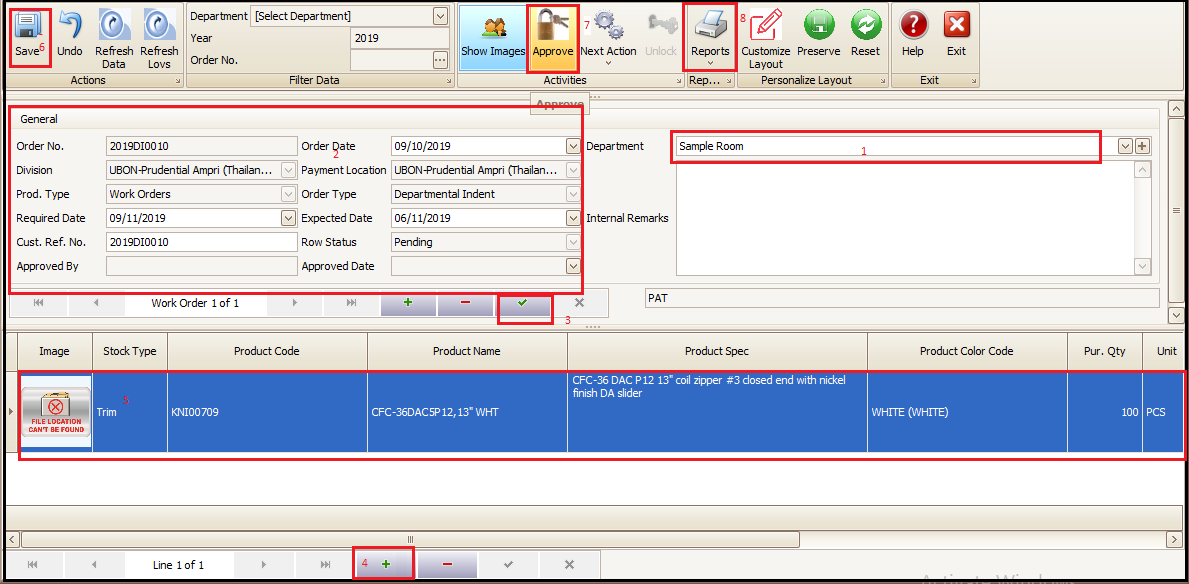
- Select the department
- Fill the general information and
- Save by clicking green right tick (this will generate indent/order number)
- Click on + at bottom of the screen
- Add the product details (product, unit qty etc.)
- Save
- Approve the indent (this will generate a BOM for the indent material)
- Indent sheet can be printed from Reports for physical copy
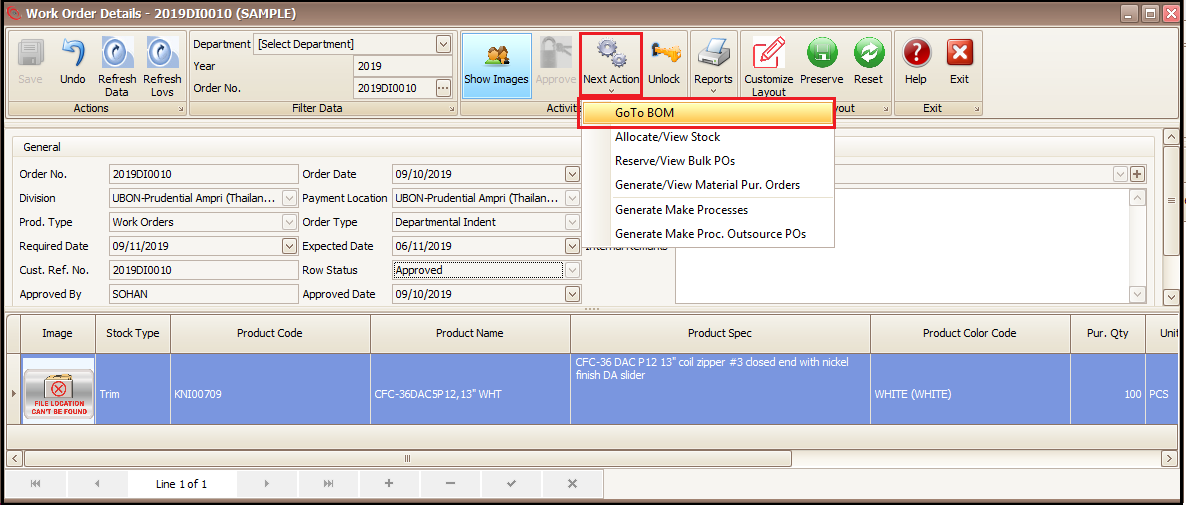
- Click on Next Action and Go To BOM
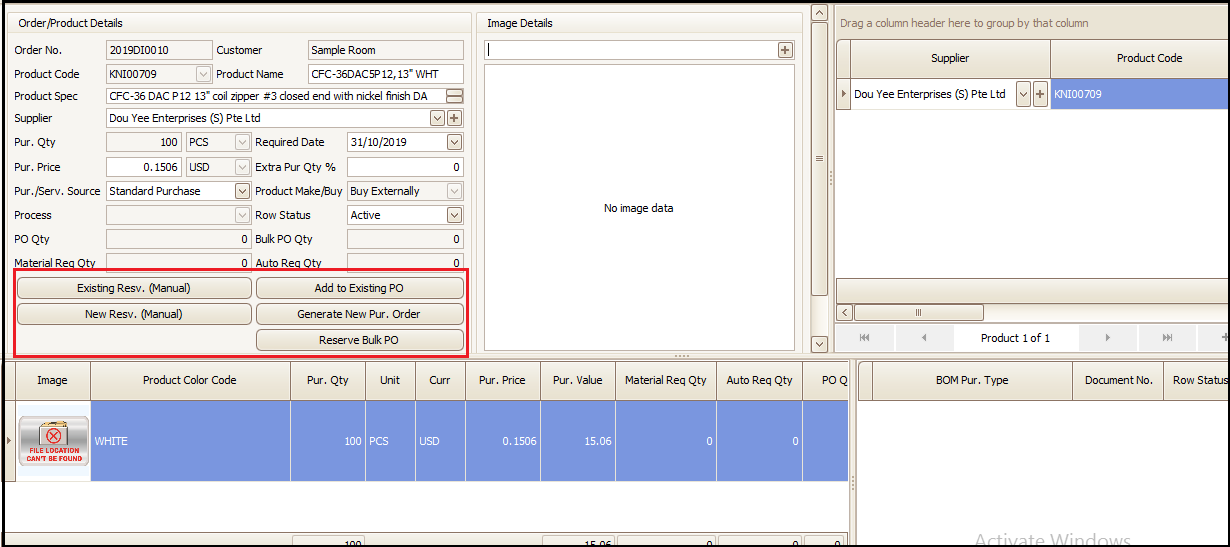
- This BOM can be fulfilled as we do in case of sale orders (refer sale order material fulfillment document)
- Material can be issued to respective department from issue transactions
Created with the Personal Edition of HelpNDoc: Free EPub and documentation generator