How To Create a Proforma Invoice
Proforma Invoice
A proforma invoice is a preliminary bill of sale sent to buyers in advance of a shipment or delivery of goods. The invoice will typically describe the purchased items and other important information such as the shipping weight and transport charges. Pro forma, Latin for “as a matter of form” or “for the sake of form,” invoices often come into play with international transactions, especially for customs purposes on imports.
Steps to create PI in ApparelConnect:
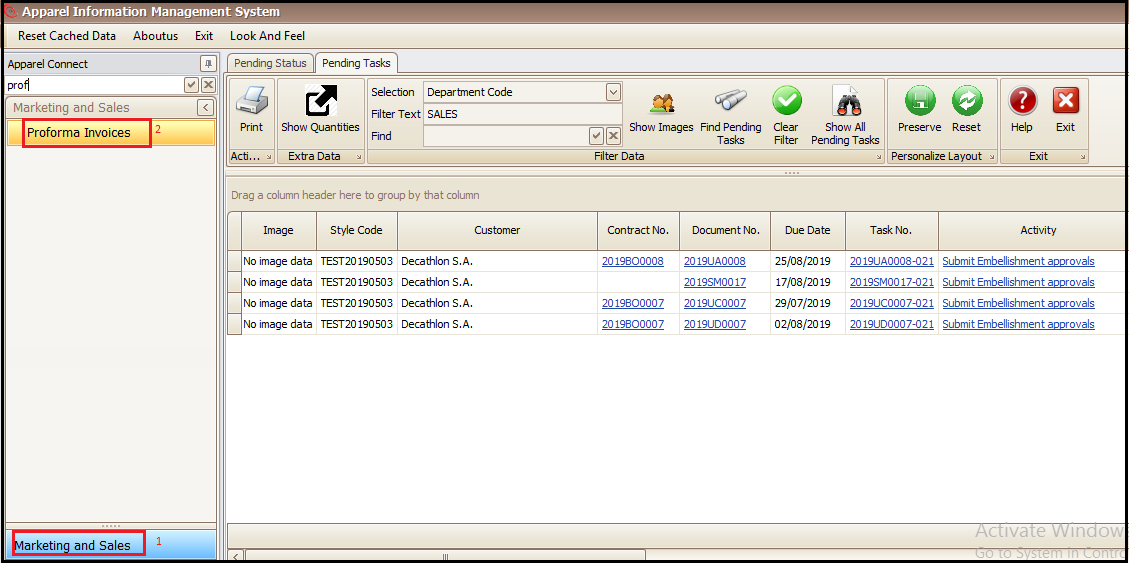
- Click on marketing and sales
- Click Proforma Invoices
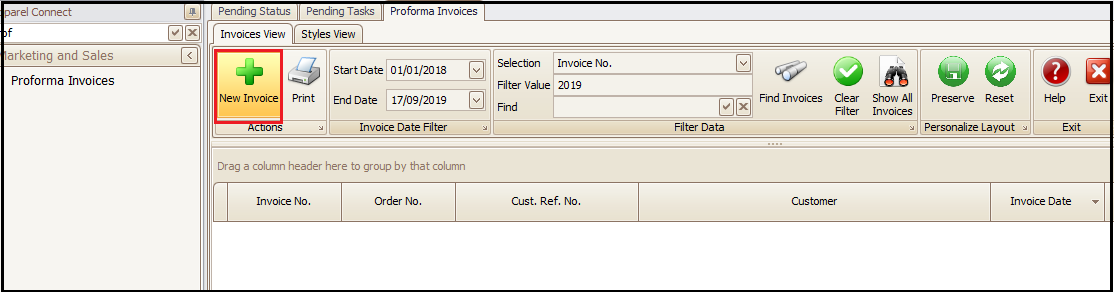
- Click on New Invoice (This will open a new window)
- Fill the necessary information (Customer, Delivery Location, Billing and Payment Location etc.) in General tab
- Then go to Delivery tab and fill the delivery related given fields (Airway/BL No., Payment Terms etc.)
- Save the entered data to generate the Proforma Invoice No.

- Click on shipment tab and fill the shipment information (Dates and Ports etc.) and save

- Click on others tab and fill the details and save

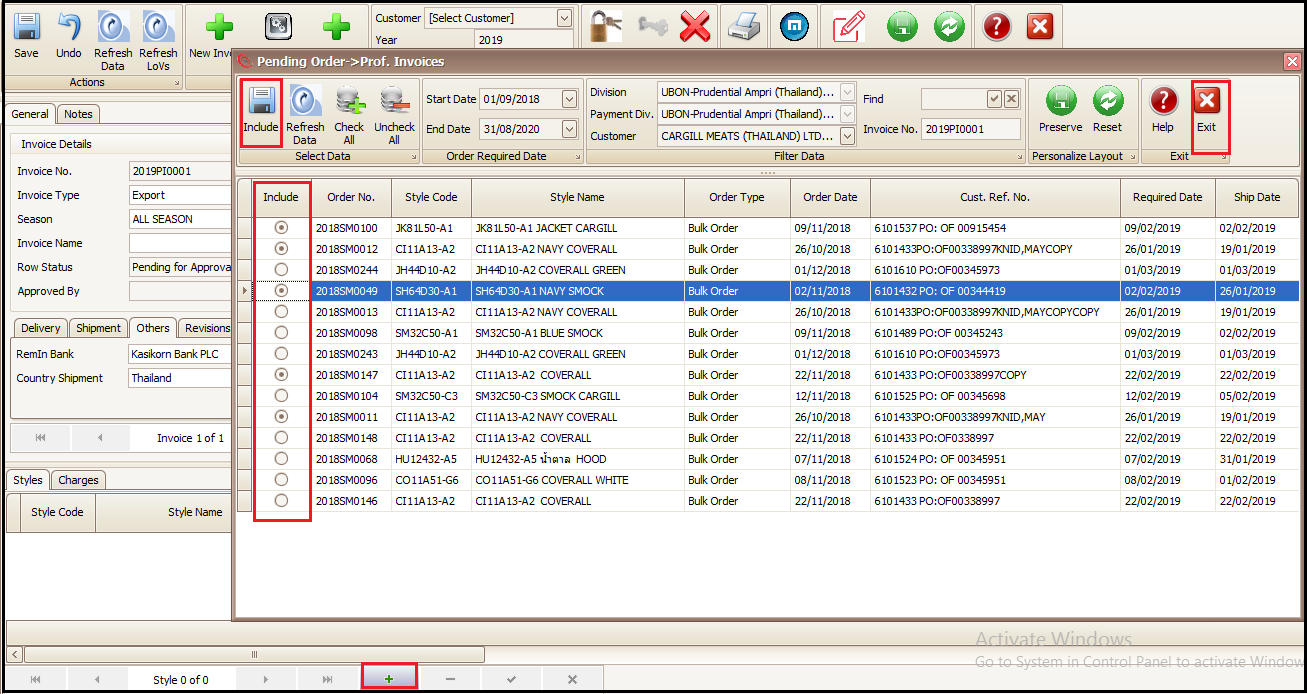
- Now in Style tab at the bottom click + button to add the styles/ sale orders in that PI
- Select the styles/sale orders to add in PI
- Click on include
- Click Exit
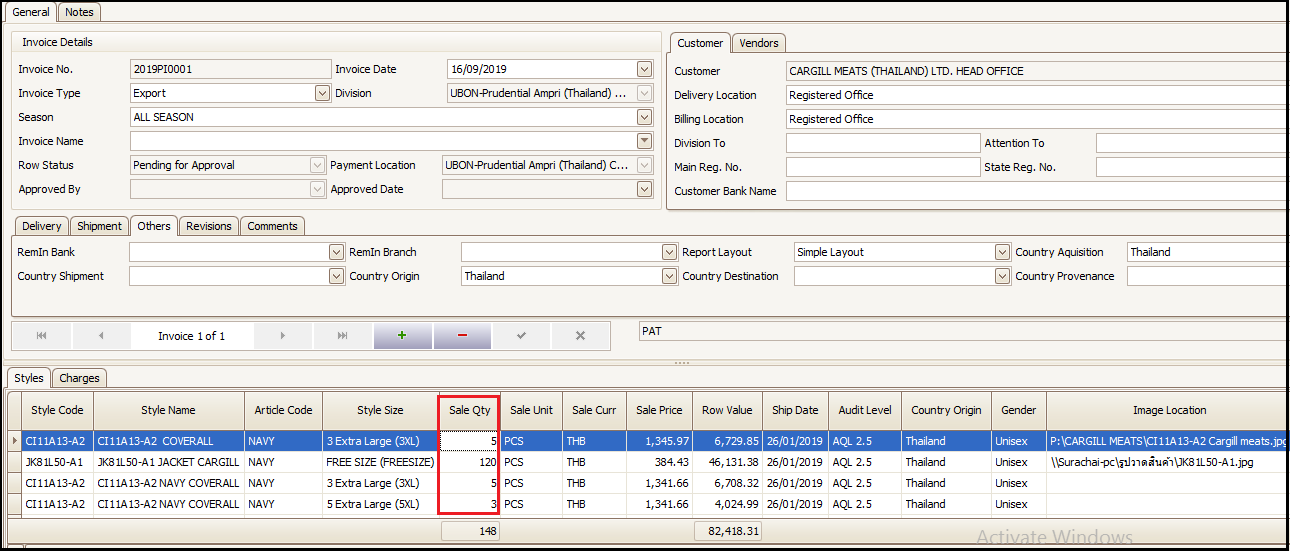
- User can change the PI quantity or price (in case if it is required)
- Click on Approve to confirm the Proforma Invoice
- To take the print/report of Proforma Invoice Click on Reports
- Select the correct report as per requirement to print single or multiple proforma invoices
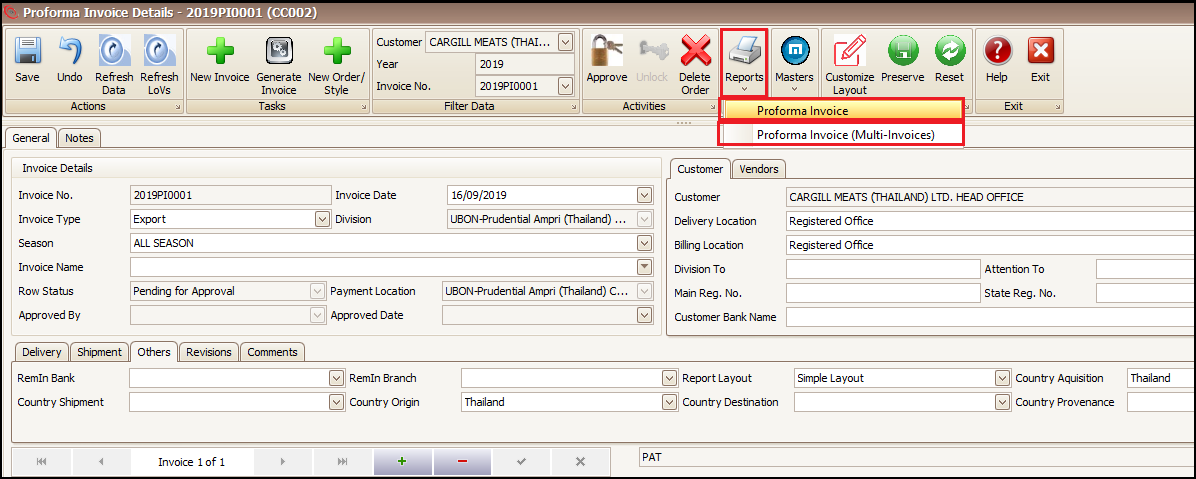
- Print the Selected Report

Created with the Personal Edition of HelpNDoc: Single source CHM, PDF, DOC and HTML Help creation