How To Create a Style Template
Template for Style Cost Sheet and Style Quote
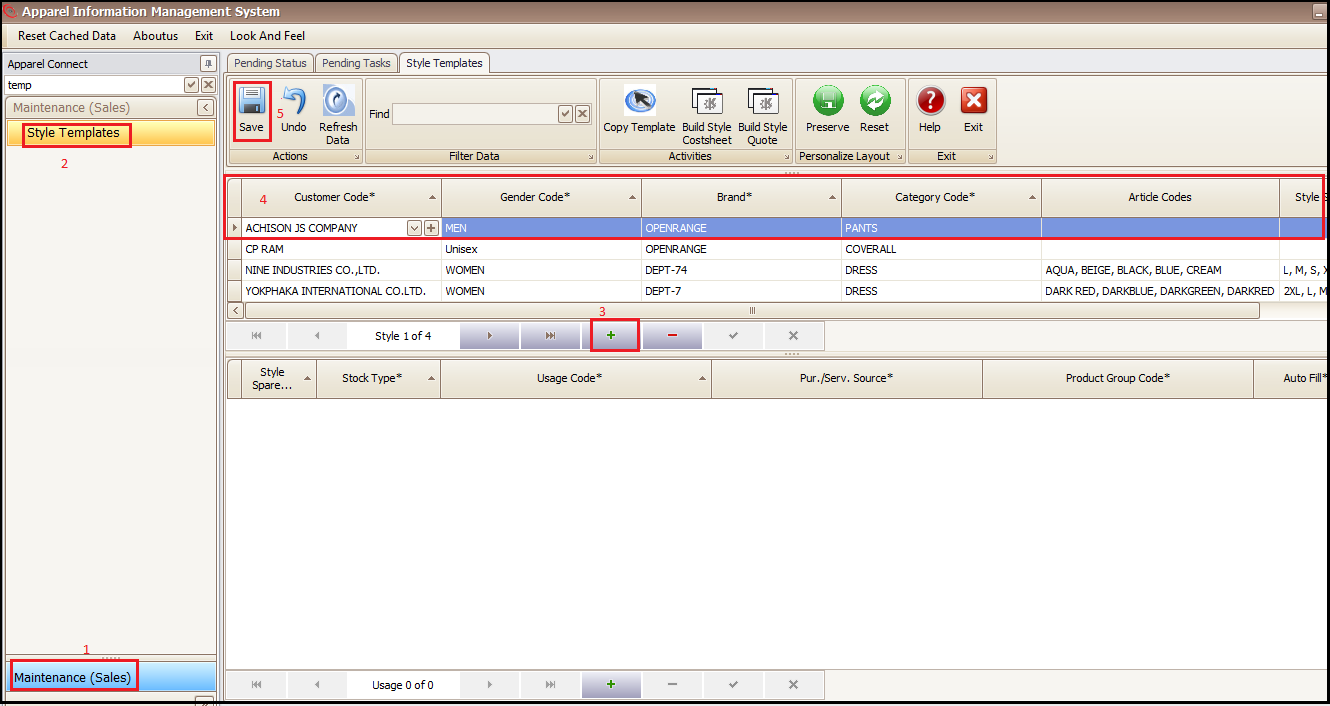
- Click on Maintenance (Sales)
- Click on Style Templates
- Press +
- Add general template info. (Customer, Gender, Category etc.)
- Save
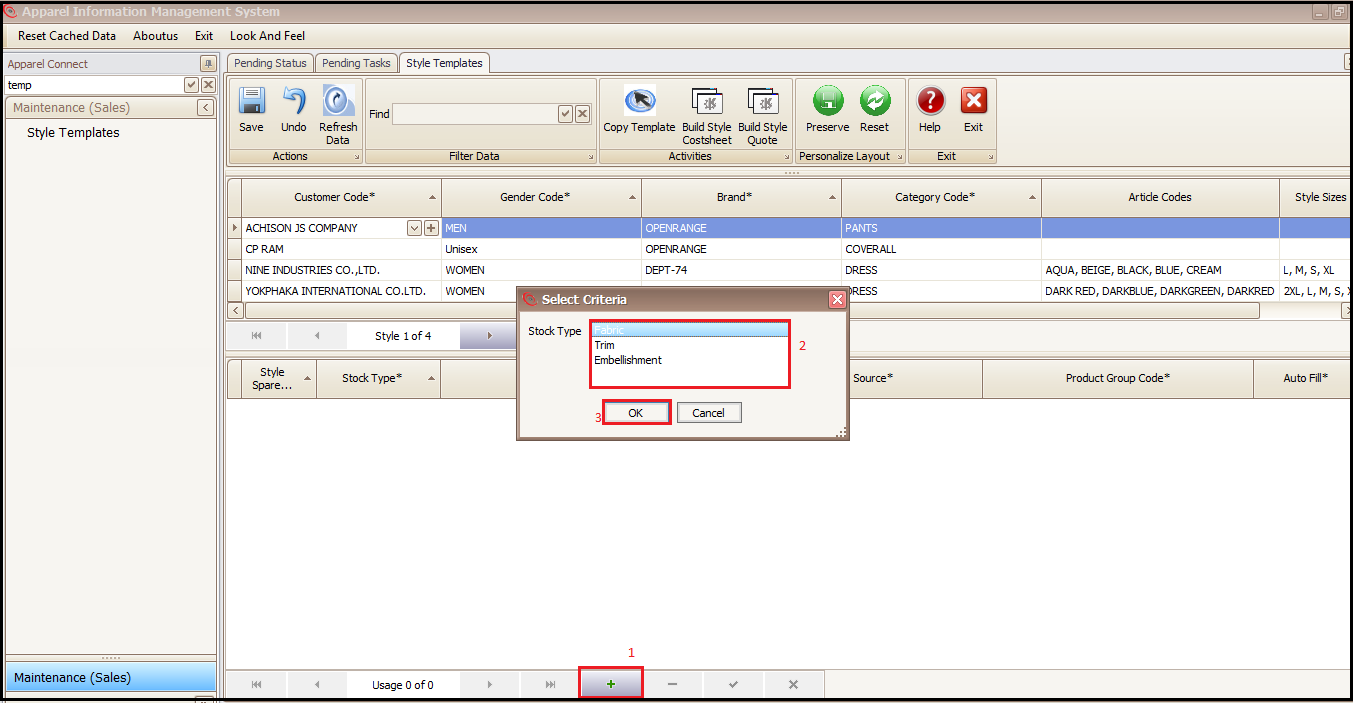
- Press + At bottom of screen to add material details in template
- Select material category
- Press OK
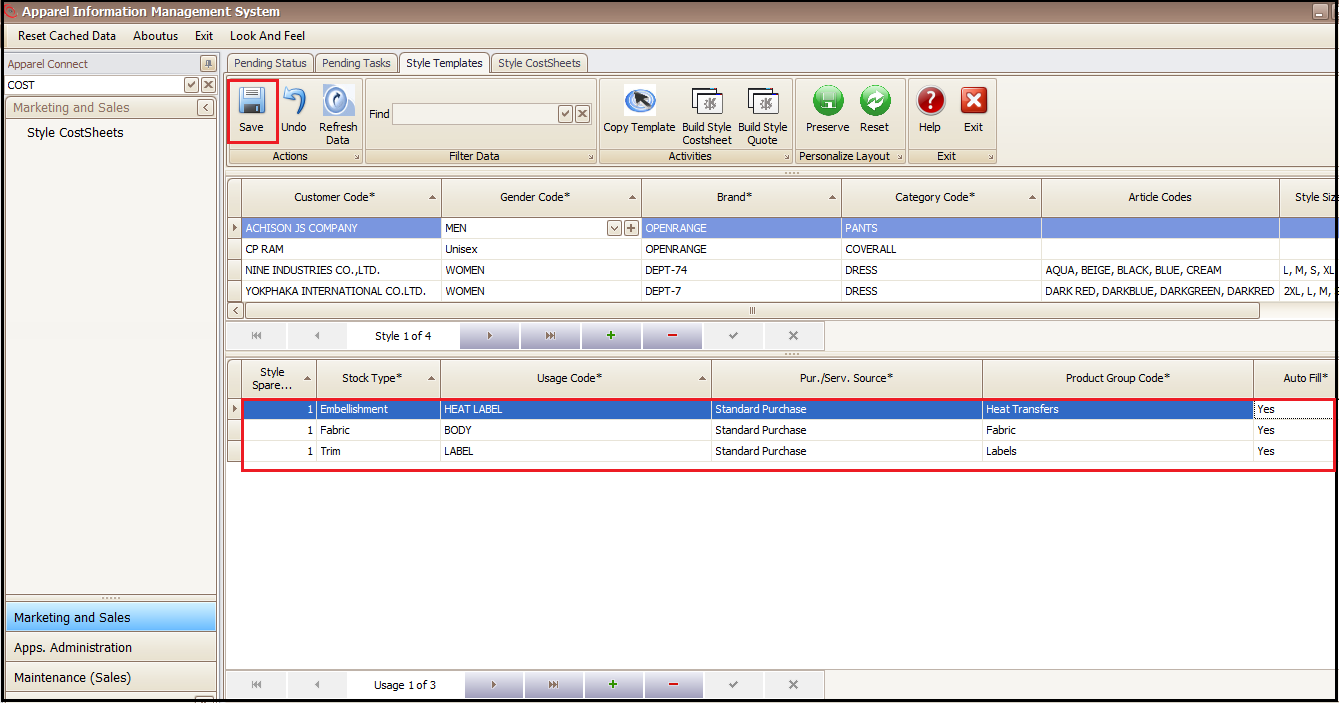
- Enter all material usages
- After adding all information (usage, product group etc.) press Save
- Auto fill 'Yes' means all added details of that row will be filled automatically in cost sheet created from template
Created with the Personal Edition of HelpNDoc: Full-featured Kindle eBooks generator