How To Create a CostSheet From Template
Cost sheet from Template
To make a cost sheet using template we can either open templates’ page and then can make style cost sheet from there or we can Click on cost sheet tab and can make it from there.
From Style Template Tab:
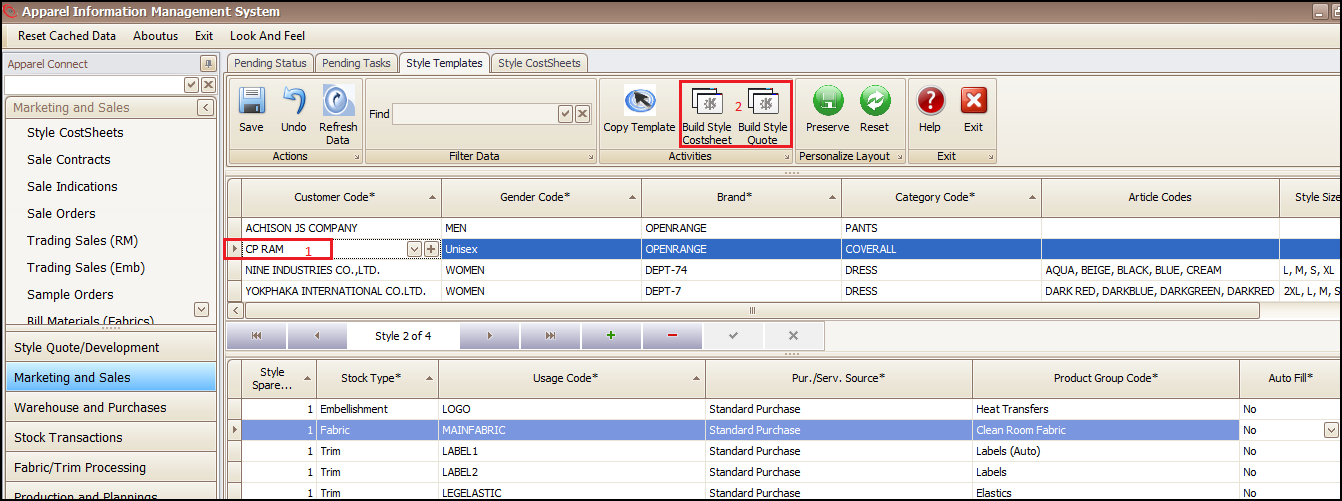
- Choose the right template
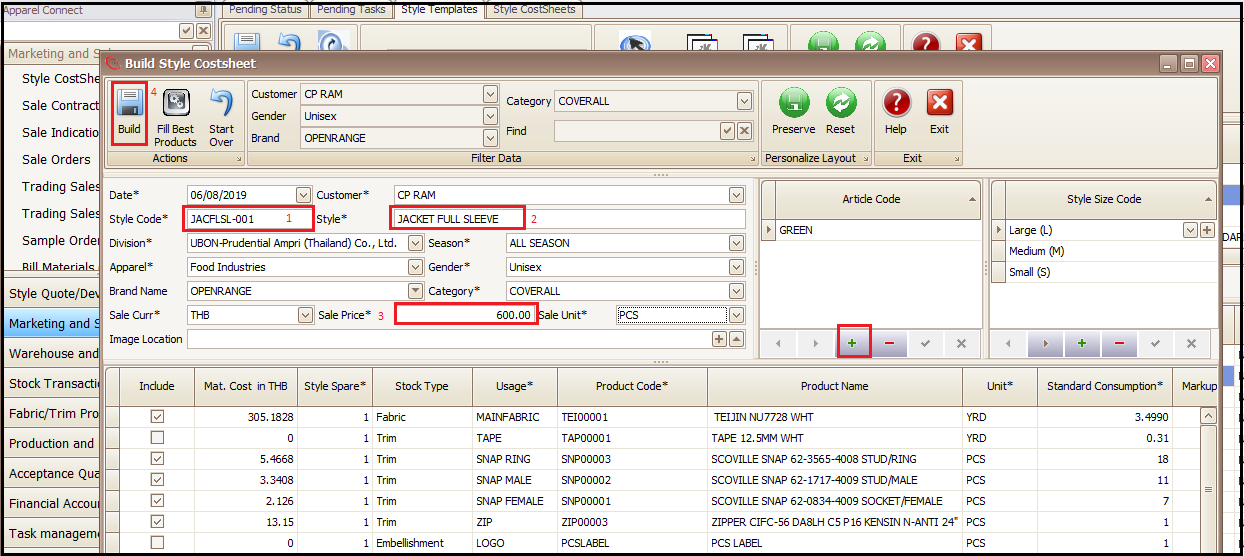
- Press the ‘Build Style Cost sheet’ or ‘Build Style Quote’ as per requirement
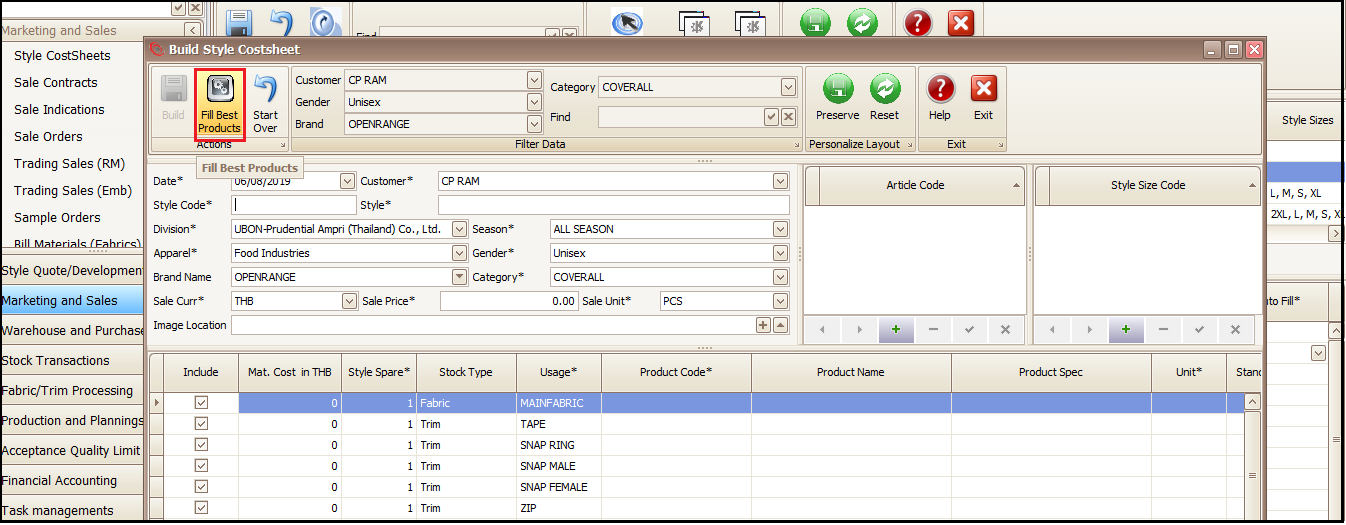
- Press ‘Fill Best Products’ in newly opened window (to fill the raw materials being frequently used by the customer for this template parameters)
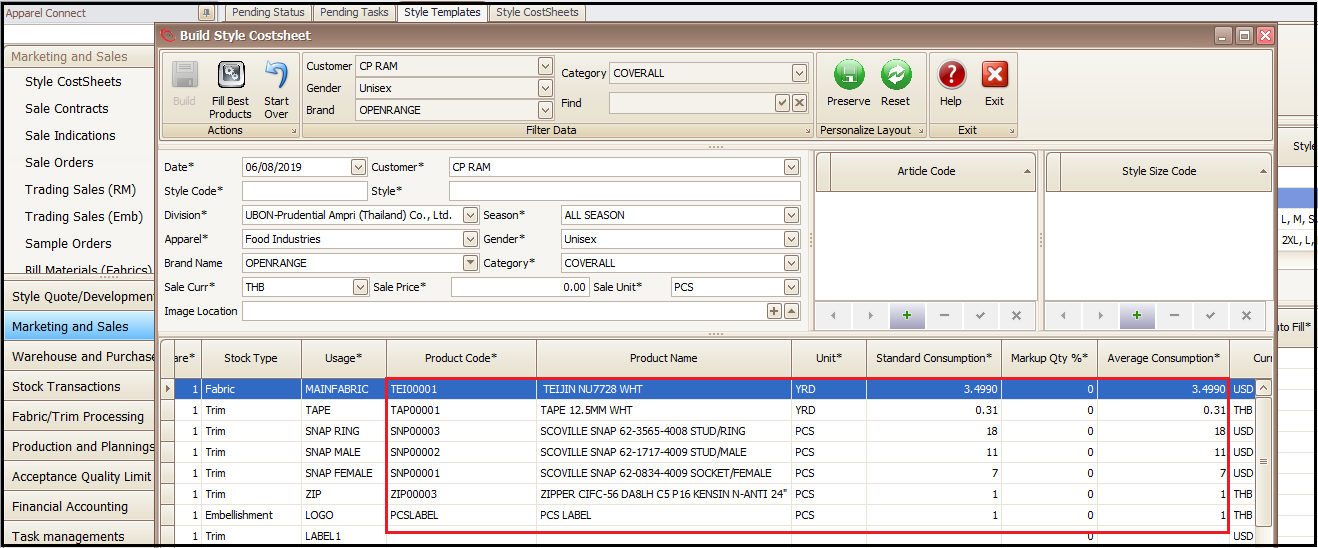
- System picked the exact raw materials/processes, with consumption and rate, used by the customer for that specific garment category
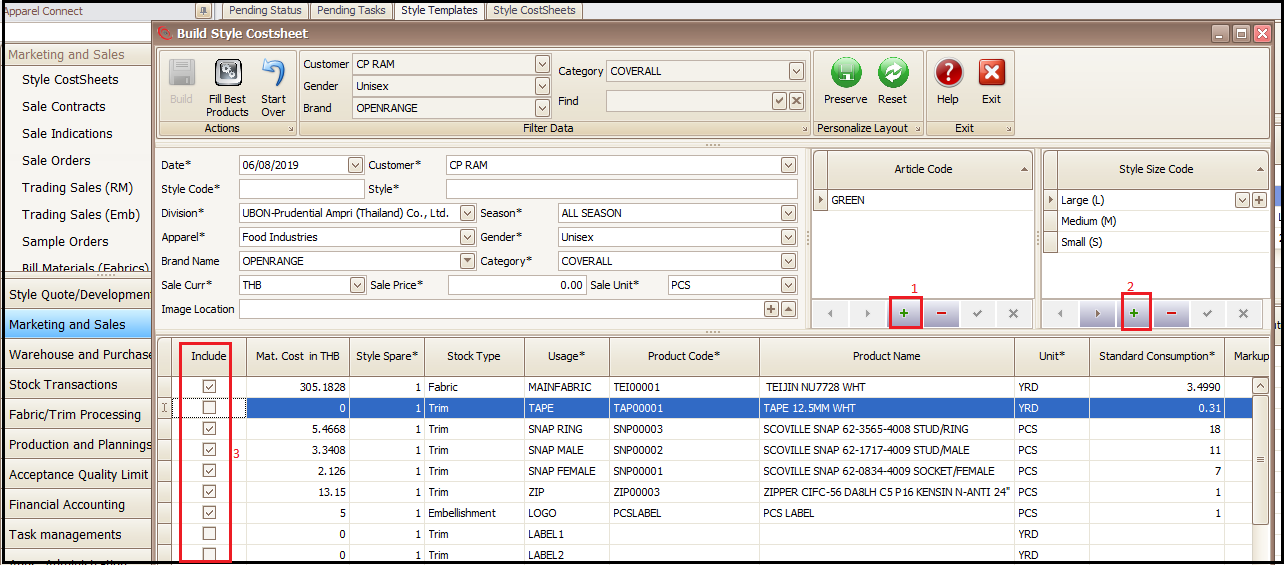
- Press + on top right of screen to add garment color (Article Code)
- Press + on top extreme section of screen to add sizes of garment
- Check or Un-check against the material you want to add in cost sheet or do not want
- Enter Style Code
- Style Name
- Sale Price
- Press Build to create the Cost sheet from template
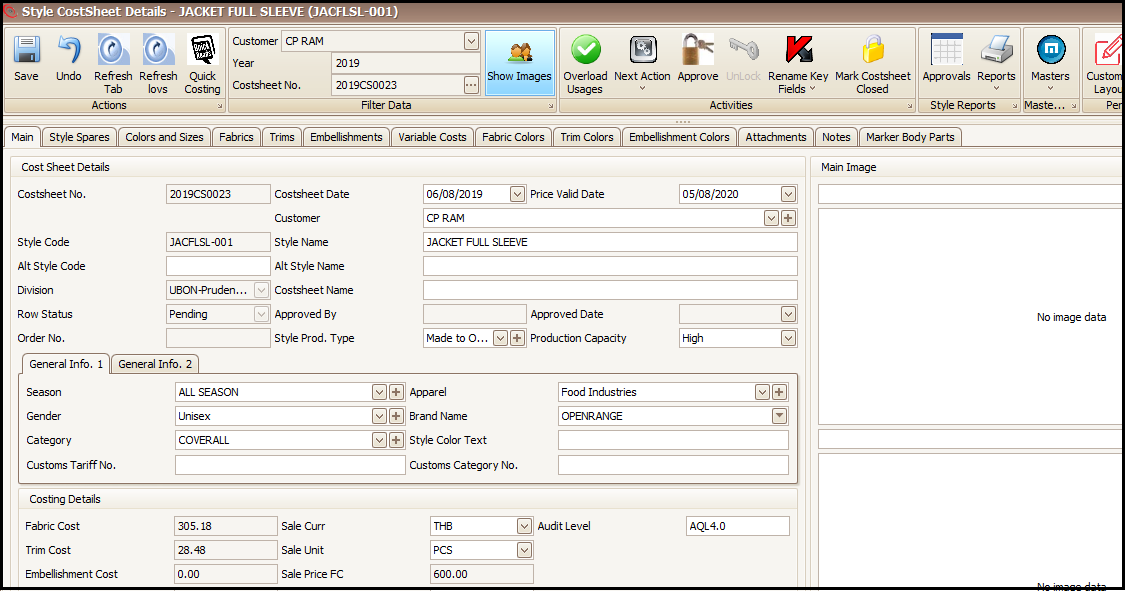
- Cost sheet/Quote will be created which will can be further changed with proper information and sent to customer
From Style CostSheets Tab:
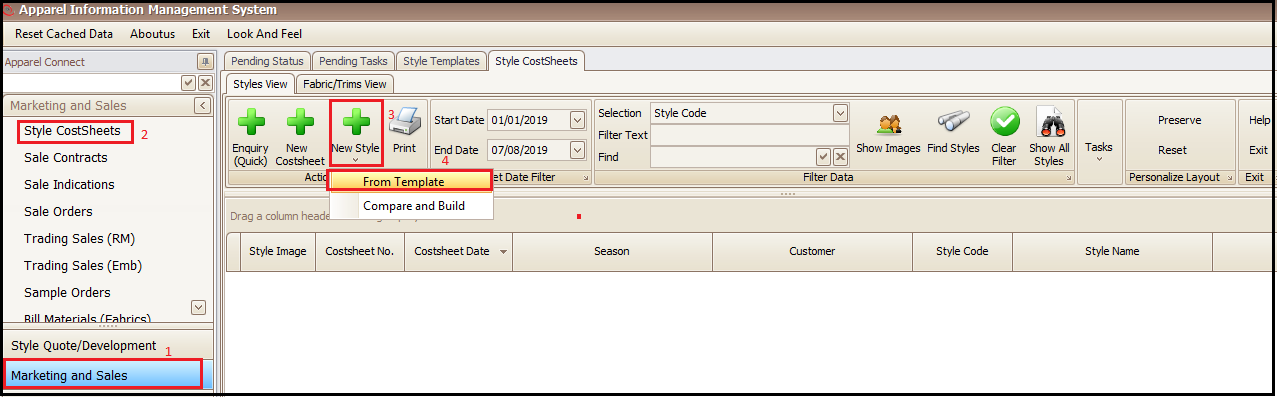
- Click on Marketing and sales
- Click on Style CostSheets
- Click on New Style
- Click on From Template
- Rest of the steps and screens are same as explained above
Created with the Personal Edition of HelpNDoc: Easily create PDF Help documents