How To Create a Trading Sale (Raw Materials)
Trading Sale (Raw Material)
This document is for trading purpose in which material is not manufactured but sourced or used from stock to sell to customers.
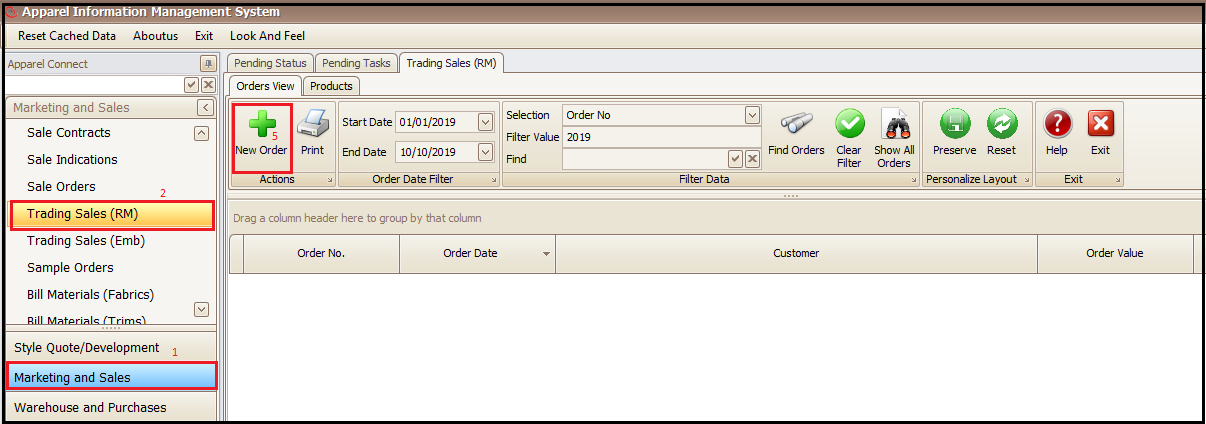
- Click on Marketing and Sales
- Click on trading Sale (RM)
- Click in New Order (this will open a new window)
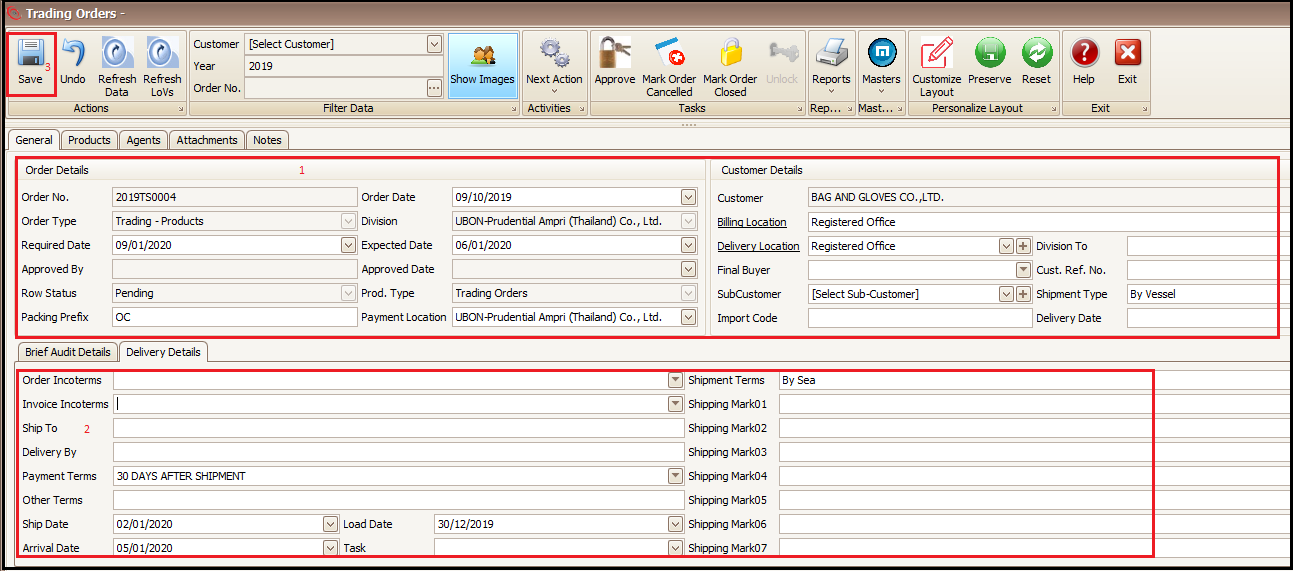
- Select your customer and fill the other general details
- Fill the delivery related details
- Save the in information
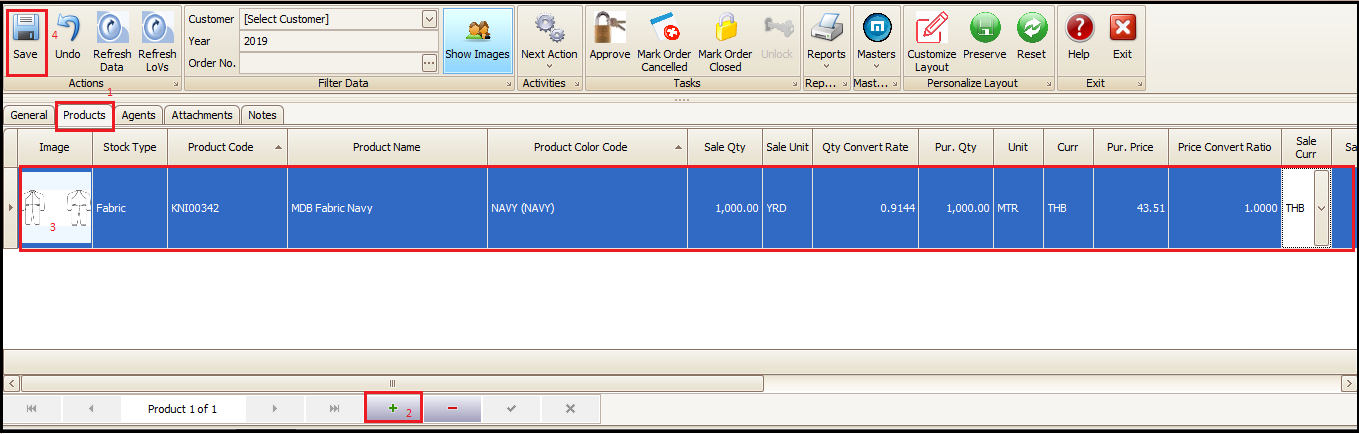
- Click on Products tab
- Click on + to add the products
- Fill the product details (product, qty, price etc.)
- Save
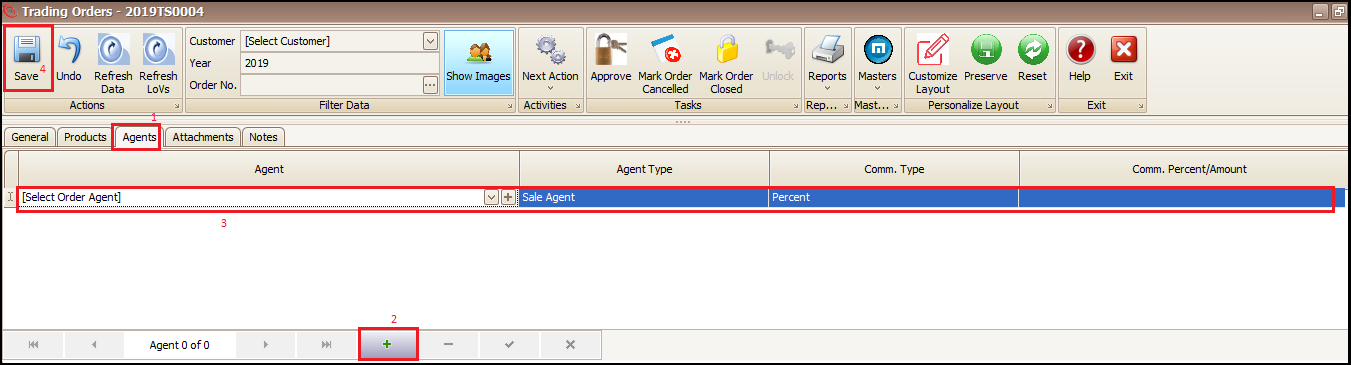
- Click on Agent tab to enter agent name and commission (if any)
- Click on + to add agent details
- Enter agent details
- Save
- Go to attachment and notes tab to attach document files and notes (if any)
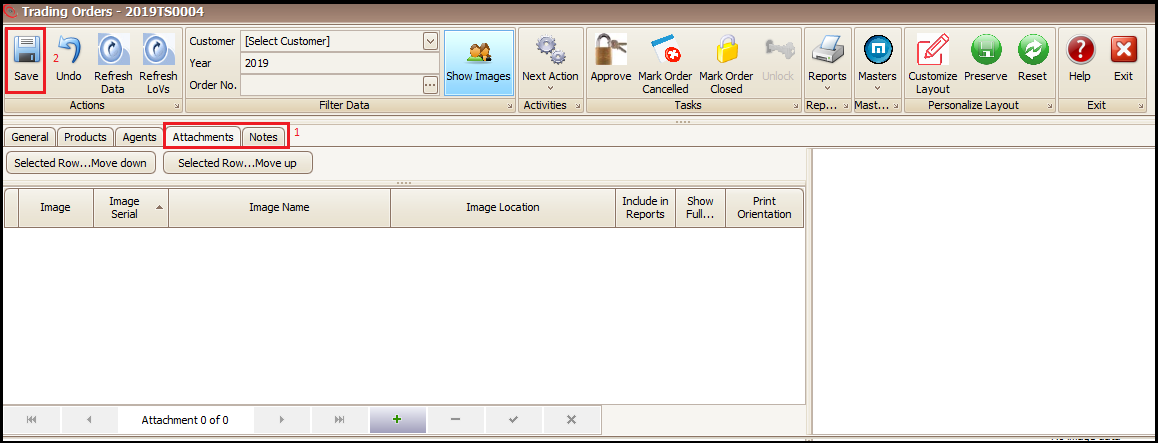
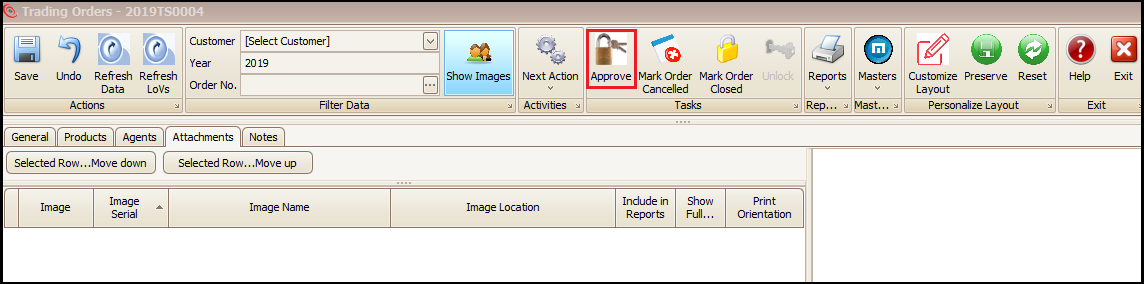
- Approve the Trading Sale order (this will generate the BOM for the added product)
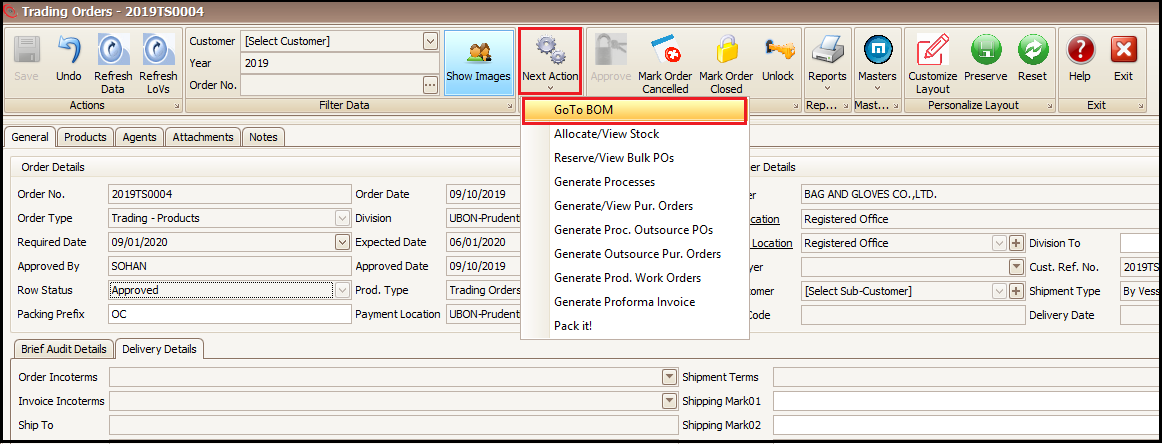
- Click on Next Action and then Go To BOM
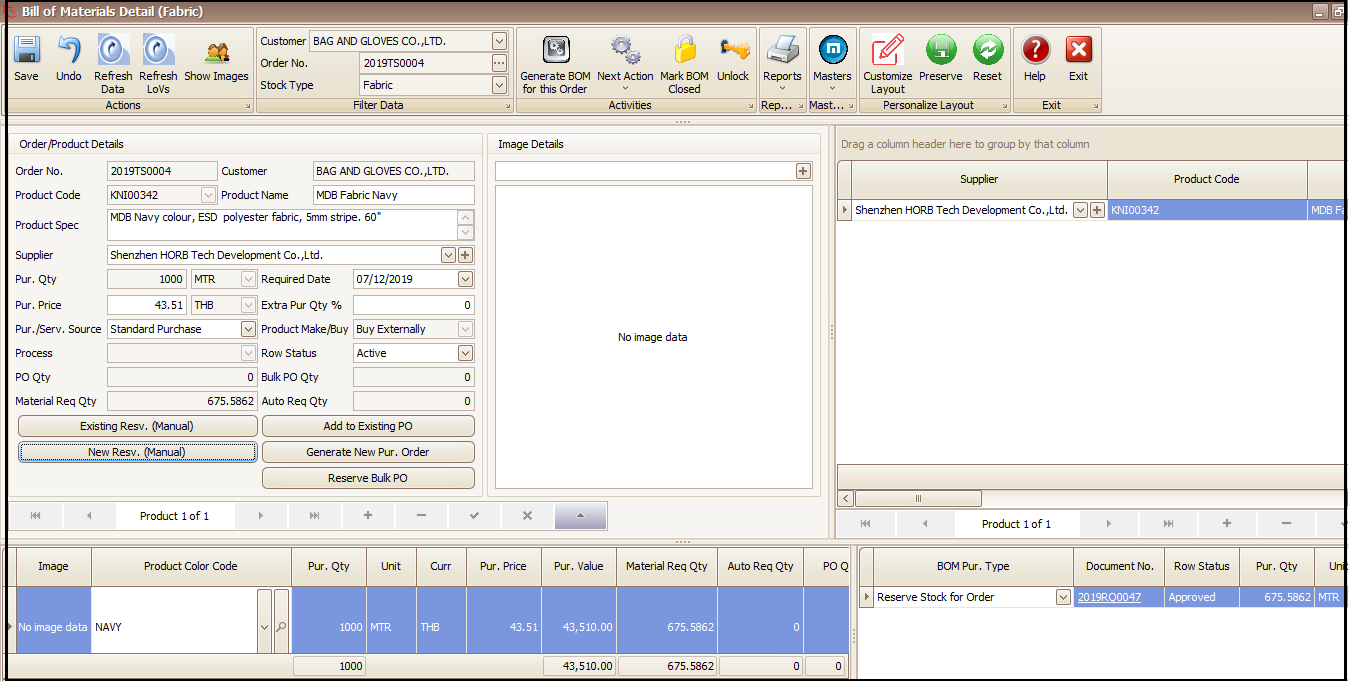
- This BOM can be sourced or fulfilled from stock, bulk PO etc. as we do in case of sale orders (refer Material fulfillment document for more details)
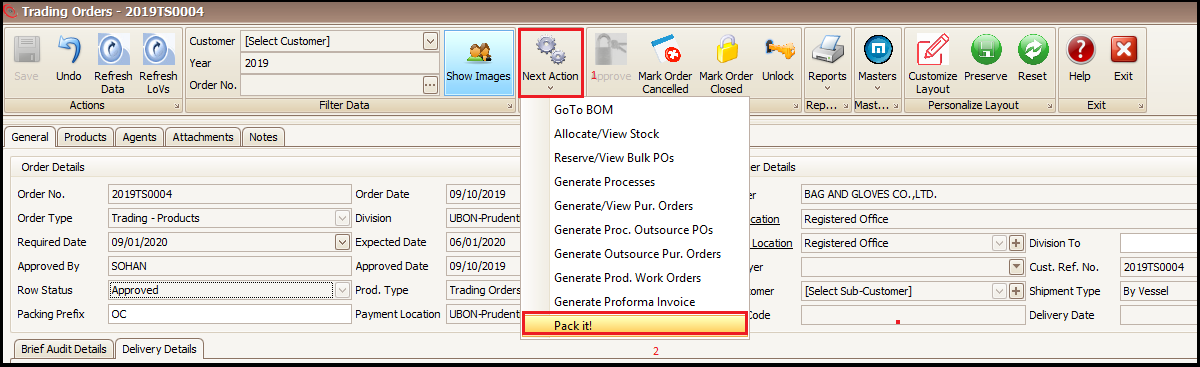
- After material fulfillment Click on Next Action on Trading Sale
- Click on Pack it! to pack the product
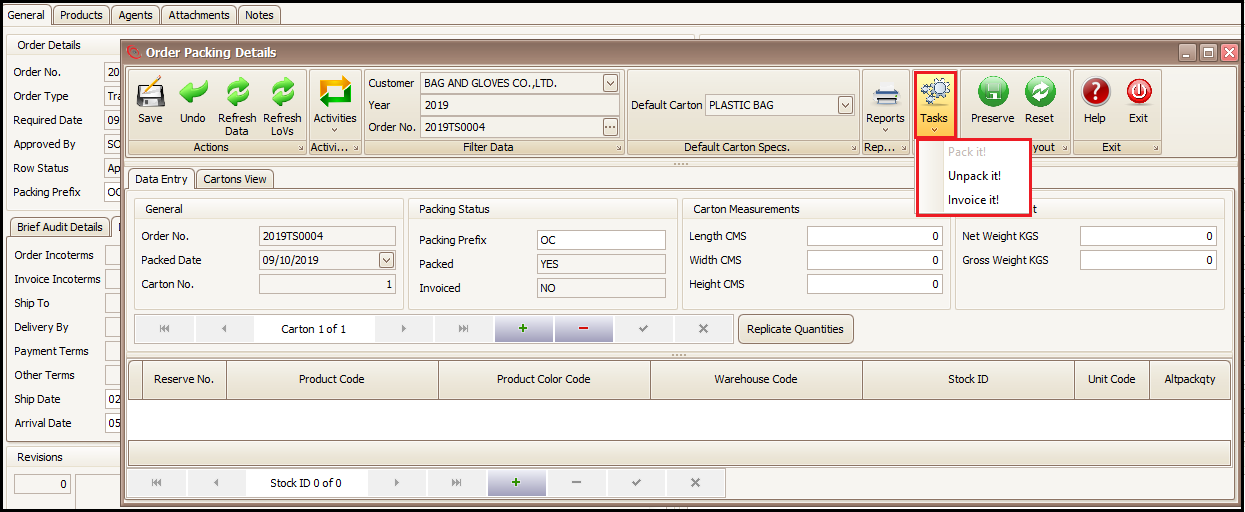
- Packing and Invoicing can be done in same manner as we do in case of sale orders (refer packing and sale invoice document)
- Report print can be taken from Reports drop down
Created with the Personal Edition of HelpNDoc: Full-featured Kindle eBooks generator