How To Delete Master Data Record
Delete Master Data
Let's take a look at deleting a product from the database.
- The first step is to open the product master
- Go to Maintenance > Sales > Products
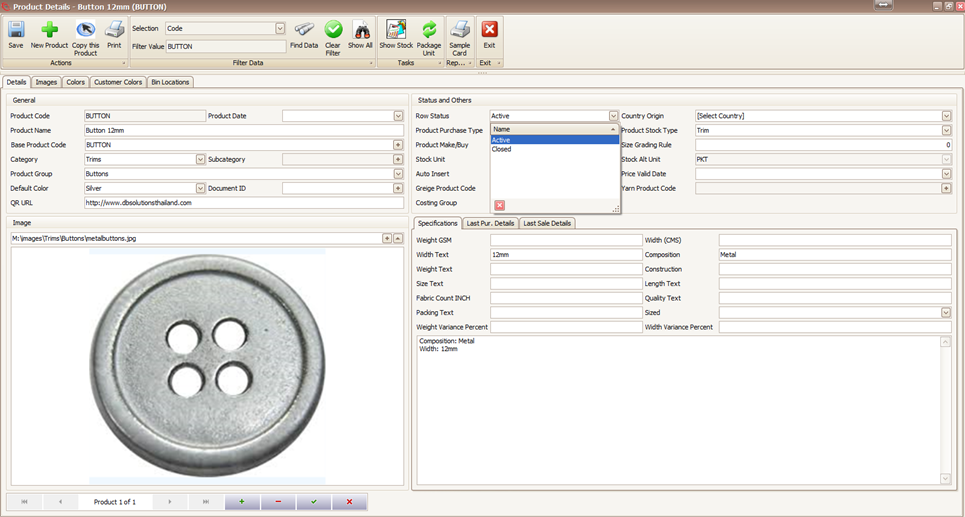
- Find the product you want to delete and click the product code blue link to open it (as shown below)

- Click the minus sign ( - ) on the navigator to delete the product.

- That will prompt for confirmation.

- Upon confirming the deletion, the product is gone! It has been successfully removed from the database.

- An error upon deletion means the product is been used somewhere in the system and cannot be deleted.

- Still want to remove even if the product is being used? Set the Row Status to CLOSED.
- If the item has been used, you can still remove it by marking it CLOSED.
Created with the Personal Edition of HelpNDoc: Full-featured EBook editor