Open the search screen for the required module.
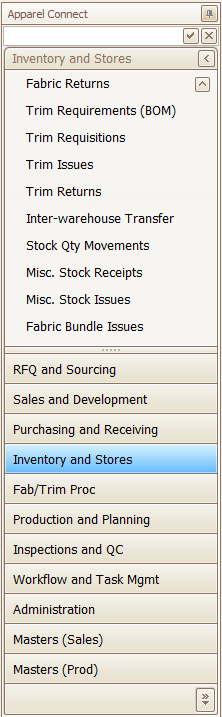
Module Selection
|
Display
|
Top free text is to quick search your module.
|
- You first open a search screen to a blank screen.
- Choose what to search with "Selection".
- Type your search term into "Filter Text". This will be sent to the server and the matching results returned.
- Press "FIND DATA" to go fetch from the server and bring the data into your computer.
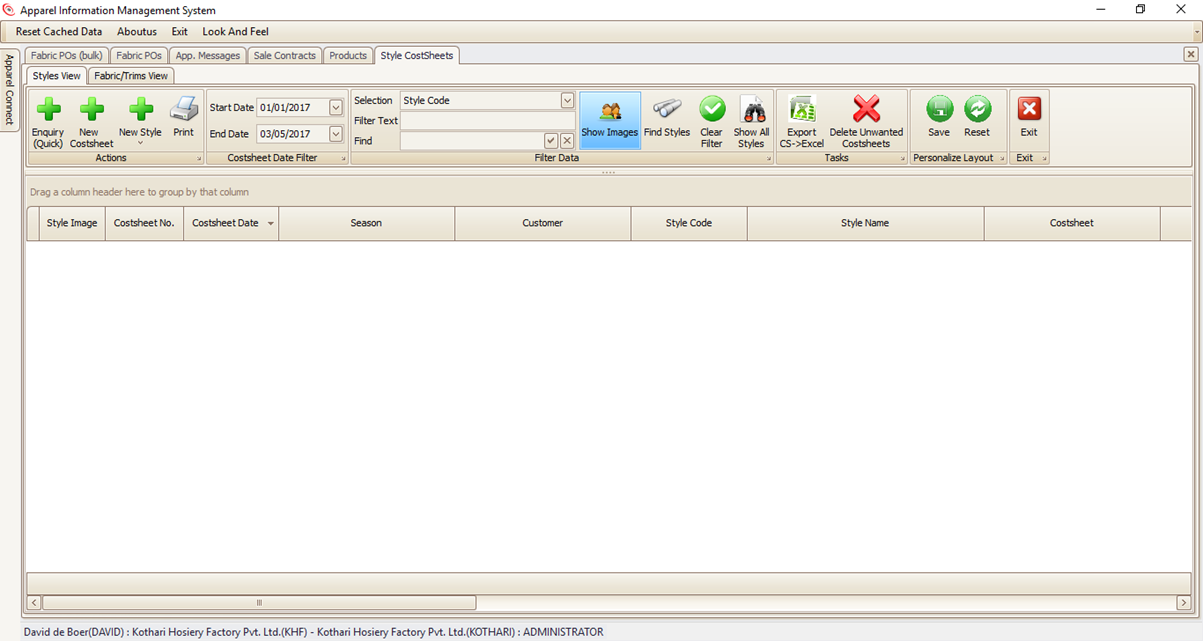
- The Find button fetches data based on your selection and filter text.
- Show All ignores the filter. It is the same as leaving Filter text blank and pressing find.
- Both only bring data between the selected start and end date.
- Once you have the data on your computer, you can search quickly using ‘Find’ and the Enter key.
|
To understand working with Sorting, Filtering, and other related topics, pleas refer to Working with Data Grids.
Opening Required Document
Either Double-Click on the Record or Click Hyper-link.
Created with the Personal Edition of HelpNDoc: Write eBooks for the Kindle