Buyer Approvals (Style Development)
Buyer Approvals
Some of the BOM materials required Buyer Approvals at various stages. These materials need a submission to buyer before sample production. Once buyer provides those approvals, we can make the sample and send it to buyer. Following action is required for performing the approval related activities in ApparelConnect:
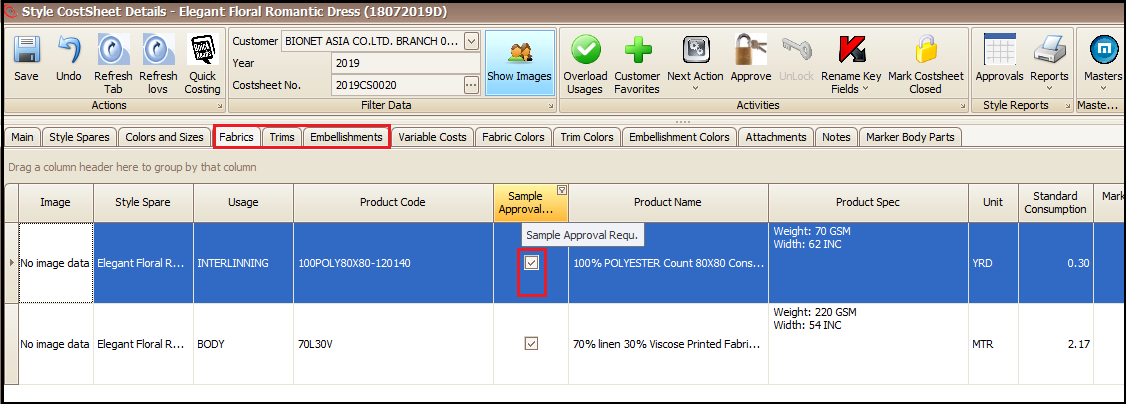
- Open the cost sheet (or while creating the sample cost sheet itself) and click on respective tab of the material
- Tick the Sample Approval Required column check box of that material (approve the cost sheet)
To check or update the approval status
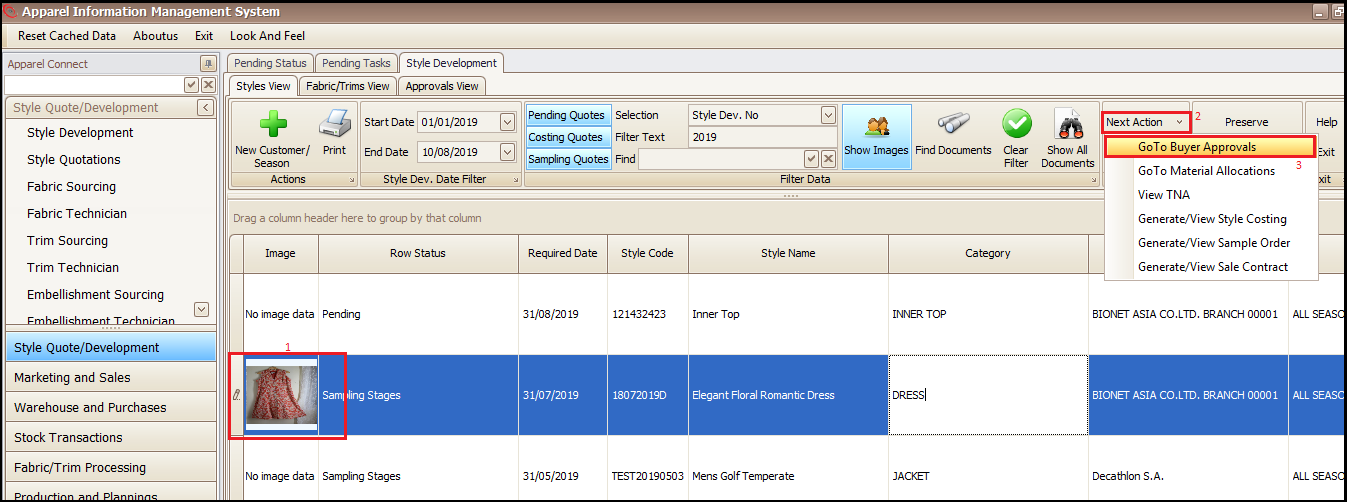
- Select the sample development style
- Click on Next Action
- Click on GoTo Buyer Approvals (this will open a new screen)
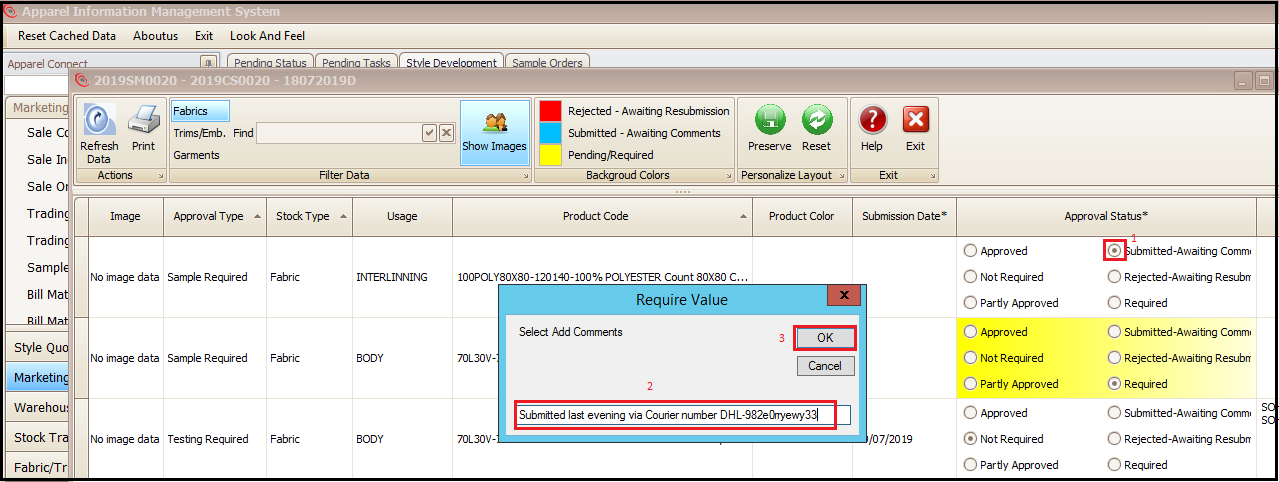
This below screen shows the status of Buyer Approvals for materials of this sample development style
- Select the material types
- System will reflect the current sample approval status in respective predefined status colors

To change/update the sample Approval Status
- Select the radio button in front of respective status which needs an update
- Type the remarks in pop up screen (if pop comes up)
- Click on OK
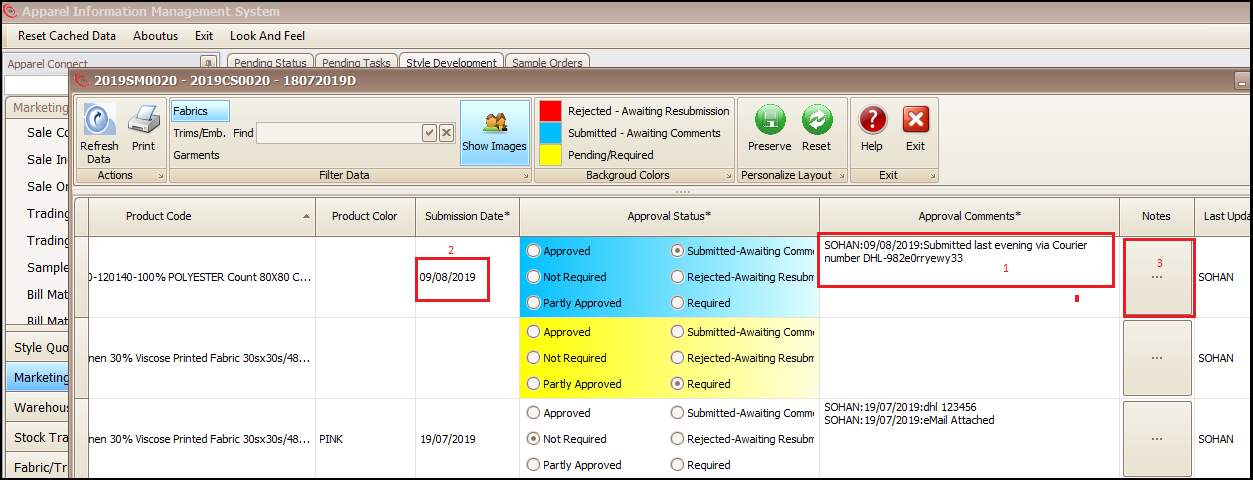
The status of the approval will be changed along with color, comments and date
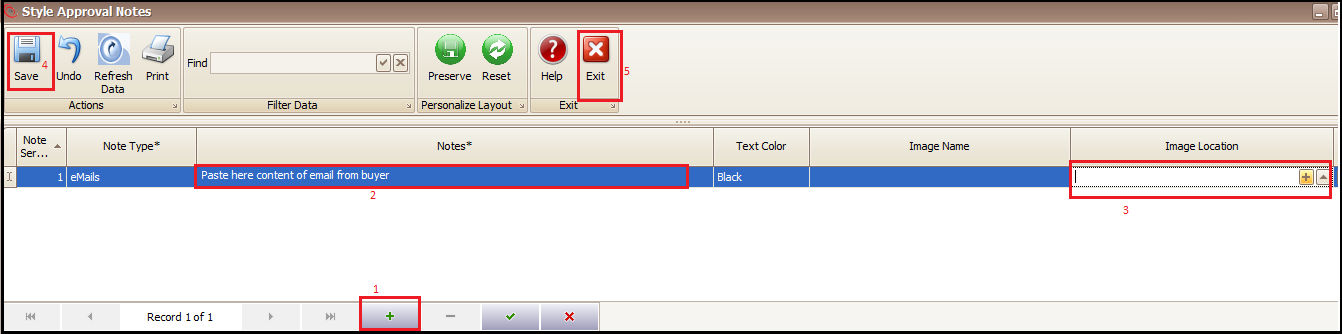
- Click on respective Notes column to attach any email communication or images (this will open a new window)
- Click on + at bottom of the screen
- Paste the buyer email/communication content
- Attach any image (if required)
- Save
- Exit
Created with the Personal Edition of HelpNDoc: Free Qt Help documentation generator