How To Create a Style (Session)
Sample Development
Sample development is the process of developing a new style. This is done by garment manufacturer, either on buyers request or for own collection of styles. In general, the process includes style information, raw material arrangement, buyer approvals. In ApparelConnect following is the process to handle these sample development activities.
Create Development Style
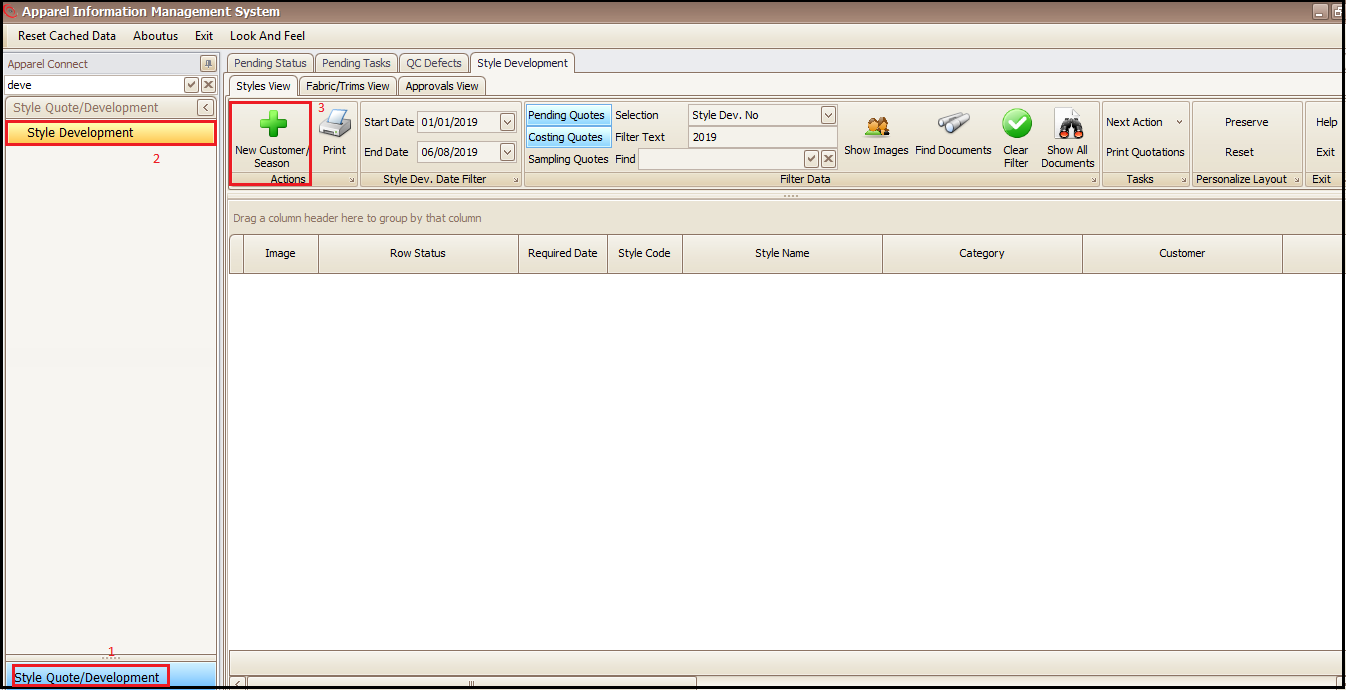
- Click on Style Quote/Development
- Click on Style Development
- Click on New Customer/Season (this will open a new screen)
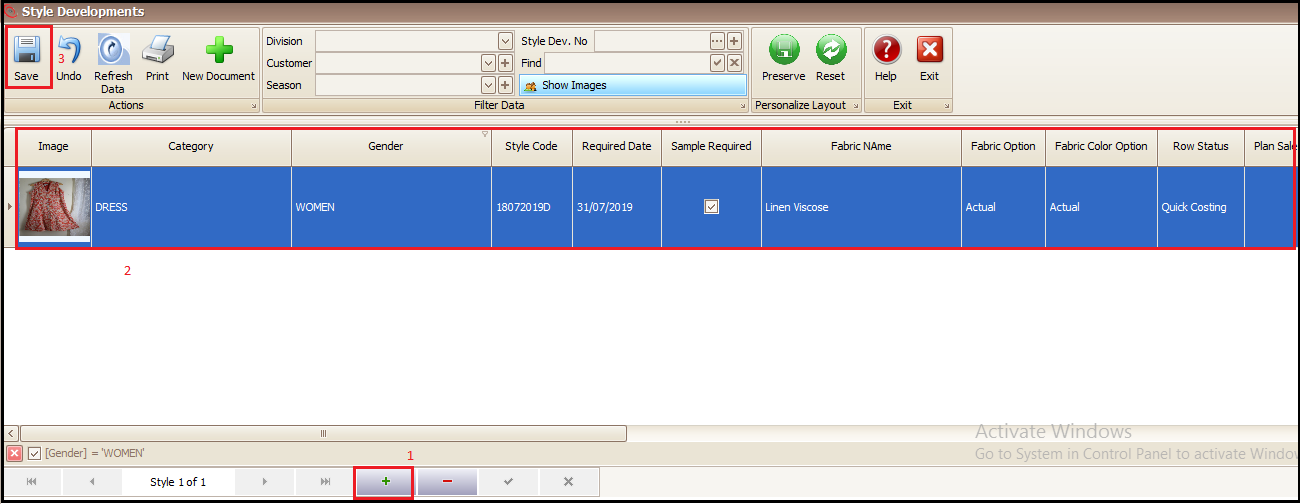
- Click on + at bottom of the screen to add a new development style
- Fill the style details as per the columns
- Save
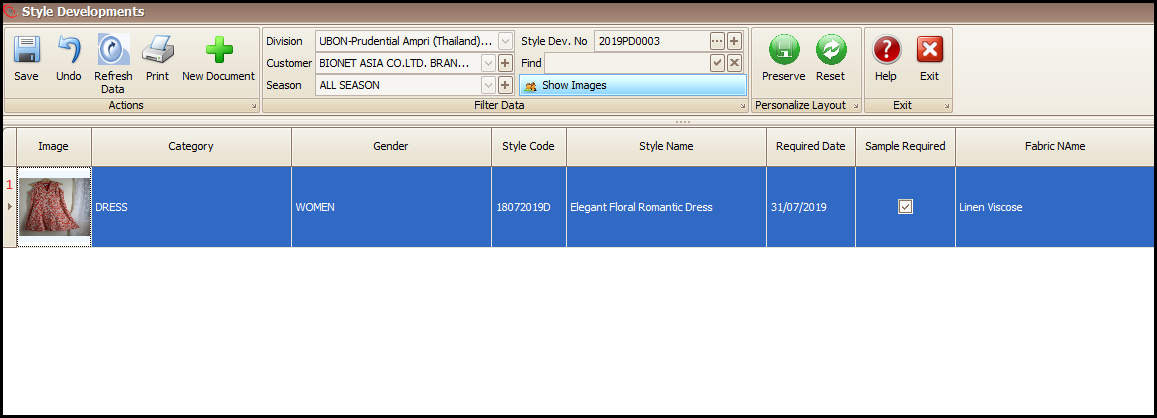
- Double click the added style document row to open the quote cost sheet
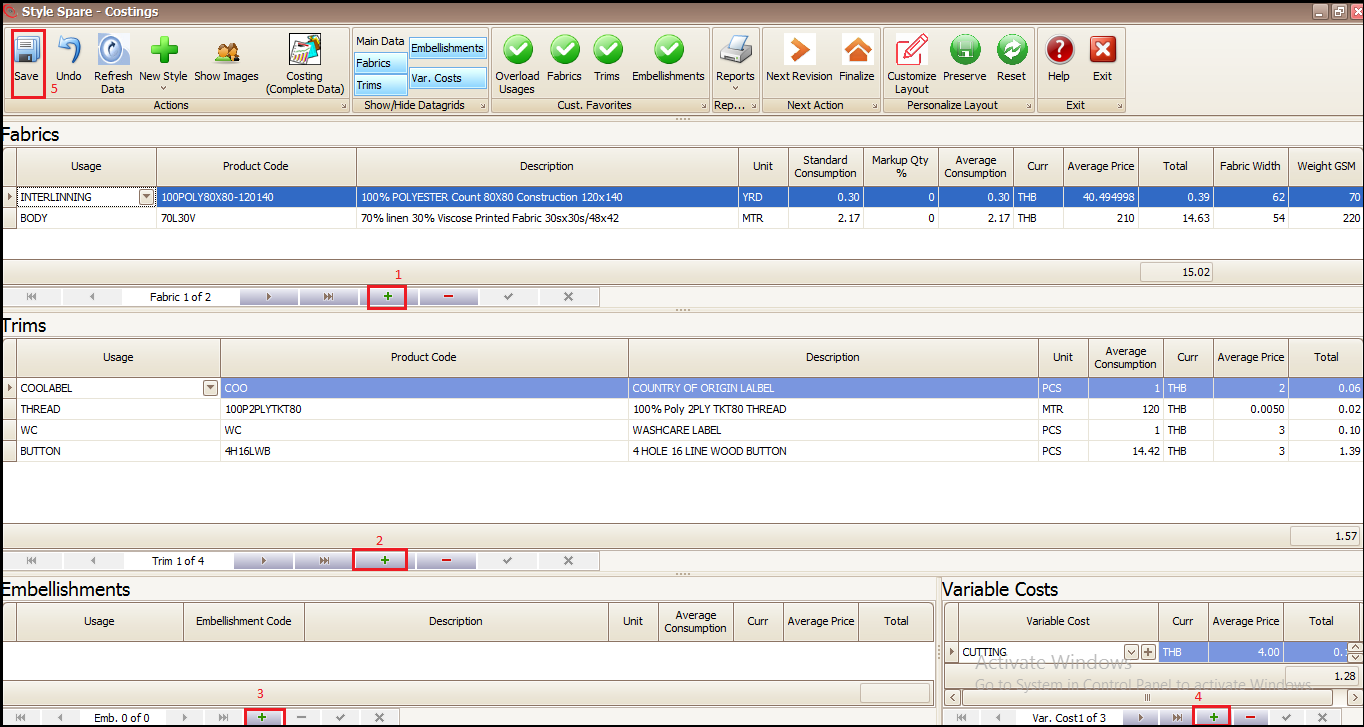
- Click on + in top section of screen to add fabric details (exact product code not mandatory)
- Click on + in middle screen to add Trims details (exact product code not mandatory)
- Click on + in Bottom left of screen to add Embellishment details
- Click on + in bottom right of screen to add Trims details
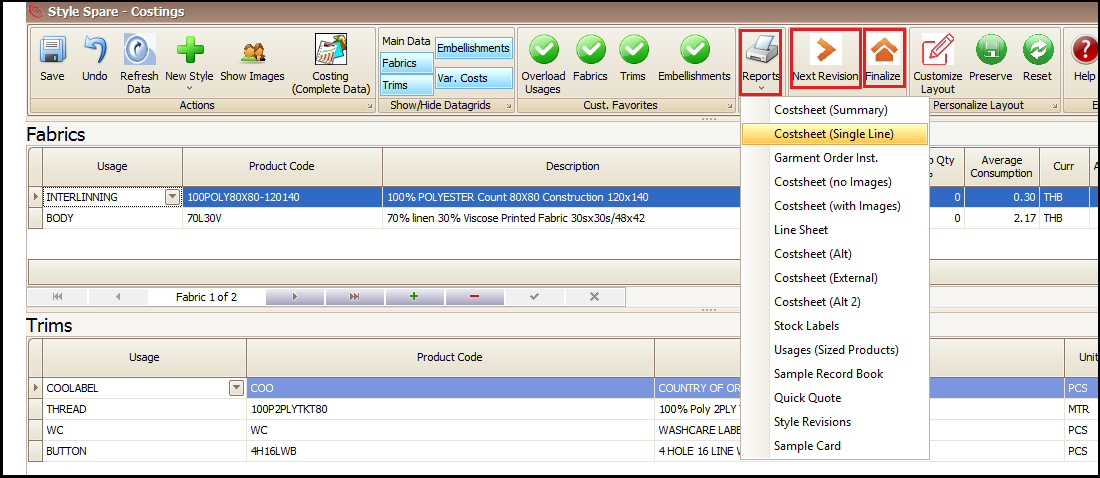
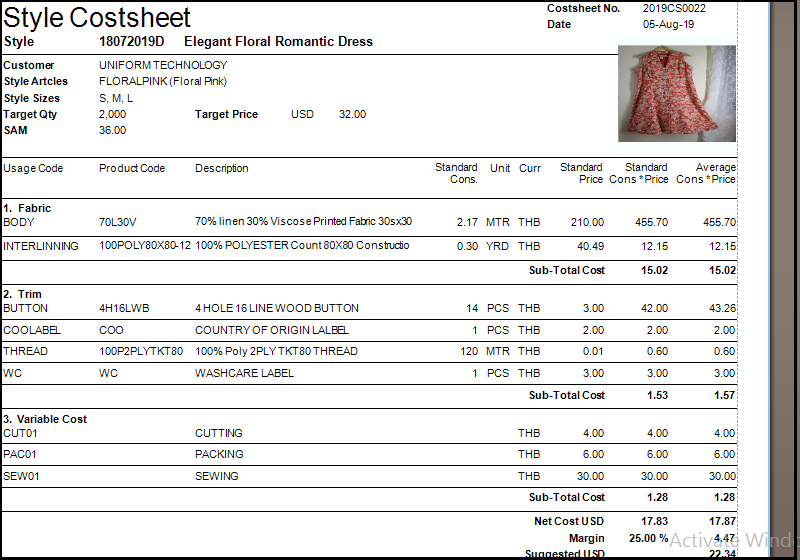
- Click on reports and take an appropriate cost sheet report print/soft copy
- Click on Finalize to confirm the cost sheet if approved by buyer
- Click on Next Revision to revise the Quotation Cost sheet (if required)
- Cost sheet print
To make a sample order against this cost sheet user have to convert it to final cost sheet and then approve.
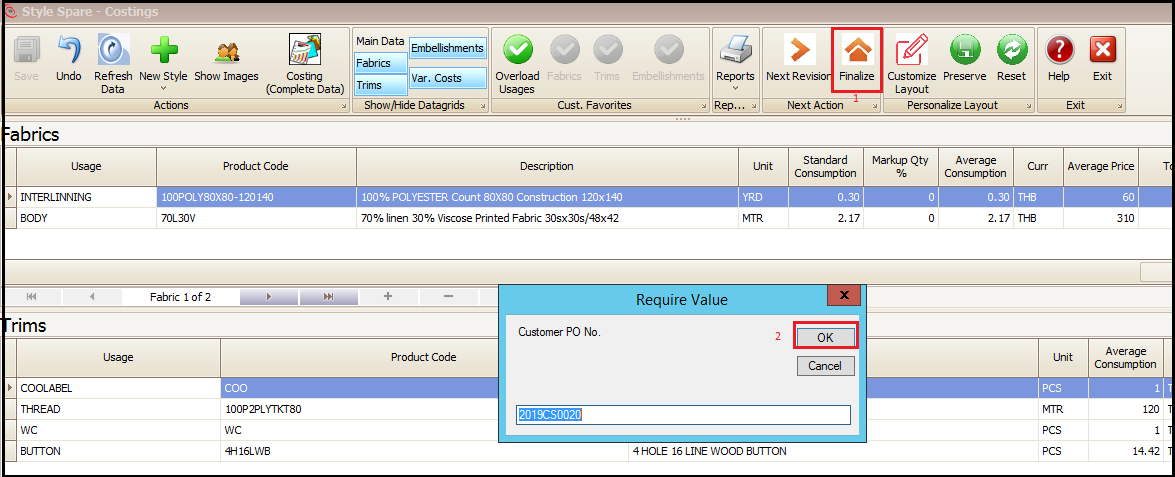
When user clicks to ‘Finalize’ the cost sheet it will be converted to confirmed cost sheet.
- Click on Finalize
- Click on OK in popped up window (this will open the finalized cost sheet screen)
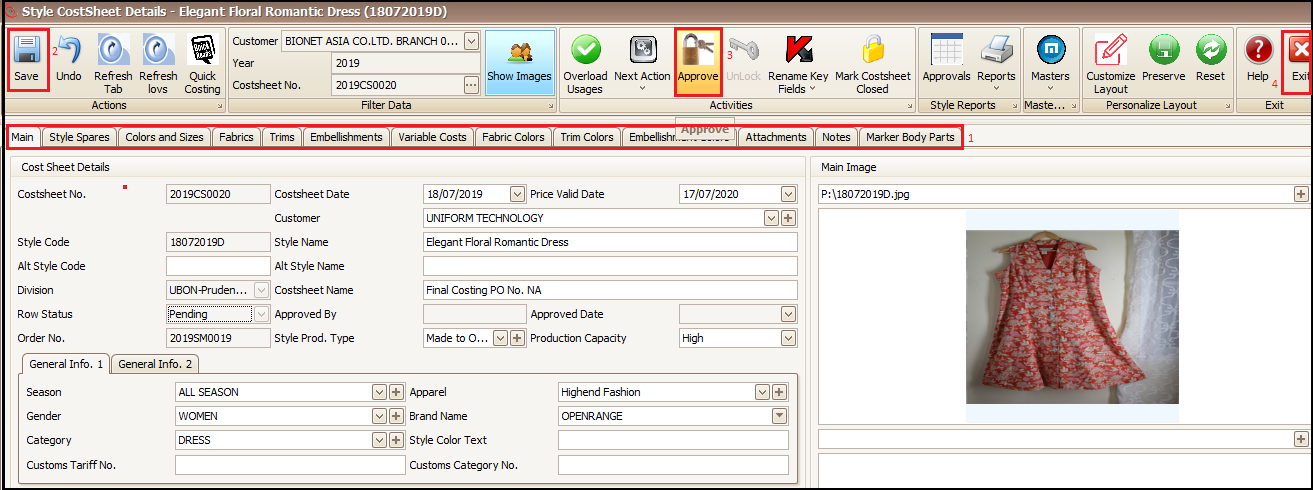
- Make any changes (if required) by going to respective tabs
- Save
- Approve the cost sheet and exit
Buyer Approvals
Refer Buyer Approvals (Style Development)
Sample Order
Refer Manufacture Sample (Style Development)
Time and Action Plan
Refer Work-flow (Style Development)
Created with the Personal Edition of HelpNDoc: Full-featured EPub generator