How To Create Customer/Buyer
How to Create a Customer/Buyer
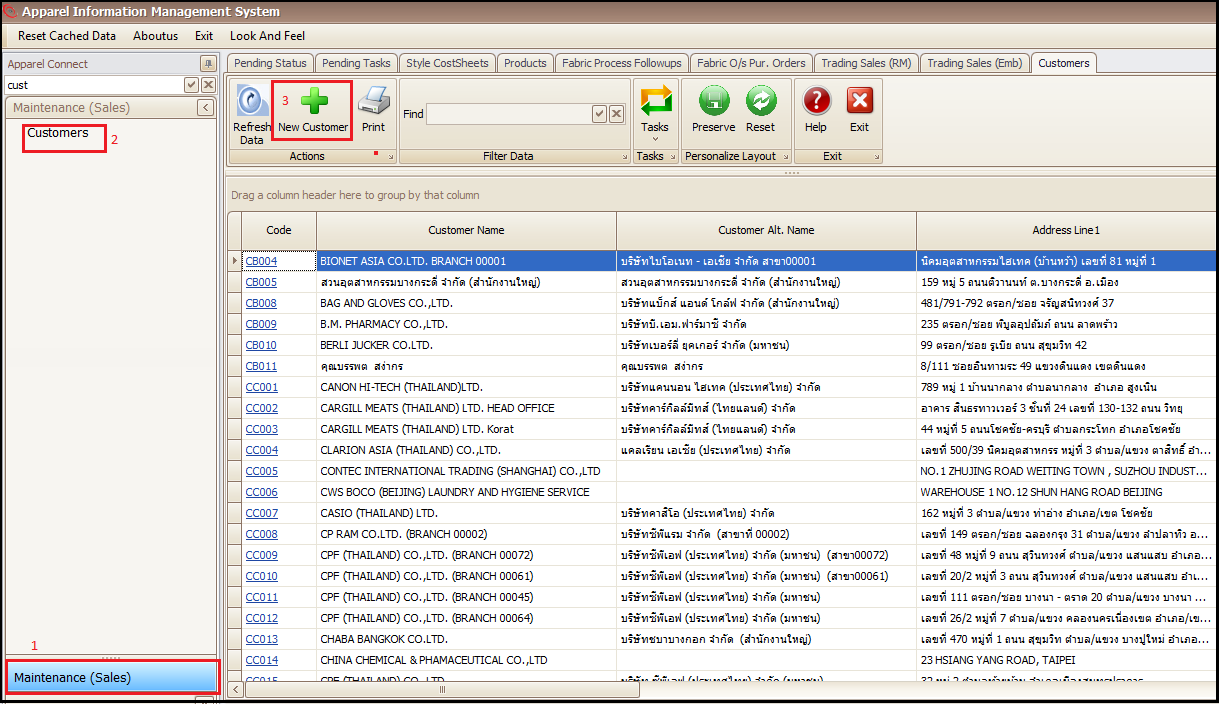
- Click on Maintenance (Sales)
- Click on Customers
- Click on New Customer
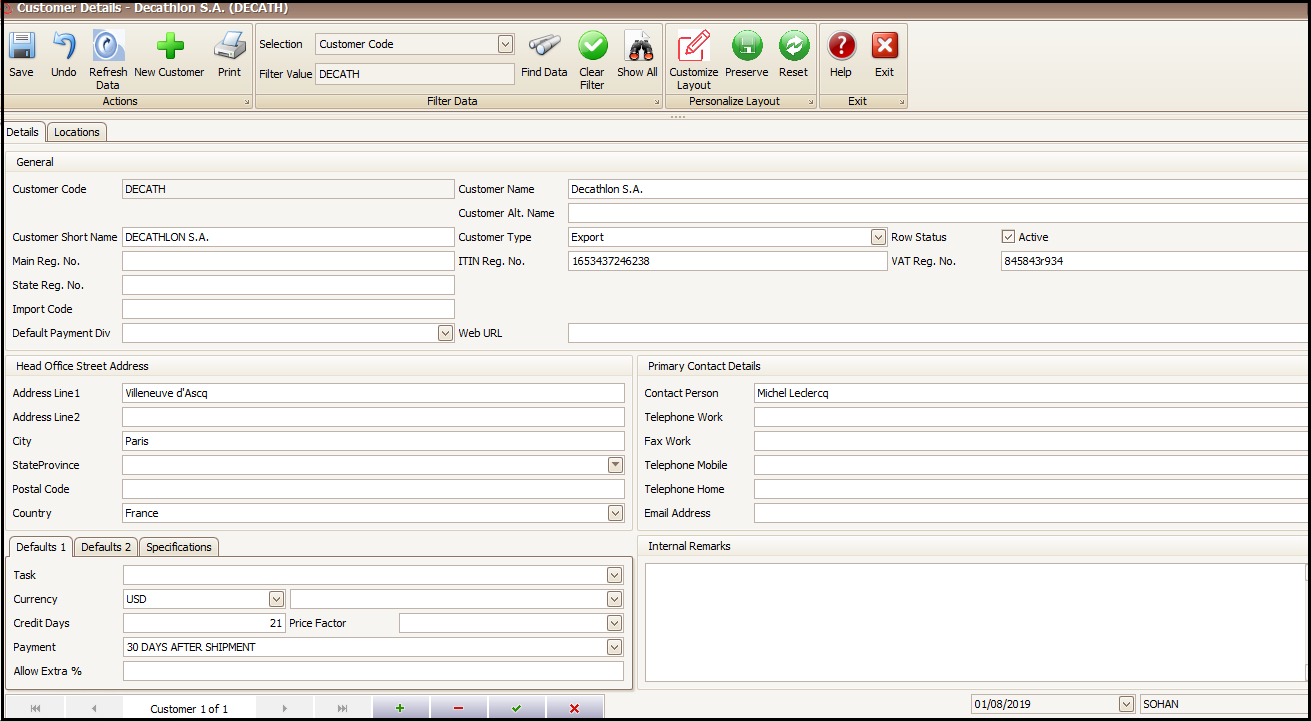
- Fill all the necessary information related to customer and save
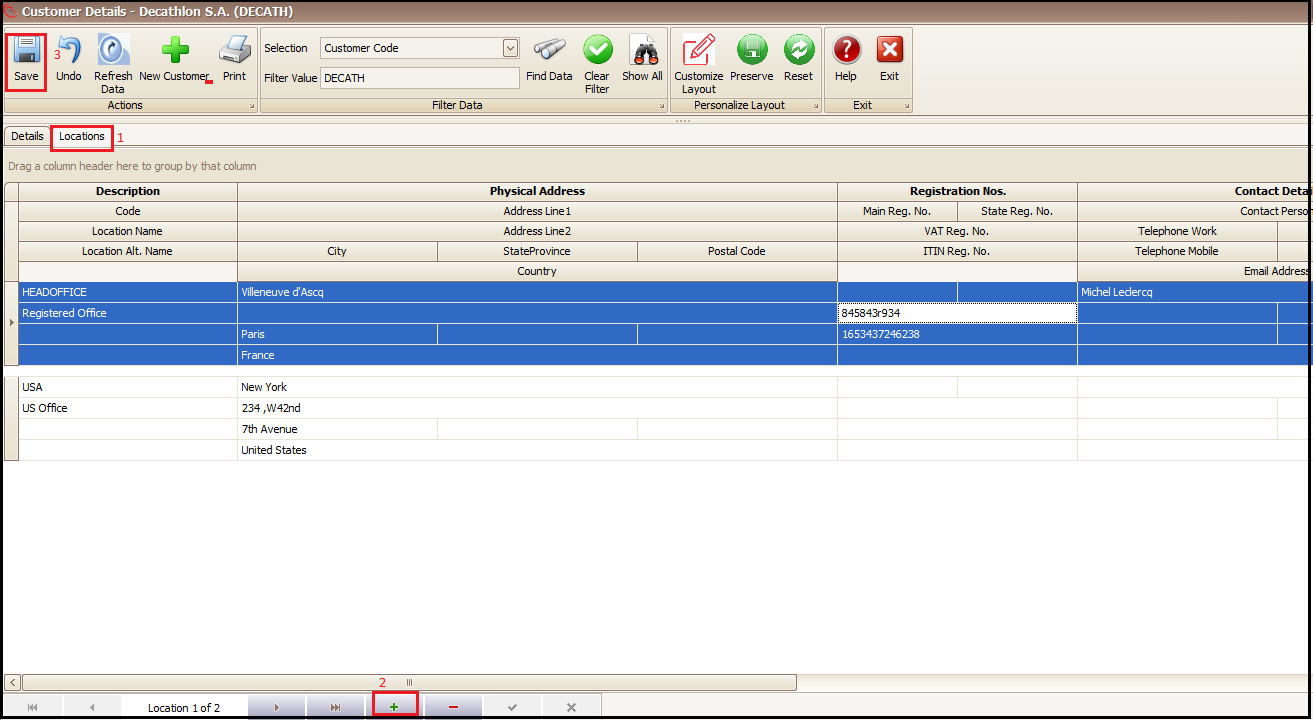
- Click on Locations Tab
- Click on + to add location and address of customer
- Save the added address and repeat step 6 & 7 to add new address
Created with the Personal Edition of HelpNDoc: Free Qt Help documentation generator