How To Create a Inter-warehouse Transfer
Inter Warehouse Transfer
- Click on ‘Stock Transaction’ in main menu
- Click on Inter-warehouse Transfer
- Select from Warehouse and To Warehouse for material transfer
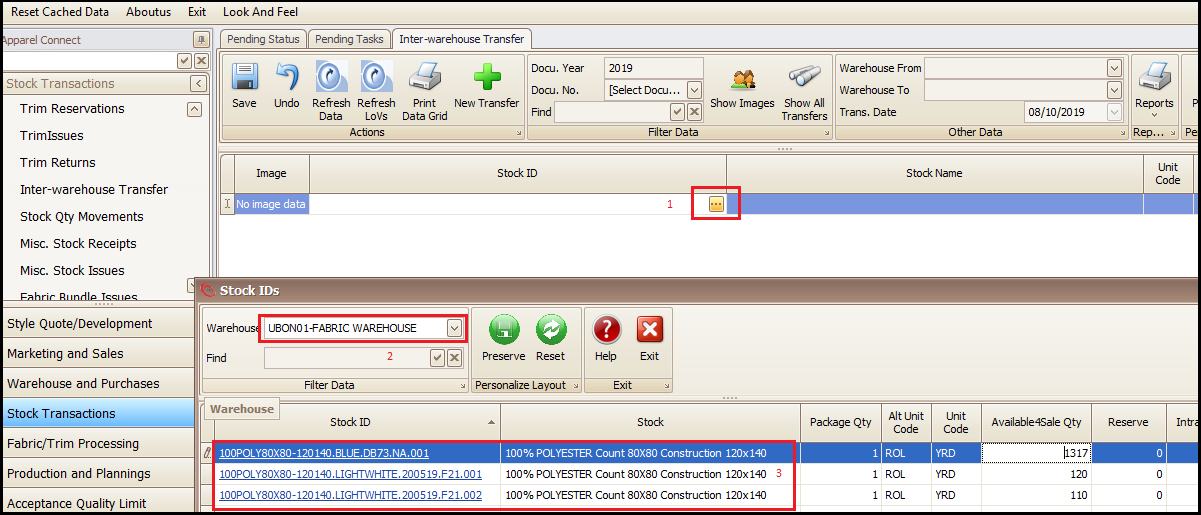
- Click New Transfer (A row will be added in screen)

- Click on link in added row (this will open a new pop up window)
- Check the warehouse where stock is lying
- Click on Stock ID of the product stock which user needs to transfer
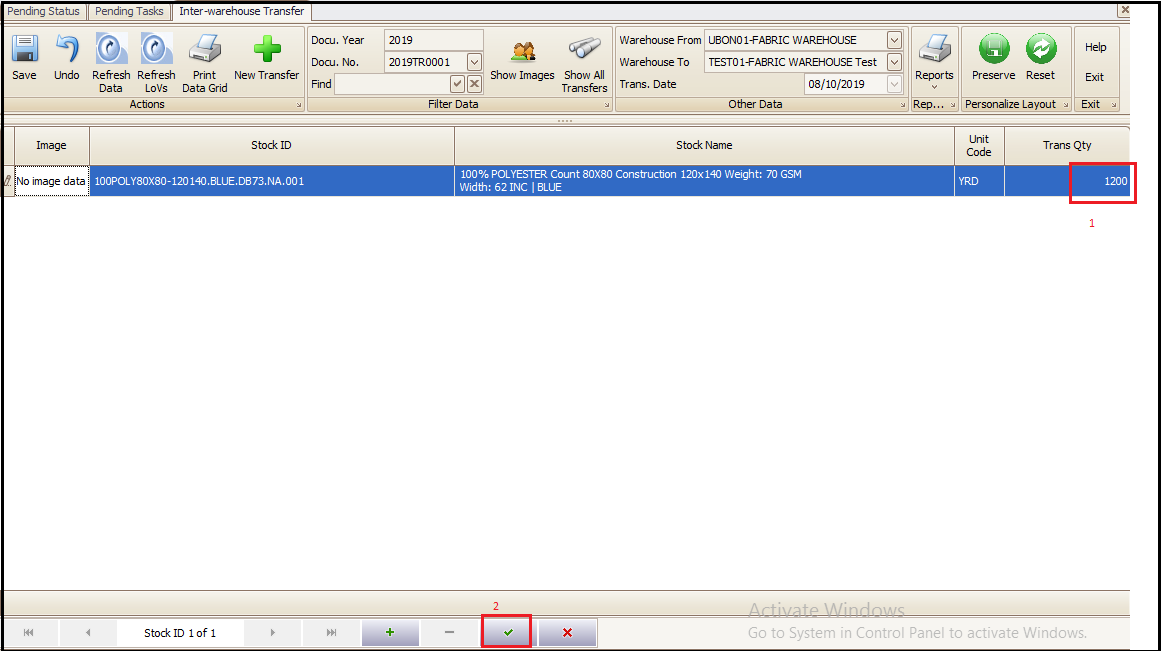
- Change the Transfer Qty (if partial qty needs to be transferred)
- Save (This stock will be removed from current warehouse and transferred to selected warehouse)
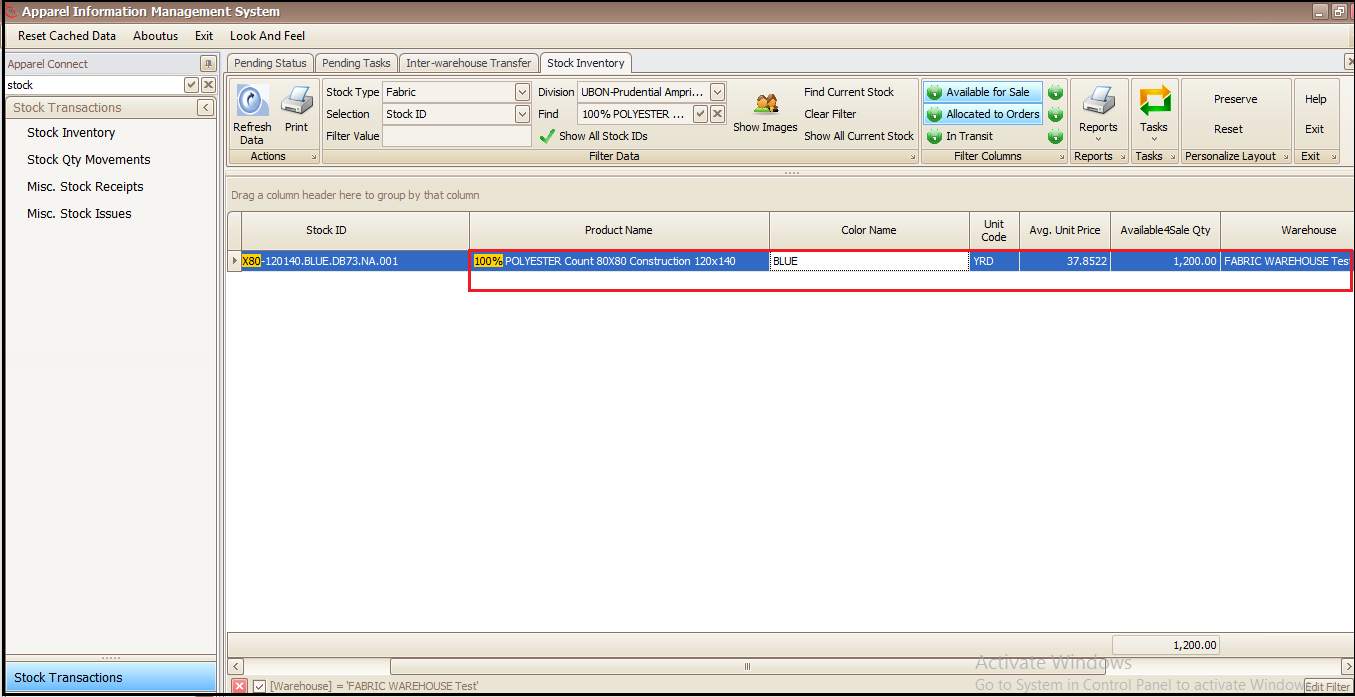
- Transferred stock can be checked in Stock Inventory report.
Created with the Personal Edition of HelpNDoc: Create HTML Help, DOC, PDF and print manuals from 1 single source