How To Create a Stock Movement
Stock Qty Movement
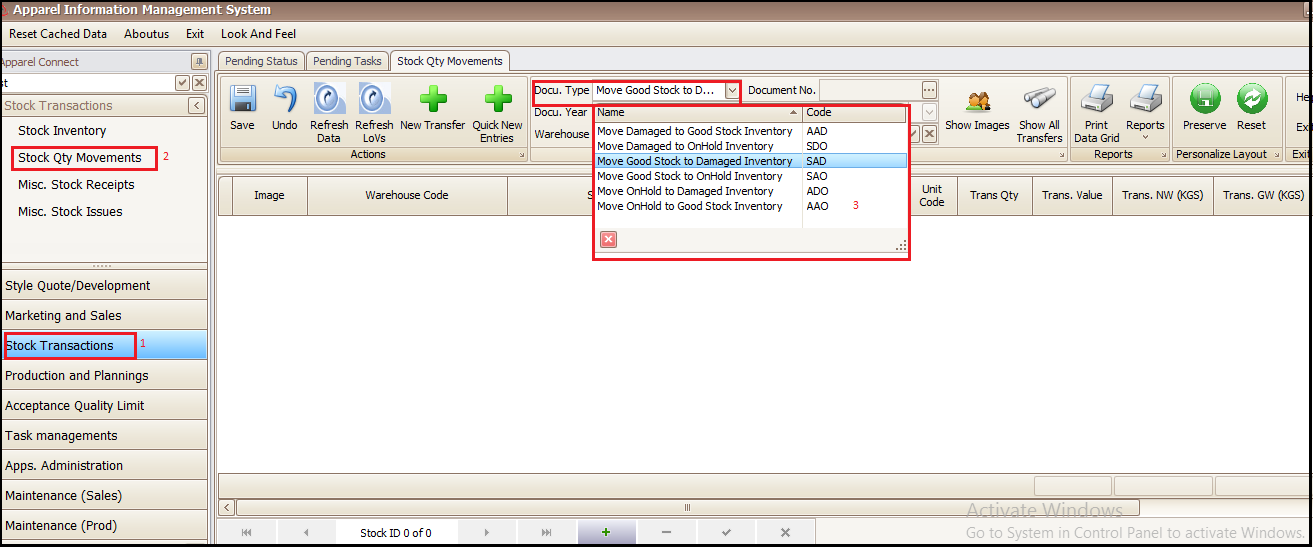
This transaction is used for changing the quality status of stock qty from one identified quality state to another as per the document type drop down you see in below screen.
Steps to follow:
- Click on Stock Transactions
- Click on Stock Qty Movements
- Select the document or move type from drop down as per requirement
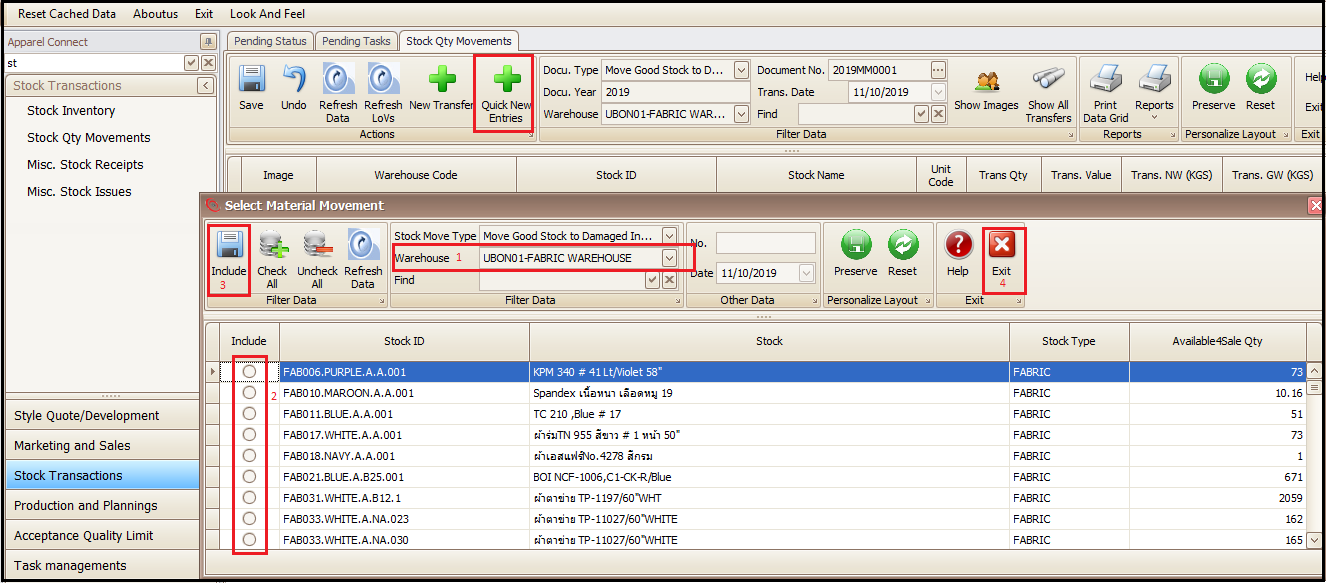
- Click on Quick New Entry (This will open a new window)
- Select the warehouse
- Choose stock (partial or whole quantity)
- Click on Include
- Click Exit (this will bring to main window)
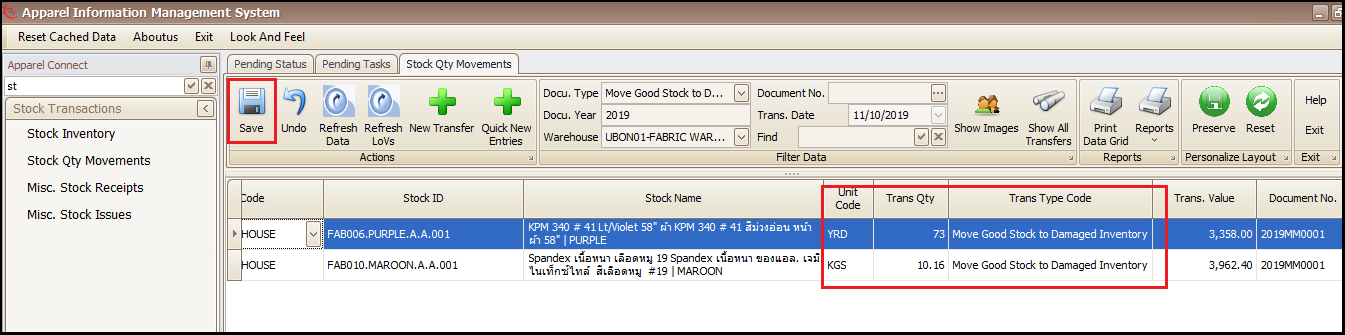
- Save
- User can check the material move status in Trans Type Code which is updated in inventory
- Report can be printed from Print Data Grid and labels can be printed from Reports drop down
Created with the Personal Edition of HelpNDoc: Easy CHM and documentation editor