How To Create a Misc. Stock Receipt
Miscellaneous Receipt (Opening Balance)
This function is used to enter new stock or opening balance of any material in inventory. This is not used for casual receiving but specific and by some authorized user as it will impact the stock. To enter any material stock without any purchase order,
Follow the below steps:
- Click on Stock Transactions
- Click Misc. Stock Receipts
- Click on Add Opening Balance (this will open a new window)

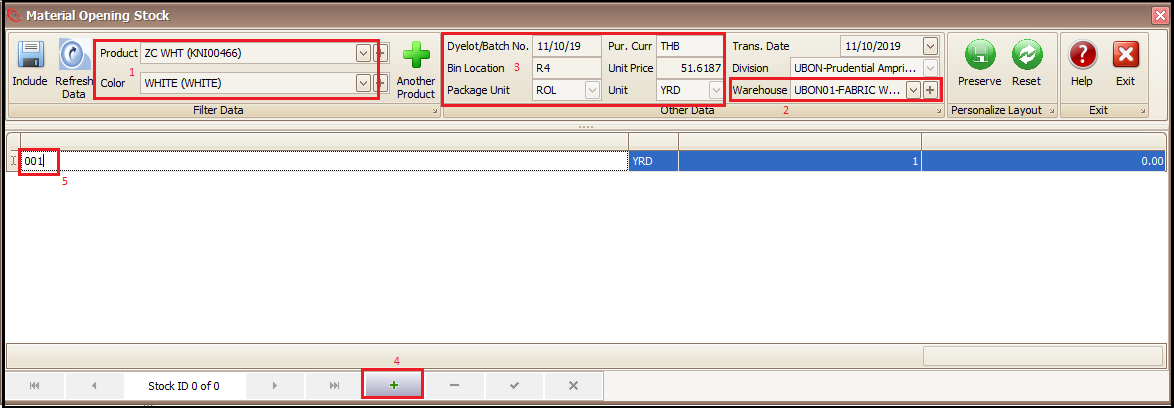
- Select the product and color
- Select the warehouse in which stock needs to be entered
- Fill information related to Dye lot/Batch no., Bin Location (put N/A if information is not available), Package Unit, Currency, Unit Price and Unit of material (Put N/A if information is not available)
- Click the + at bottom of the screen
- Enter the package id/roll id and press tab to enter the quantity
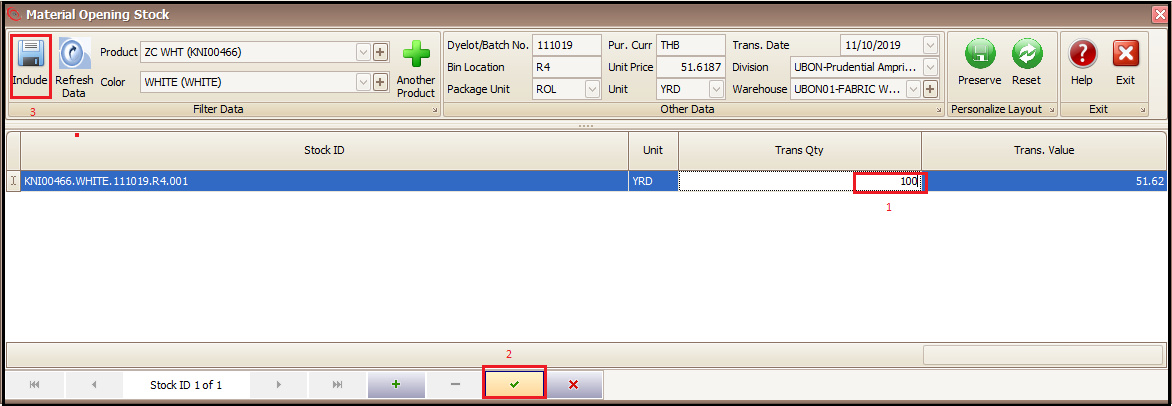
- Enter the package quantity in stock unit in Trans Qty column
- Save it
- Click on Include (this will take us to main screen)
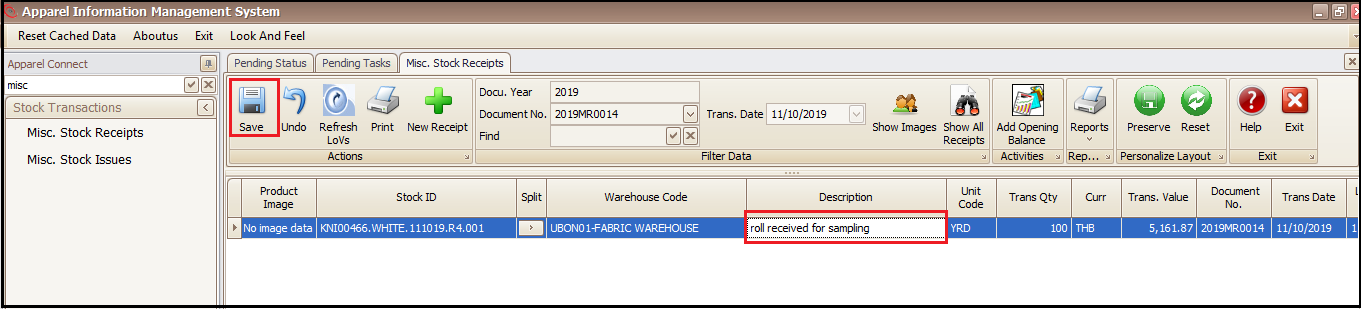
- Enter the remarks for stock entry in Description column
- Save (material qty is entered in stock and available for use, exit the page)
- To delete the entered stock (if required), select the entered row and press – and save it.
Created with the Personal Edition of HelpNDoc: Free PDF documentation generator