How To Create a Material Return from Production
Material Return from Production
Return from production is issued by the production team to stores. This return happens for various reasons (damaged, left over return after production is over etc.).
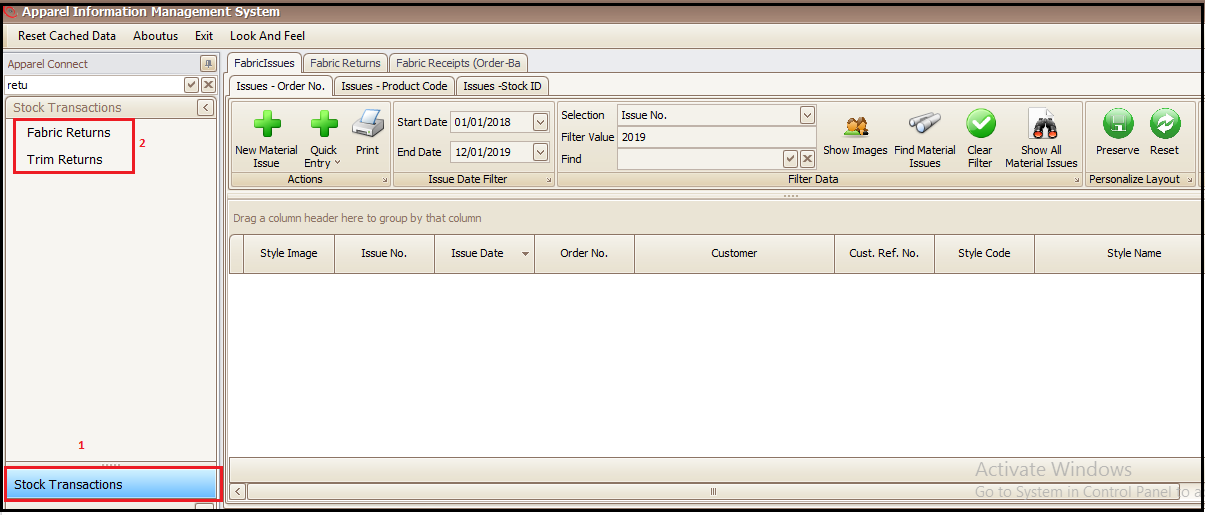
- Go to ‘Stock Transaction’
- Select Fabric or Trim Return as per material to be sent back to stores
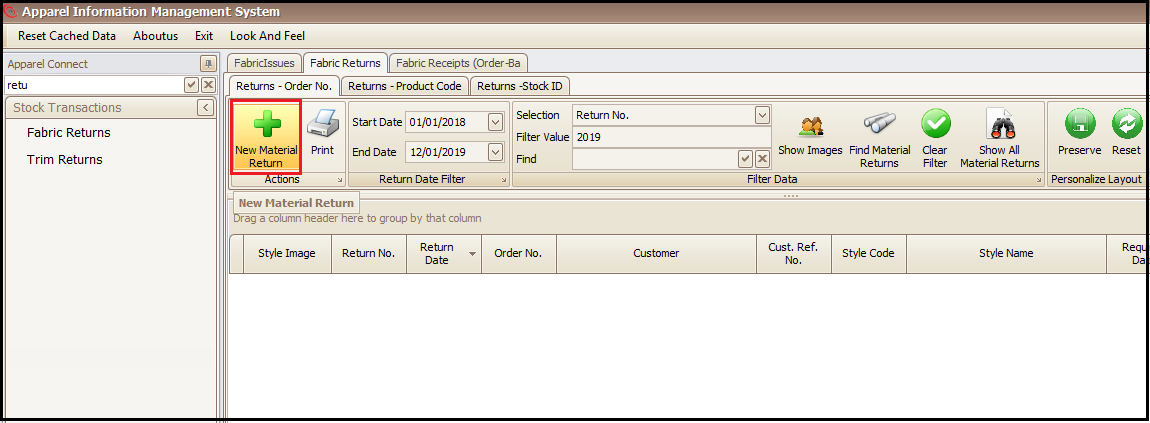
- Click on ‘New Material Return’
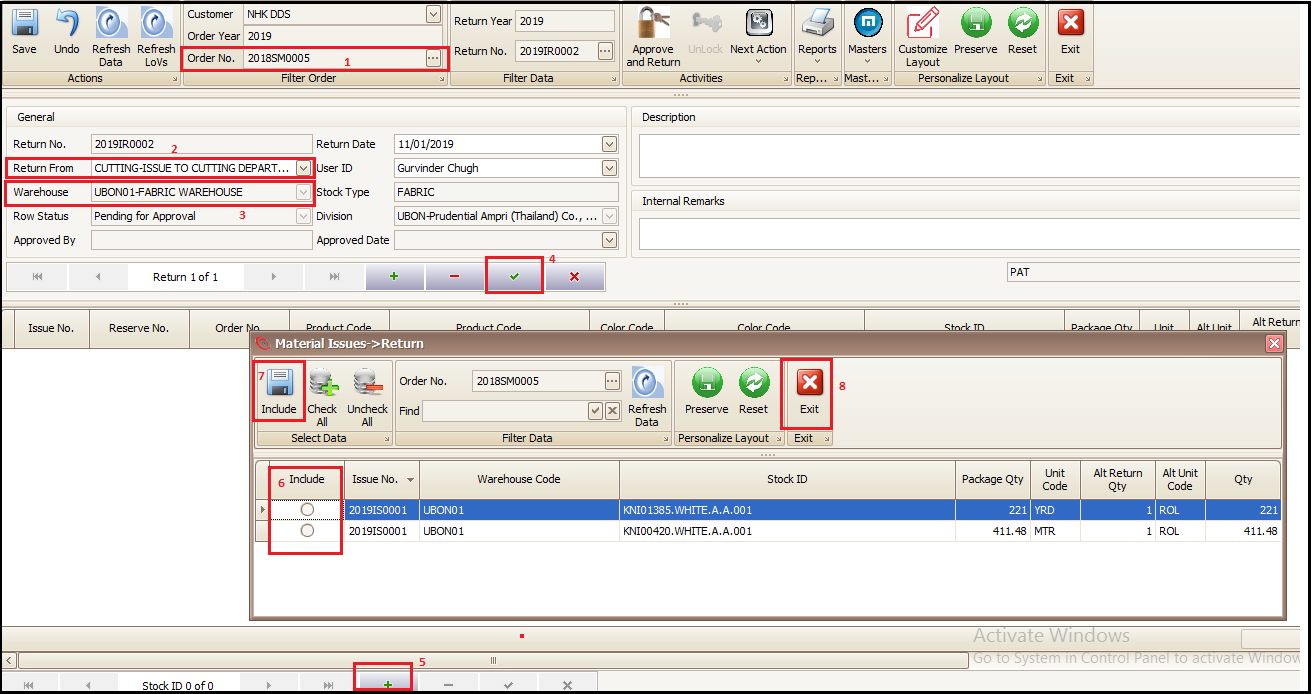
- Select he sale order against which the material was issued from stores to production
- Select from which production line or department material will be returned to stores
- Select the warehouse (store) to which the material needs to be returned
- Click on green tick to save and get the return note number
- Click on + to add the issued material package/rolls and new window will open
- Select the package/rolls from the list which need to be returned to warehouse/store
- Click on ‘Include’
- Press ‘Exit’ to go to main screen to approve the return
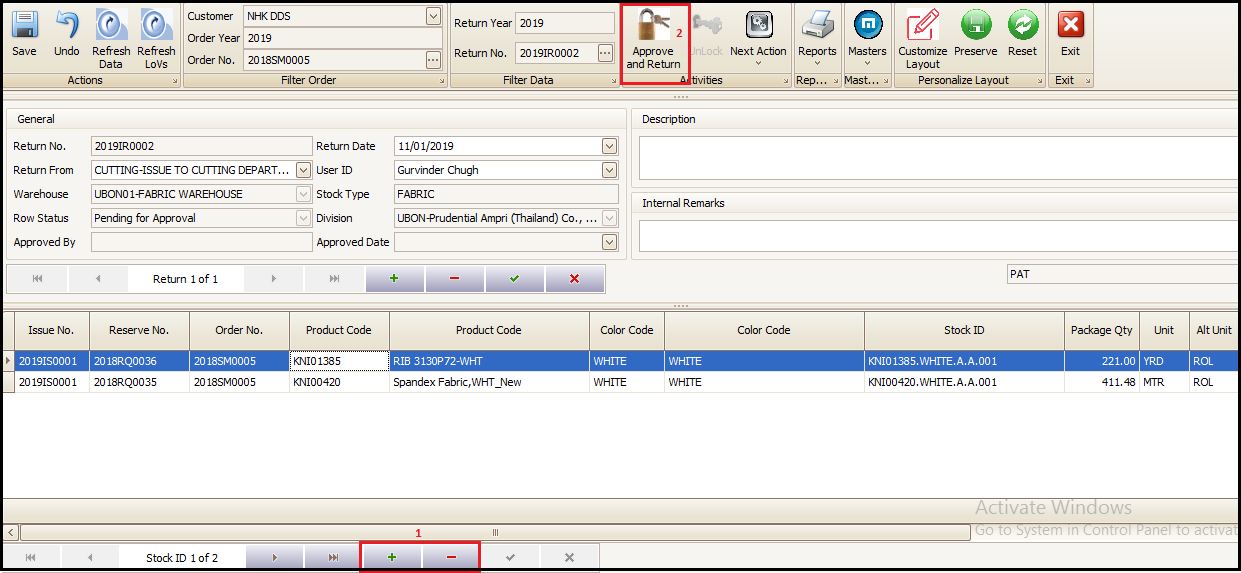
In main screen of return note
- User can add new or delete the wrongly added material for return to stores
- Confirm the return by pressing on ‘Approve and Return’ and stock will be added in selected warehouse/store
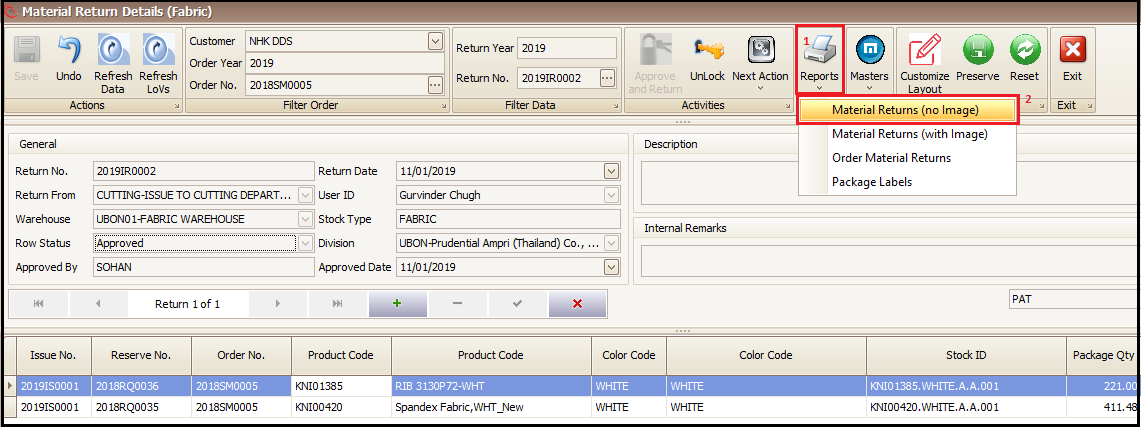
Report views of Material Return Note.
- Click on reports
- Select Material Returns as per required format
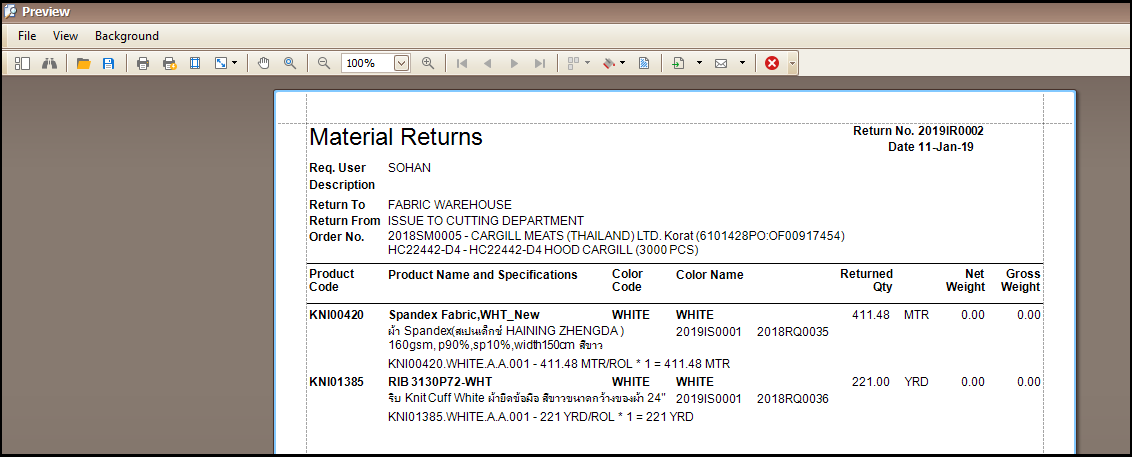
- Take a print out.
Created with the Personal Edition of HelpNDoc: Easy EBook and documentation generator