How To Create a Outsource Receipt (Services)
Outsource Purchase Order Receiving
Once the outsource purchase order output material is manufactured sub-contractor and sent back to factory, the factory has to receive it.
To receive the outsource purchase order follow the below steps:
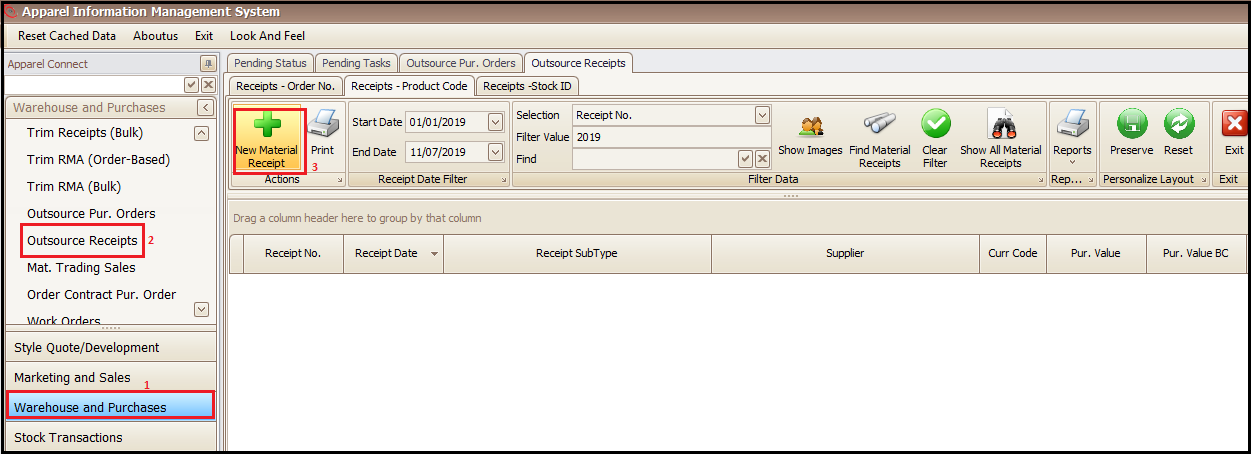
- Go to Warehouse and Purchases
- Outsource Receipts
- Click New Material Receipt
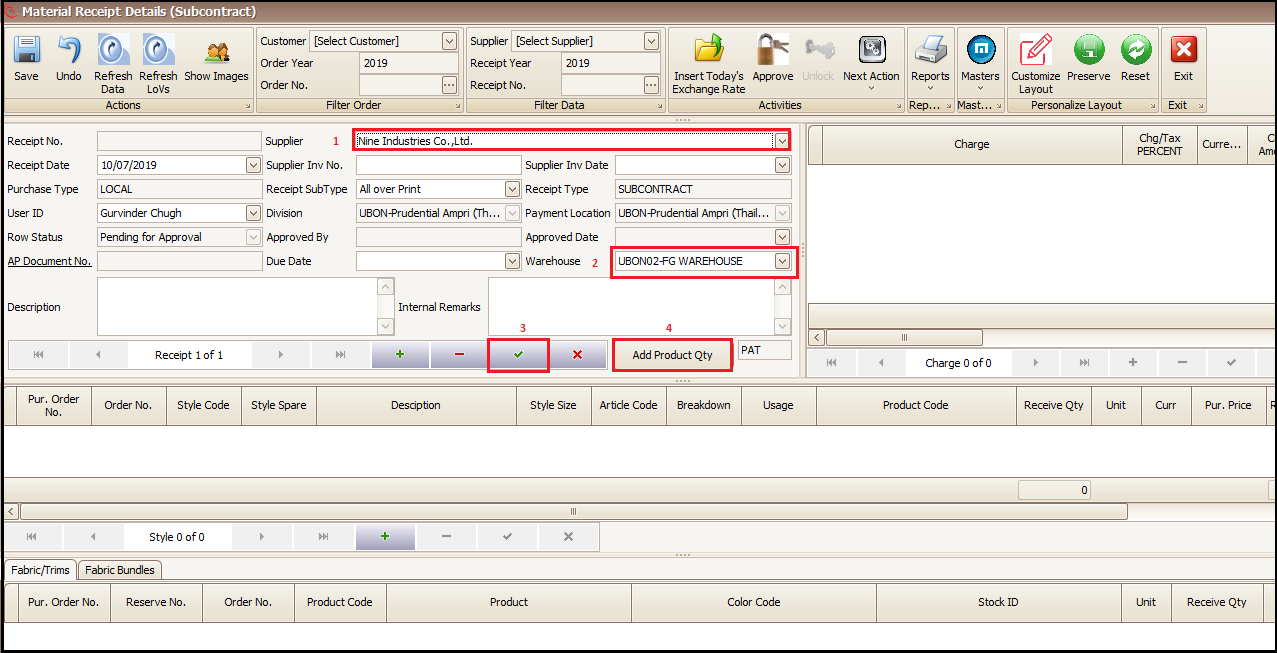
- Select the Supplier
- Select correct Warehouse
- Click on right tick to generate the Receipt No.
- Click on Add Product Qty
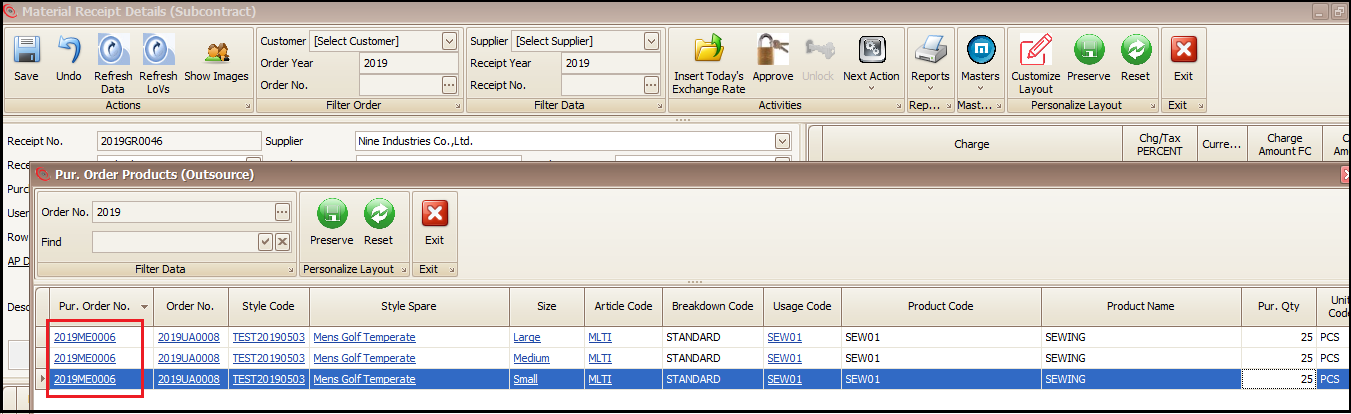
- Click on Purchase Order No. for which we have to receive the output.
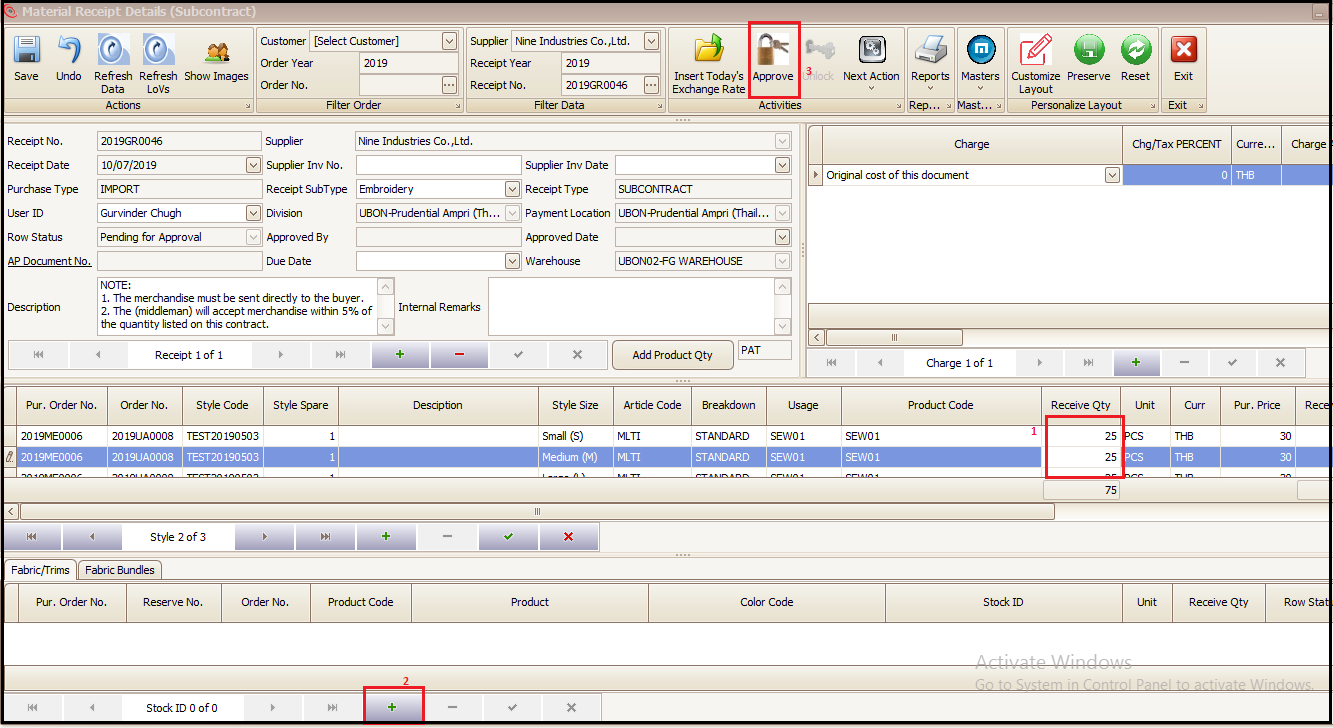
- To Change out put receiving qty, change Receive Qty (size wise)
- To add returned raw material (Fabric/Trims or Fabric Bundles) click + as highlighted
- Approve the receiving
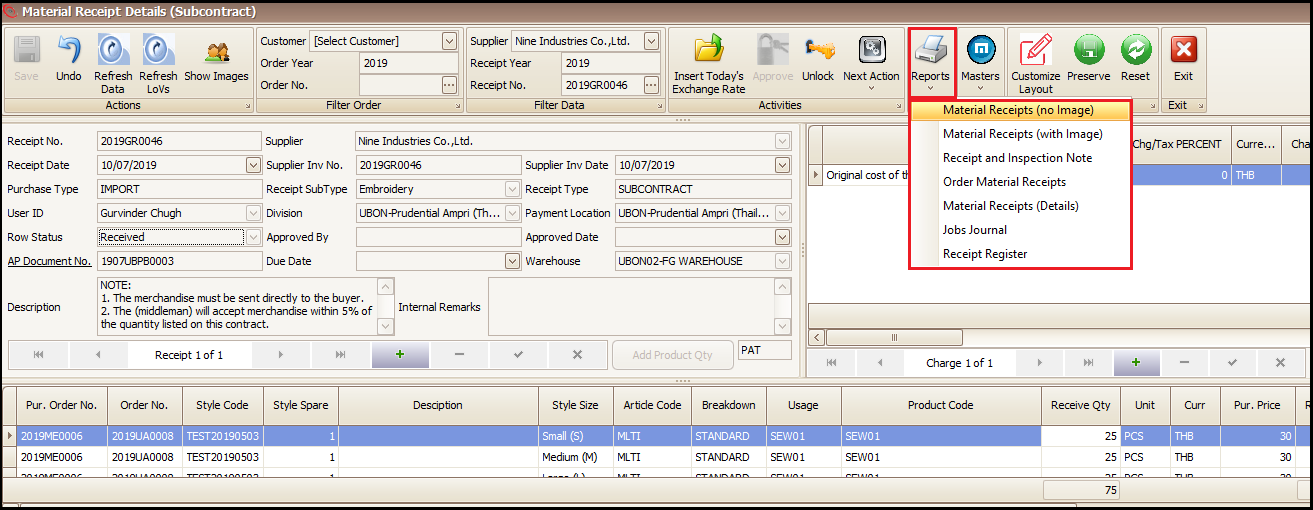
- Receipt print can be taken from Reports as shown below
Created with the Personal Edition of HelpNDoc: Easily create Web Help sites