How To Create a Return Material to Supplier
Material Return to Supplier
In case material is to be returned to supplier user needs to follow the below steps
- Go to ‘Warehouse and Purchases
- Choose (Click) the right type of material returns out of four as per category (Fabric or Trim) and PO (Bulk or Order Based)
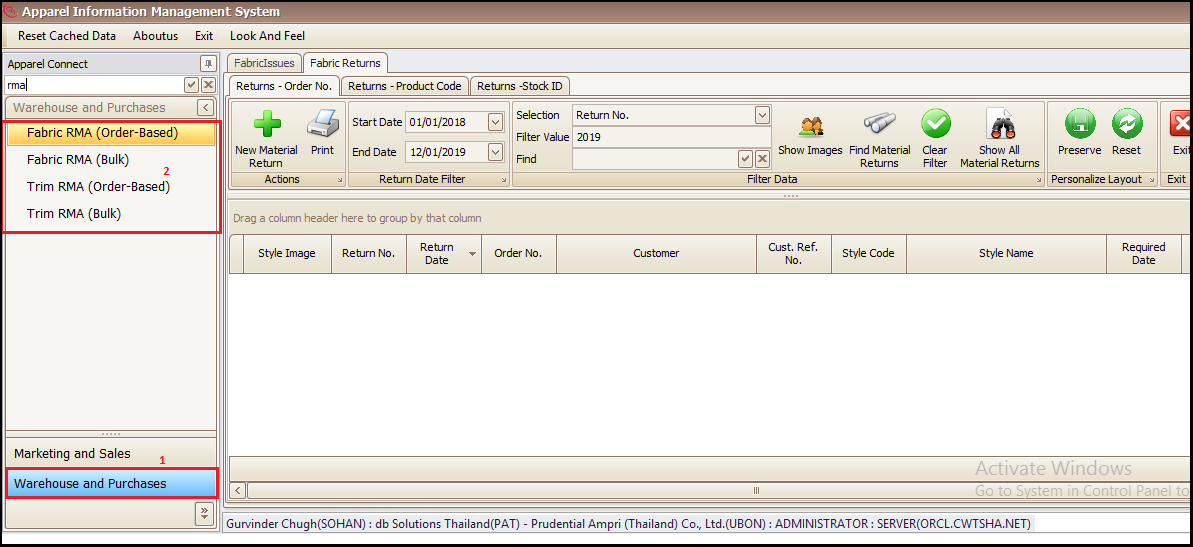
- Click on ‘New Material Return’ to make a fresh return to your supplier.
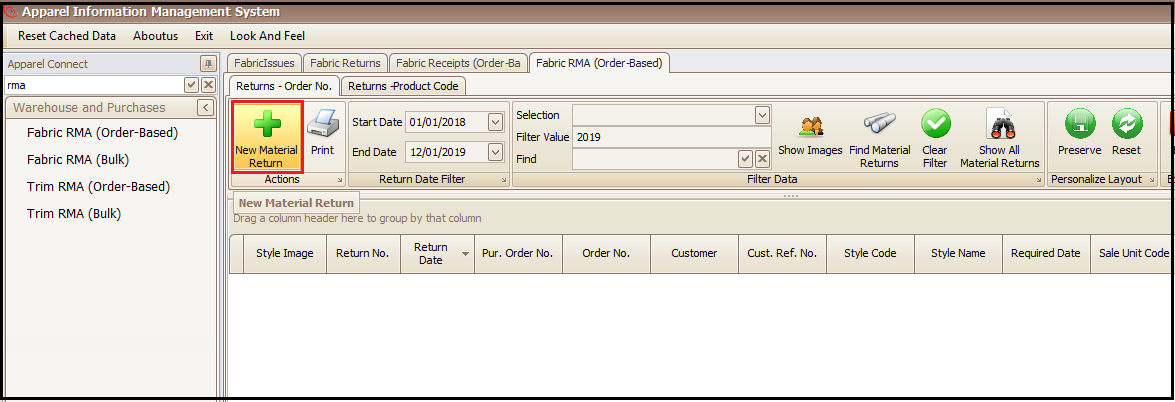
In the new opened window user will follow the below steps
- Choose the supplier to which material needs to be returned back
- Select the receipt number against which material as received from supplier
- Click on receipt number to select it from list of all receipts shown in new window
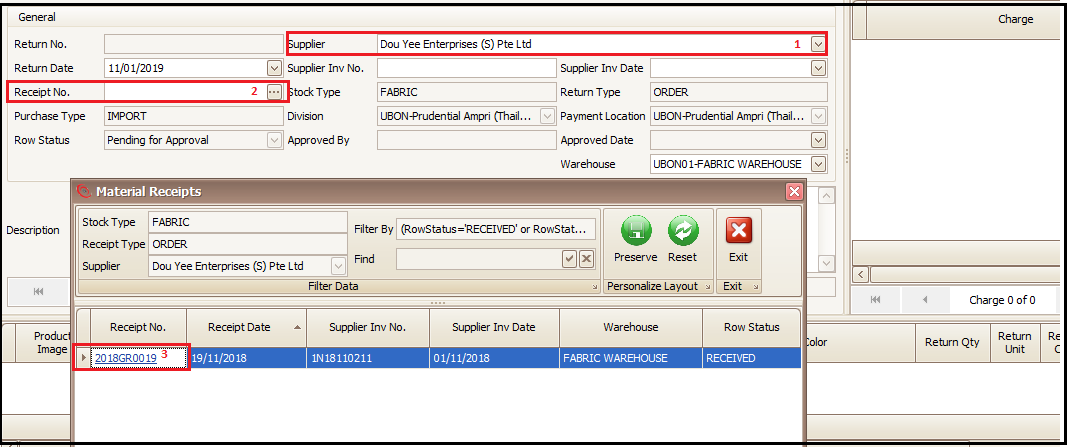
- Click on green tick button to save and this will generate the receipt number also which mandatory
- Click on ‘Add Return Qty Breakdowns’ to add the quantities which will be returned to supplier

In new window screen there will be list of packages/rolls of the material received that goods receipt.
- User will select the packages/rolls which needs to be returned
- Click on include to add the material package/rolls to return list
- Click on exit to go main screen to confirm the return
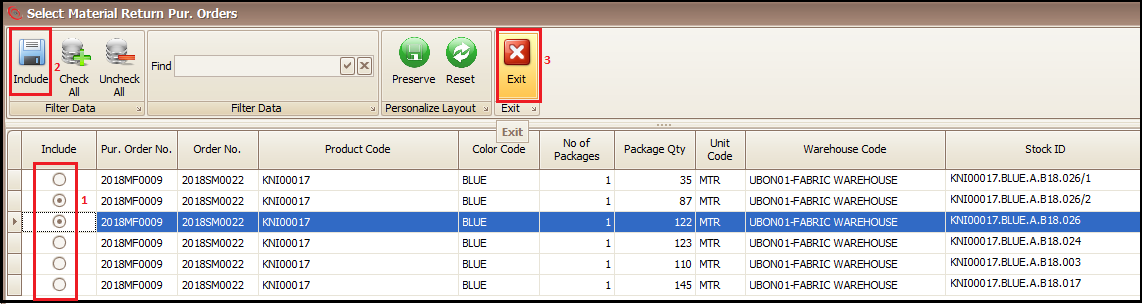
- User can add or delete the added packages/rolls for return
- ‘Press Approve and Return’ for confirming the return (On approval of same packages/rolls will be subtracted from the available stock in system)

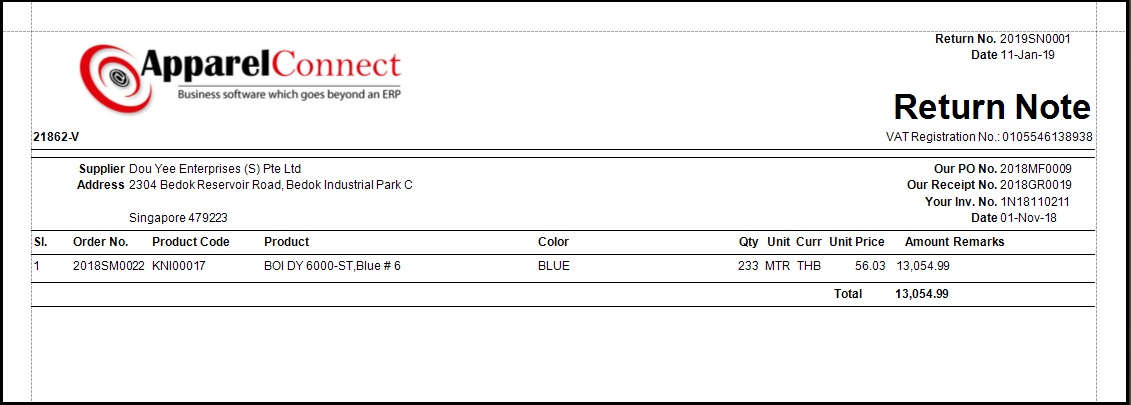
Report views of Material Return Note
- Click on reports
- Select Material Return Note
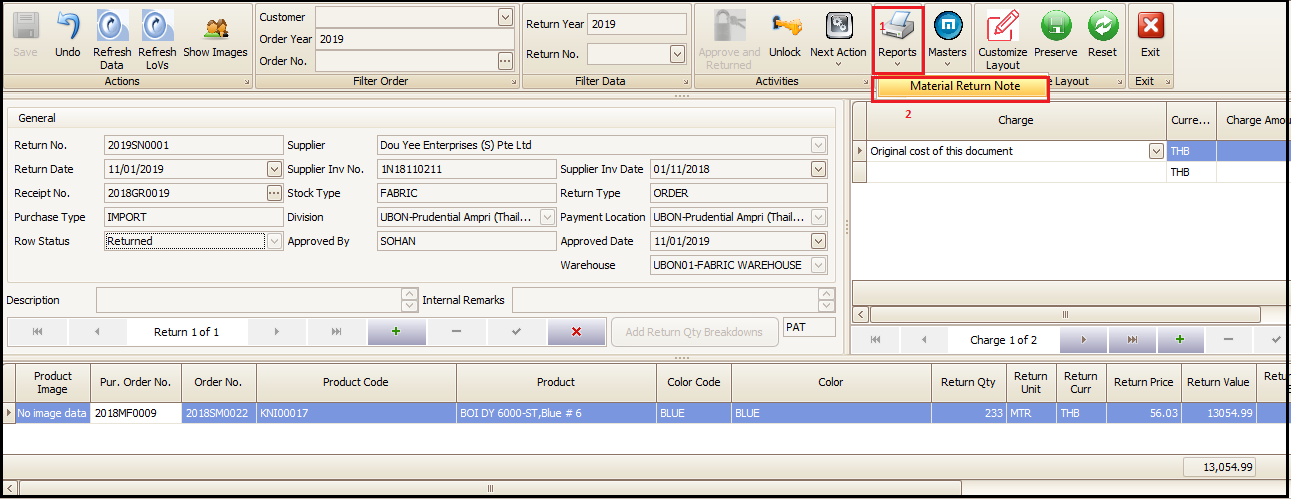
- Print can be taken and given to concerned authorities.
Created with the Personal Edition of HelpNDoc: Create help files for the Qt Help Framework