How To Create a Receipt (Work-Order)
Production Work Order Receiving
Once the Production Work Order output material is manufactured in the factory, the factory WIP store has to receive it.
To receive the ‘Production Work Order’ follow the below steps:
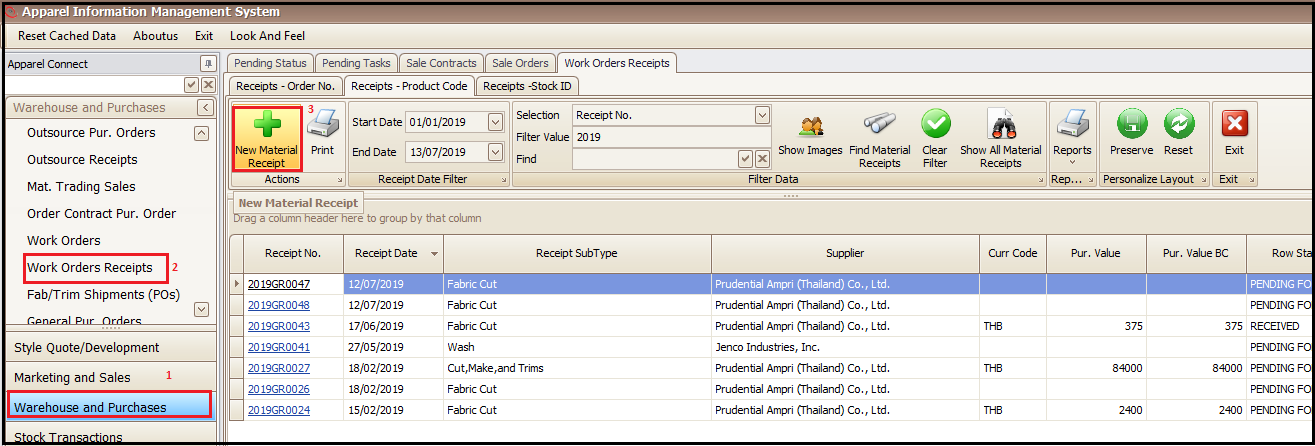
- Go to Warehouse and Purchases
- Work Order Receipts
- Click New Material Receipt
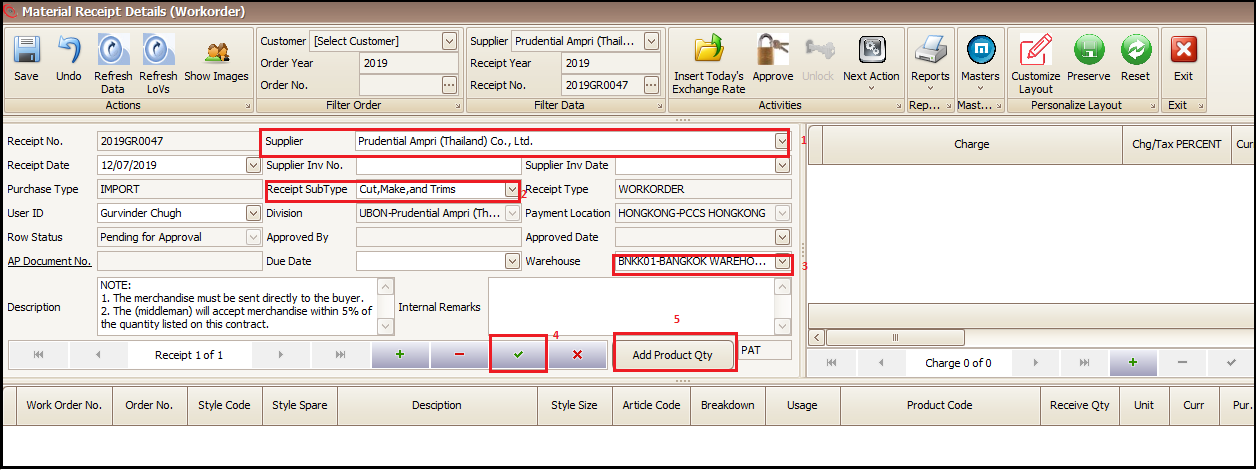
- Select the Supplier (Own factory)
- Select Receipt Sub Type (Production Process)
- Select respective Warehouse
- Click on green tick to generate Receipt number
- Click on Add Product Qty receive output of process
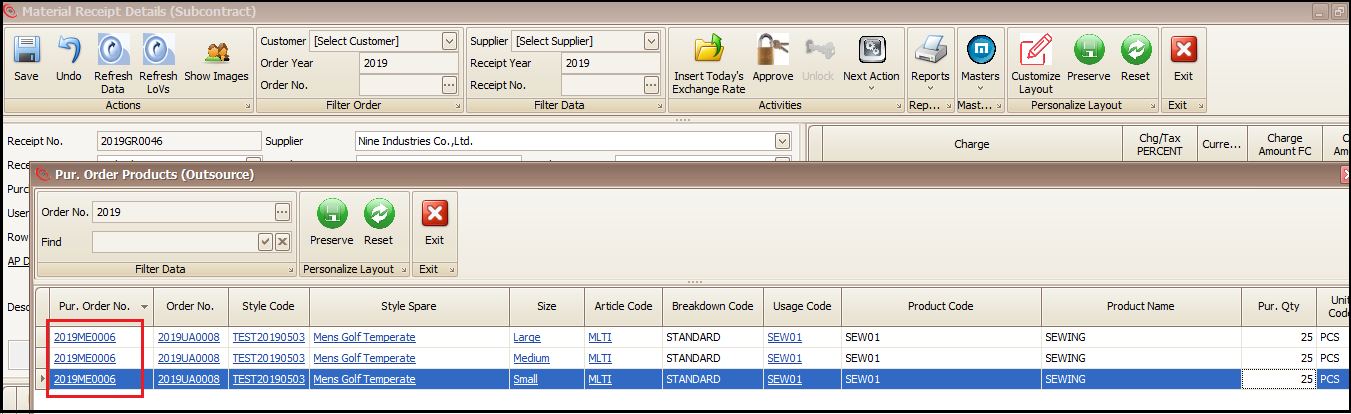
- Click on Purchase Order No. for which we have to receive the output.
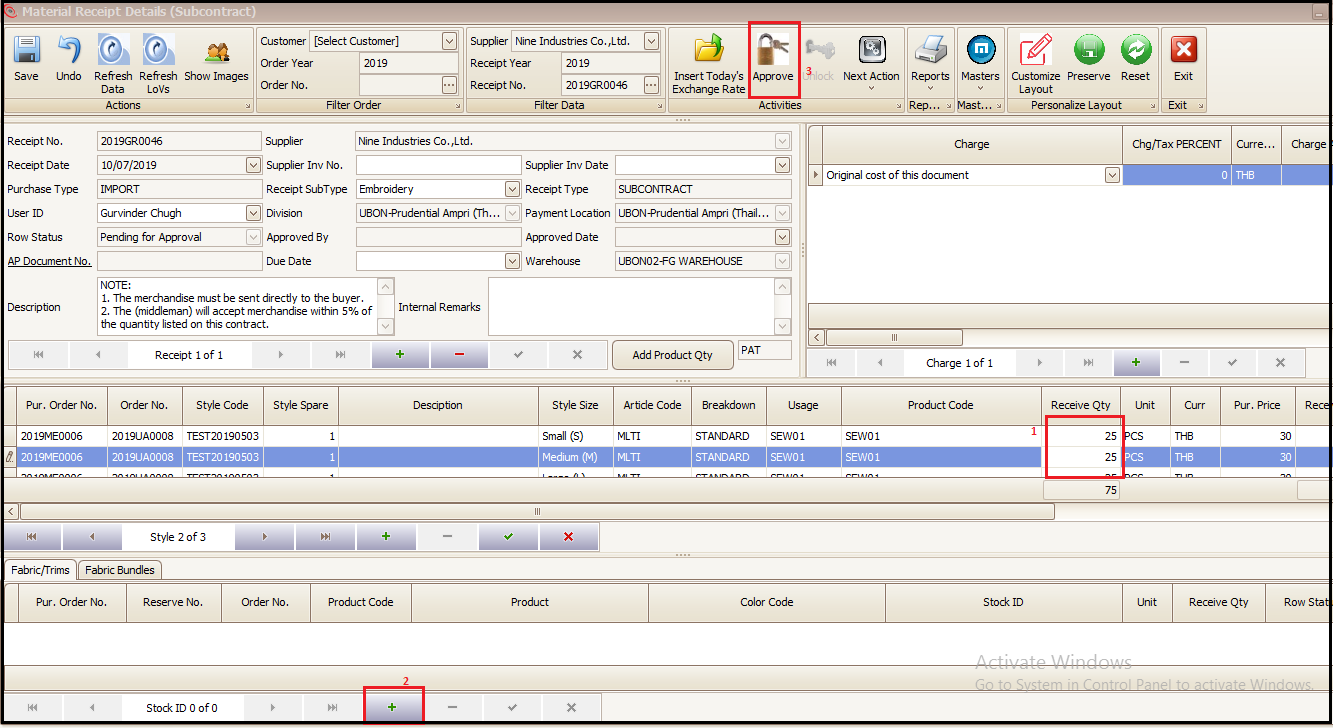
- To Change output receiving qty, change Receive Qty (size wise)
- To add returned raw material (Fabric/Trims or Fabric Bundles) click + as highlighted
- Approve the receiving
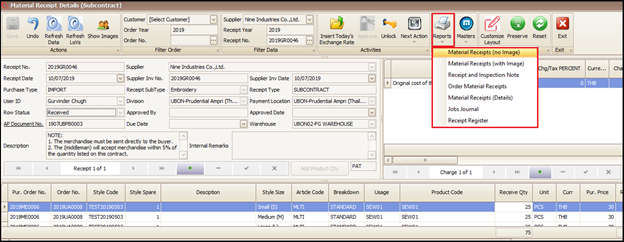
- Receipt print can be taken from Reports as shown below
Created with the Personal Edition of HelpNDoc: Create iPhone web-based documentation