How To Create a Receipts (General Stores/Misc)
General Item Receiving
- General items receiving is done for the extra items which are not part of garment production but are used by the factory people. Stationary, machinery, tools, fuel are few examples of it.
- User has to go to ‘Warehouse and Purchases’ > ‘General Receipts’ > ‘New Material Receipt’
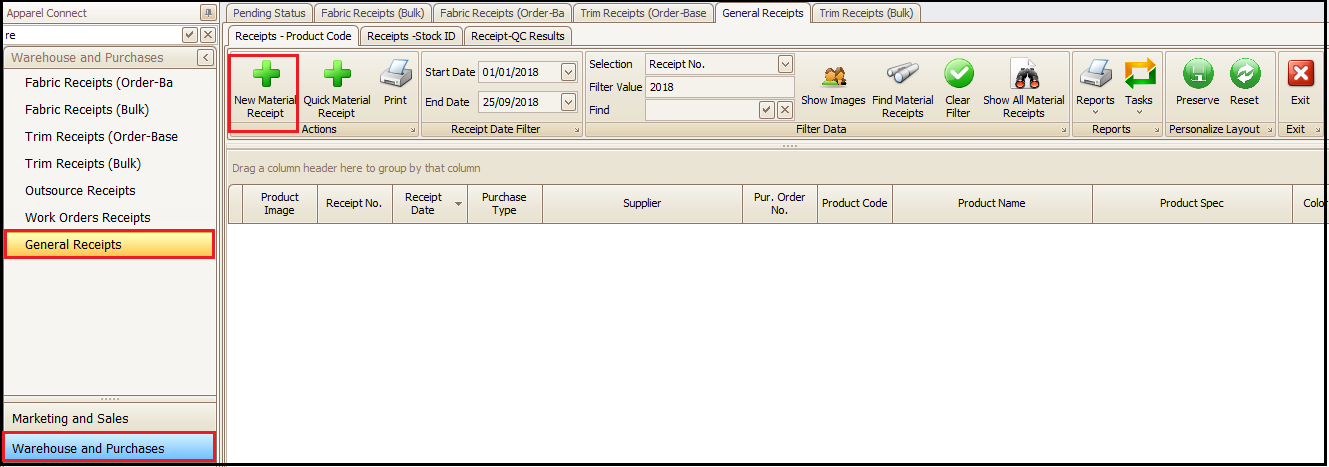
The rest of the process is to be followed as per Fabric receiving. Refer How To Create a Material Receipt (Fabric)
Miscellaneous Receiving
Miscellaneous receiving is done for entering new stock of any item or to receive some items which come to warehouse without purchase orders.
Steps to follow:
- Go to ‘Stock Transactions’
- Misc. Stock Receipts
- Click on + in green
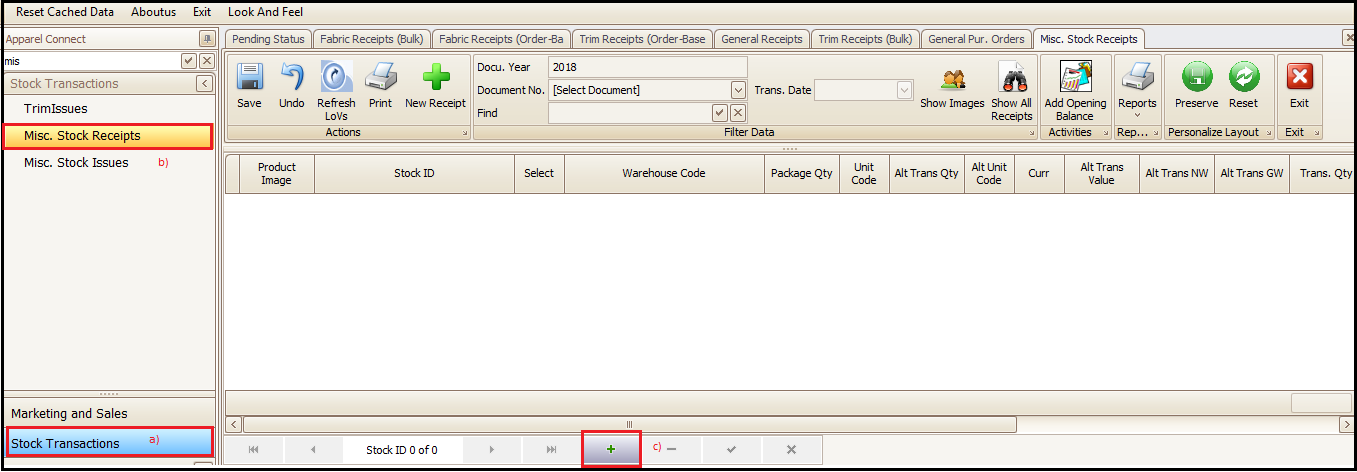
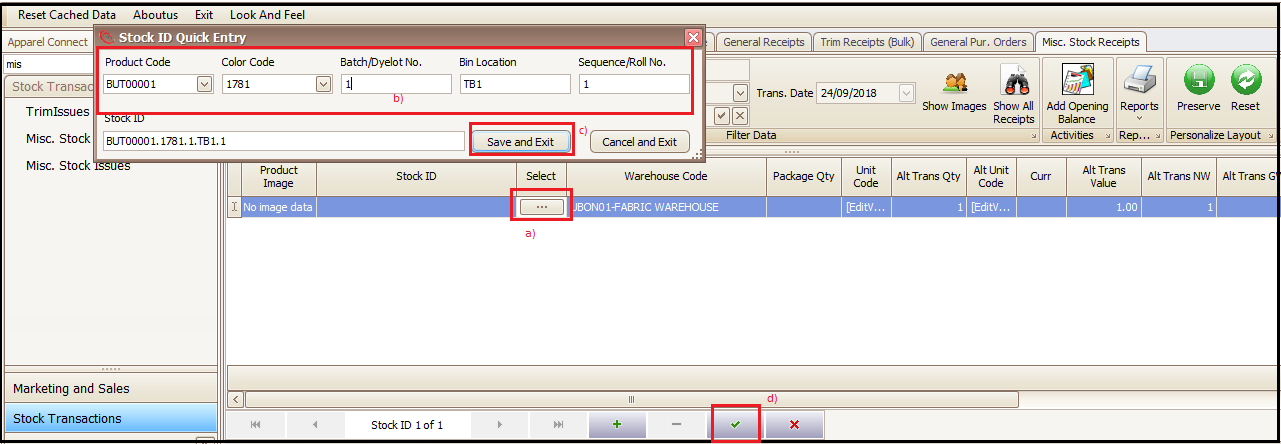
- Select the correct warehouse click on select
- Enter the product information (mandatory)
- Save and Exit
- Save the entered stock
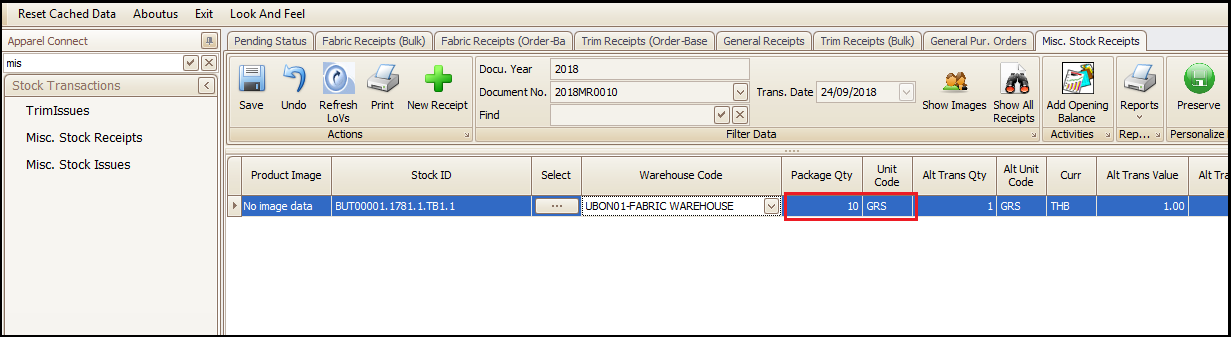
- Enter the quantity to be added in stock and save it. Miscellaneous receipt will be completed and material will show in stock for further usage and issue.

Created with the Personal Edition of HelpNDoc: Free PDF documentation generator