How To Create a Service Purchase Order (Outsource Production)
Outsource Production Purchase Order
- If any of the garment production process is to be done by sub-contractors, then factory needs to create that specific process order in ApparelConnect as Outsource Purchase Order.
- To create Outsource Purchase Order, the particular production process should be in variable costs of sale order/contract. Product In-house should be kept as ‘No’ and ‘Purchase / Service Source’ should be standard purchase as shown in below screen.
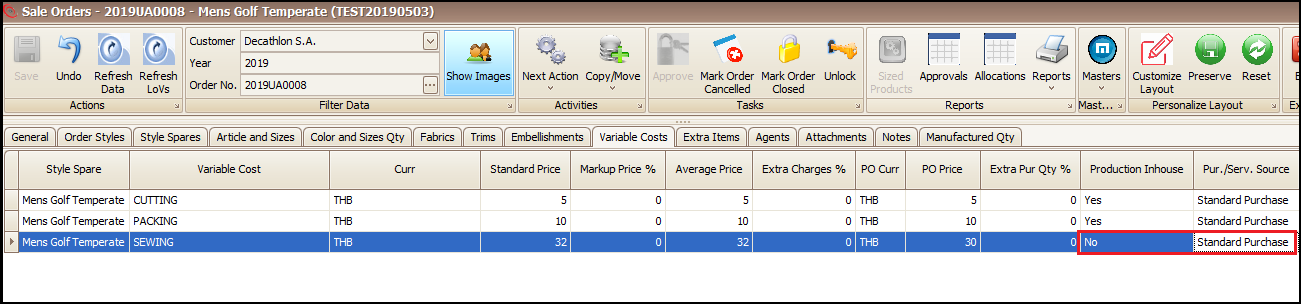
Steps to follow to create the Outsource Purchase Order:
- Open the sale Order/Contract
- Click on ‘Next Action’
- Click on ‘Generate Outsource Purchase Orders’

- Select the Usage of process
- Select the Supplier
- Select the process row
- Change qty if required
- Click on include and ‘Exit’

- User can attach input materials (Fabric/Trims/Bundles/Bundle Body Parts) for that process in outsource order ‘Style Products’ tab by clicking on + at bottom
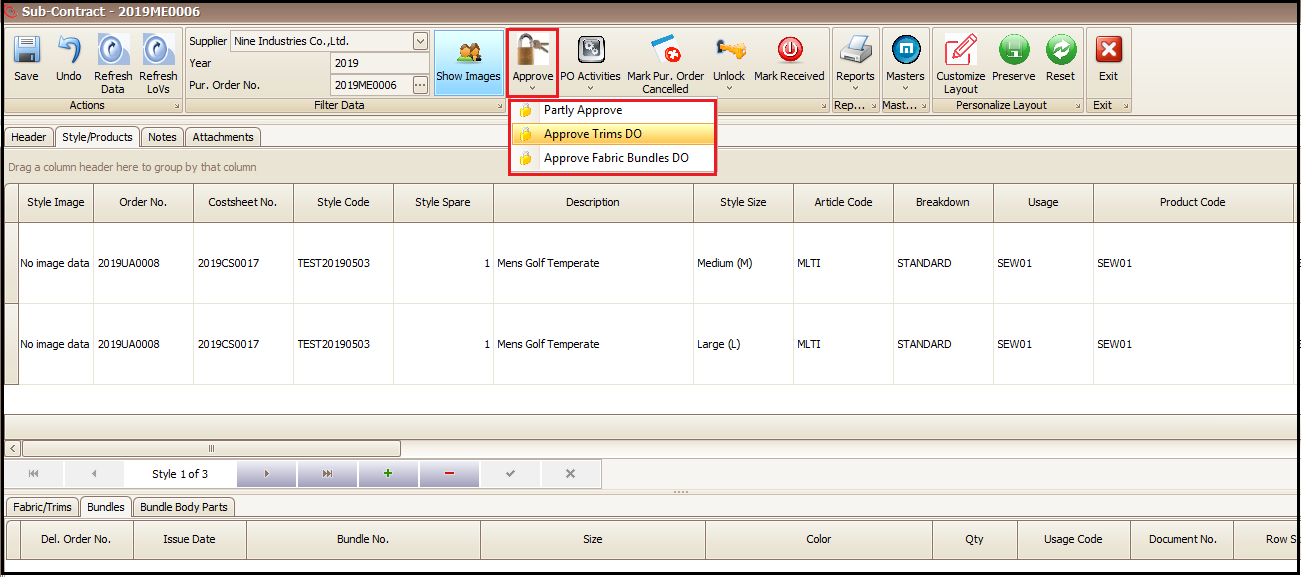
- Same Input material will be dispatched/deducted from stock on approval of corresponding Dispatch Order (DO)

- Make changes if required (Required date, delivery location etc.) and Approve the correct DO and Outsource Purchase Order
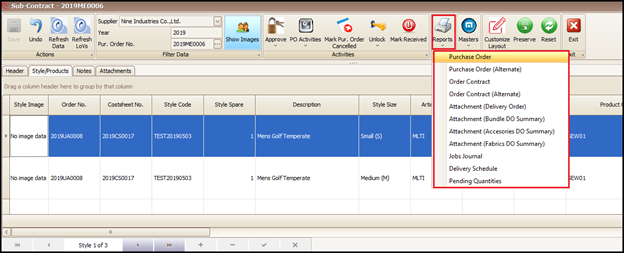
- Outsource Order and corresponding Dispatch Order print can be taken from the Reports as highlighted below
Created with the Personal Edition of HelpNDoc: Full-featured Help generator