Material Processes
Material Fabrication or Processing / Multi Level BOM.
Apparel-Connect supports material fabrication, could be fabric development (like knit, print, etc.) and/or trim development (like Length 2 size, Zipper, etc.).
Product Master
The Multi-Level BOM module requires the products to be correctly set up in the master. Mark product as “Make-Internally”. Define product processes. Product can have any number of user-defined processes. Each process can have a list of operations. Each operation can have any number of sub-product/color transformation data.
Apparel-Connect supports, One to Many (like dying yarn), Many to One (like knitting colored yarns), One to One (like washing).
Knit Fabric example (DY-KN-WASH):
30's Single Jersey Auto Stripe 180GSM
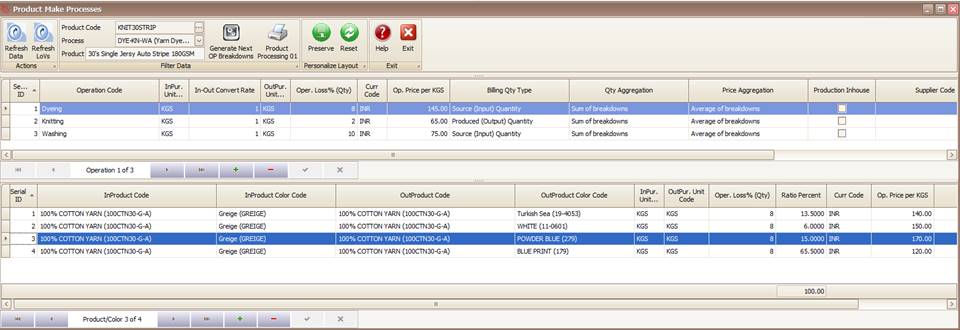
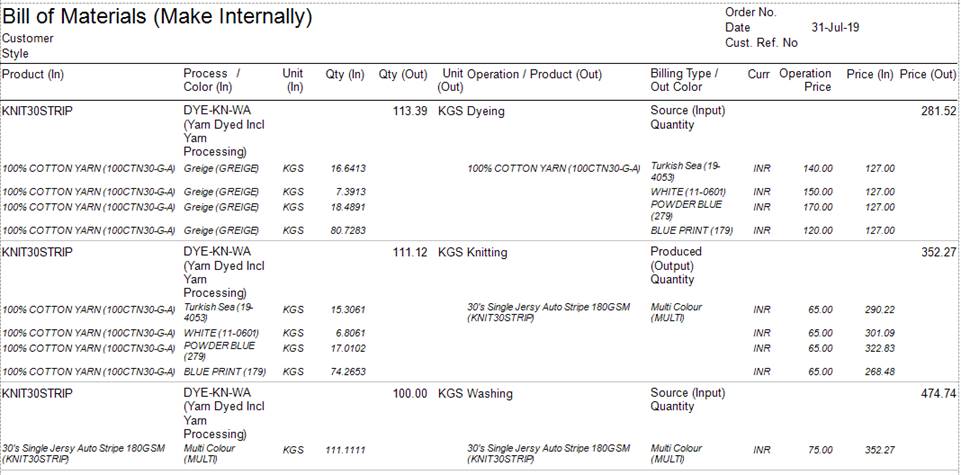
Fabric Print example (PR):
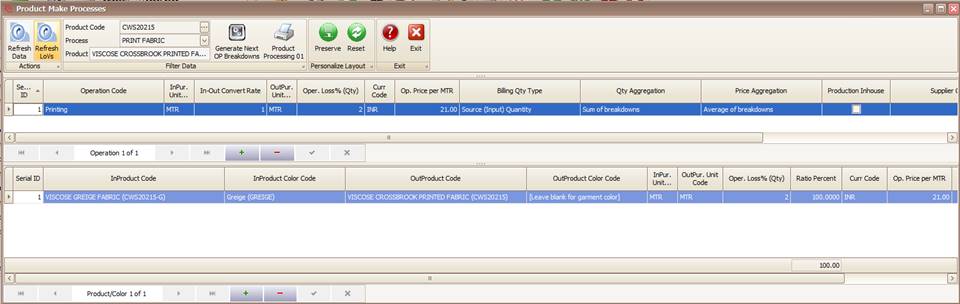

Style Cost-sheets (one-piece BOM)
- Select and attach process to the usage/product. System shows you all the processes it knows how to make this product. Not sure at costing stage leave blank and attach later with manufacturing orders.


Sales Order / Sale Contracts
- Once the process is attached at cost-sheet level, the order BOM will build multi-level BOM for the order. Apparel-Connect supports removing and/or attaching different process for a product.
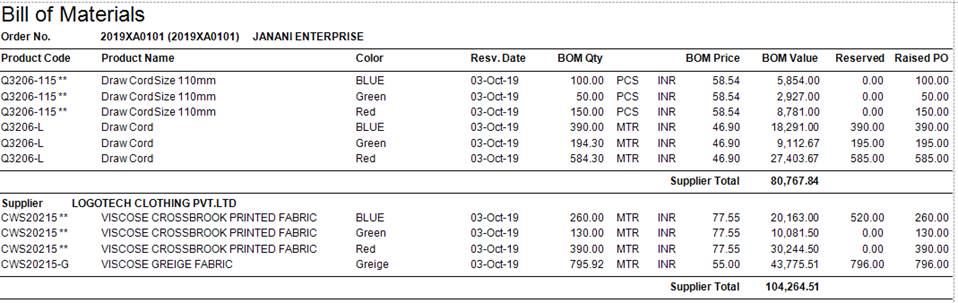
** Either make internally or provided by customer/outsider.
Material Requirements
- Book Source/Buy Products: Reserve from Stock, Reserve from Bulk PO, or Issue Material PO. Refer Material Purchase/Fulfillment
- Issue Service PO for make product operations. Refer Outsource Purchase Orders
- Receive Material PO and attach to Service PO.
- Receive Service PO. Refer Outsource Receipts
- Issue Final Product to Production. Refer Material Issue to Production
Created with the Personal Edition of HelpNDoc: Free help authoring tool