Multi-Order Packings
Multi-Order Packing
Multi-order packing list can be made in case there are multiple sale orders of same or different customers are packed and a combined packing list is to be made made. To make multi-order packing list:
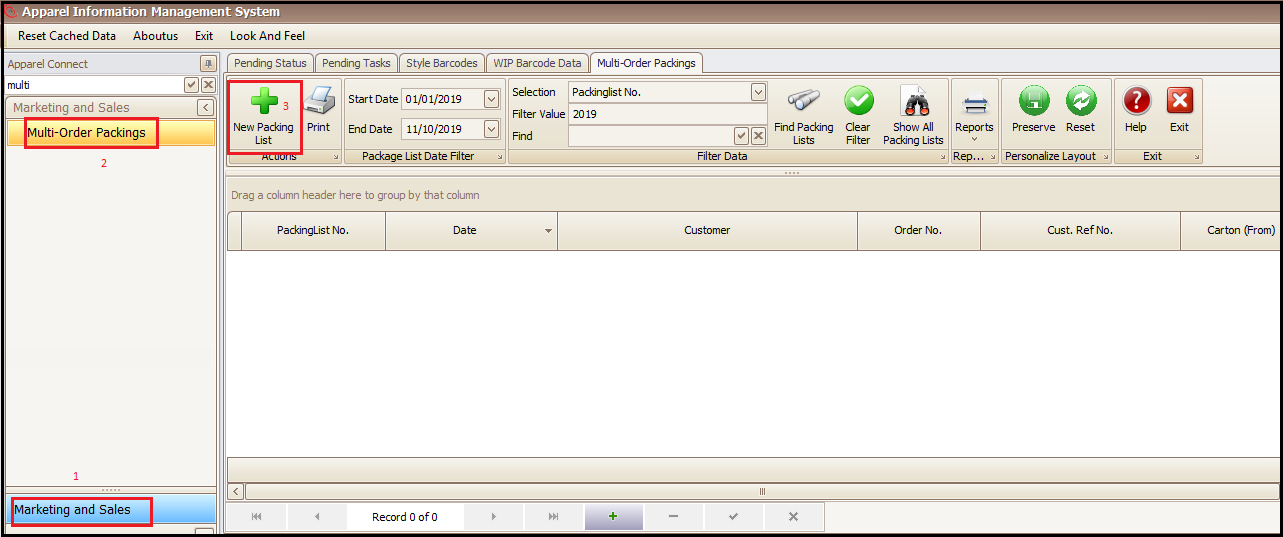
- Click on Marketing and Sales in main menu
- Click Multi-Order Packings
- Click New Packing List (this will open a new window)
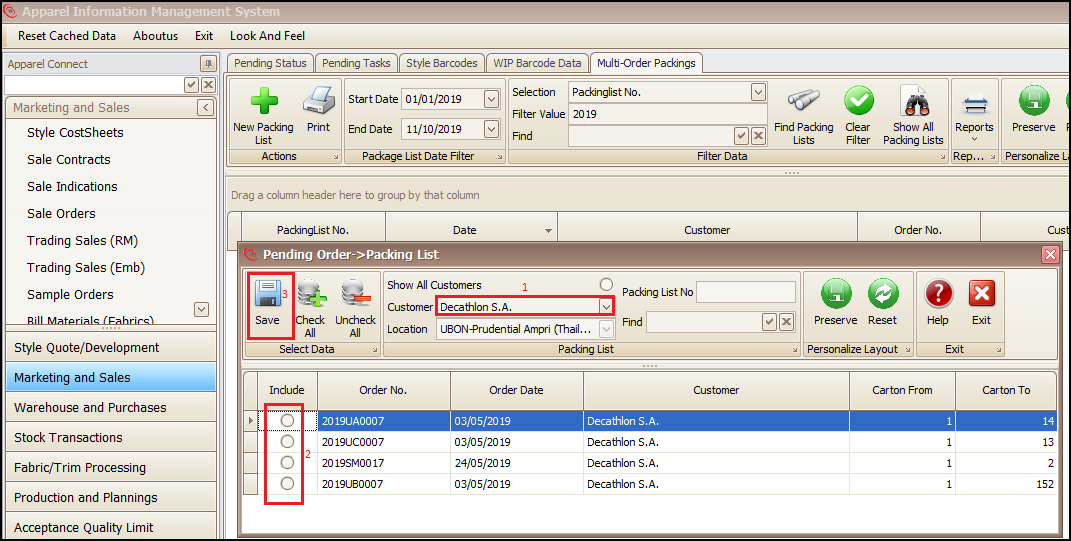
- Select a Customer whose orders needs to be combined packing list (Also all customer orders can also be shown list by selecting Show All Customers radio button)
- Select the below shown orders which you want to make a combined packing list (orders shown below are the orders of that customer for which packing list has been created individually and needs to be clubbed: refer packing list document for details)
- Click save and system will create a combined multi-order packing list for selected customer orders
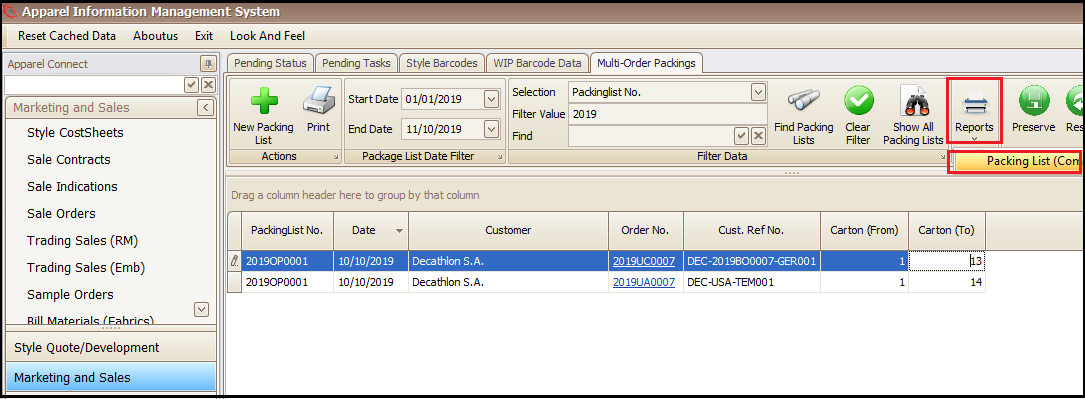
- Click the Reports and choose the shown report to take a print of desired combined packing list
Created with the Personal Edition of HelpNDoc: Single source CHM, PDF, DOC and HTML Help creation